


Participant
December 11, 2019

P: Starting in v 23.1.1 - keeps nagging me to save to Creative Cloud

  • December 11, 2019
  • 81 replies
  • 34537 views

I've been paying for / using Photoshop for many years (since way back to version 3 in 1996).


I don't use the Creative Cloud for saving files, and don't want to.


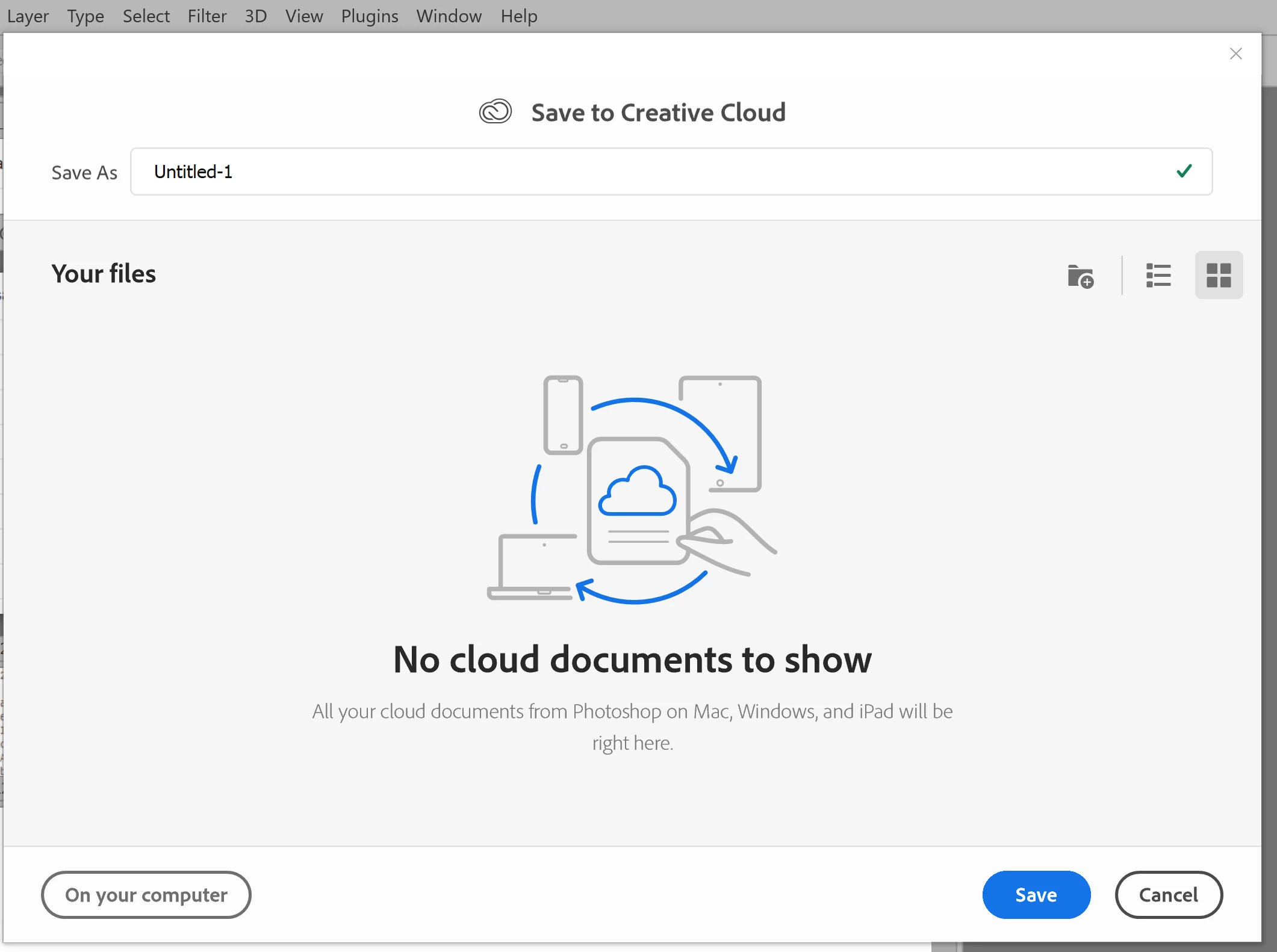
However, starting with version 23.1.1 whenever I create new file from an image I've copied to the PC's clipboard and then paste it into the blank PSD and Save, it now prompts me to save the file to the Creative Cloud.


The first time it popped-up (today) I made sure to put a check mark in the "Dont Show Again" box and chose "Save to your computer".


Yet it's still popping-up the "Save to Creative Cloud" prompt every time and still forcing me to make the extra step of choosing "On your computer" , every time. (Screenshot attached).


This is insanely annoying.


At first I thought hmmm... OK maybe just a glitch, so I shut down PhotoShop and restarted my PC. Problem still happens. I can't seem to find any way to change it in the settings.


Has anyone else encountering this bug? Know of a solution?

Many thanks for any input!


81 replies

donpaluh
Participant
May 18, 2022

[remarks removed by moderator]

Participant
May 14, 2022

A simple "remember my preference" checkbox, like you used to have in the save window, would have been fine.

[abuse removed by moderator]

Participating Frequently
May 10, 2022

started to happen to me out of the blue. selected multiple times: dont ask again, but it didnt work. suddenly its fine, but the saving to cloud is on in the preferences...
[abuse removed by moderator]

Stephen Marsh
Community Expert
Community Expert
May 7, 2022

@Kelly5C2A 


Hi again, I don’t know how to do that. I have searched for a Photoshop features forum and I can’t even find just a plain Photoshop forum, only “Photoshop Ecosystem.” I also have no idea how to move a post or start a new thread with an old post, there are no indicators near it (like there are for Report, Like, Upvote or Share.) If you. Know how to do that could you explain it to me? I find the whole forum setup strangely disorganized and counter-intuitive and I can’t figure it out at all.Thanks so much for your interest!


More here on post types:

https://community.adobe.com/t5/photoshop-ecosystem-discussions/which-quot-conversation-type-quot-should-i-choose-before-writing-a-post/td-p/12386859


You should post an "idea" conversation type.


More on the forum organisation here:


https://community.adobe.com/t5/photoshop-ecosystem-discussions/combining-photoshop-amp-photoshop-mobile-into-photoshop-ecosystem-community/td-p/12180753


https://community.adobe.com/t5/photoshop-ecosystem-discussions/community-forum-consolidation/td-p/12325467


Kelly5C2A
Known Participant
May 7, 2022
Hi again, I don’t know how to do that. I have searched for a Photoshop features forum and I can’t even find just a plain Photoshop forum, only “Photoshop Ecosystem.” I also have no idea how to move a post or start a new thread with an old post, there are no indicators near it (like there are for Report, Like, Upvote or Share.) If you. Know how to do that could you explain it to me? I find the whole forum setup strangely disorganized and counter-intuitive and I can’t figure it out at all.Thanks so much for your interest!
Kelly
PECourtejoie
Community Expert
Community Expert
May 6, 2022

@Kelly5C2A I was talking about your may 1 post about blur strenght, on page 3.

Kelly5C2A
Known Participant
May 6, 2022
Hi — this is not my post, thanks!
IanBrettCooper
Participating Frequently
May 5, 2022

There is now no option to turn off the annoying dialog that urges us to save to the cloud whenever we create a new document. No one asked for this, and it seems no one wants this. I certainly don't need a dialog wasting seconds of my time every time I try to save a new document. Give me the option to turn it off!

PECourtejoie
Community Expert
Community Expert
May 4, 2022

@Kelly5C2A please start a new thread in the features request area for this separate problem.

Kathy5FFA
Inspiring
May 1, 2022
There was just an update so now you can turn it off in preferences. Too many people complained.