Jqqerry
Inspiring
June 14, 2022

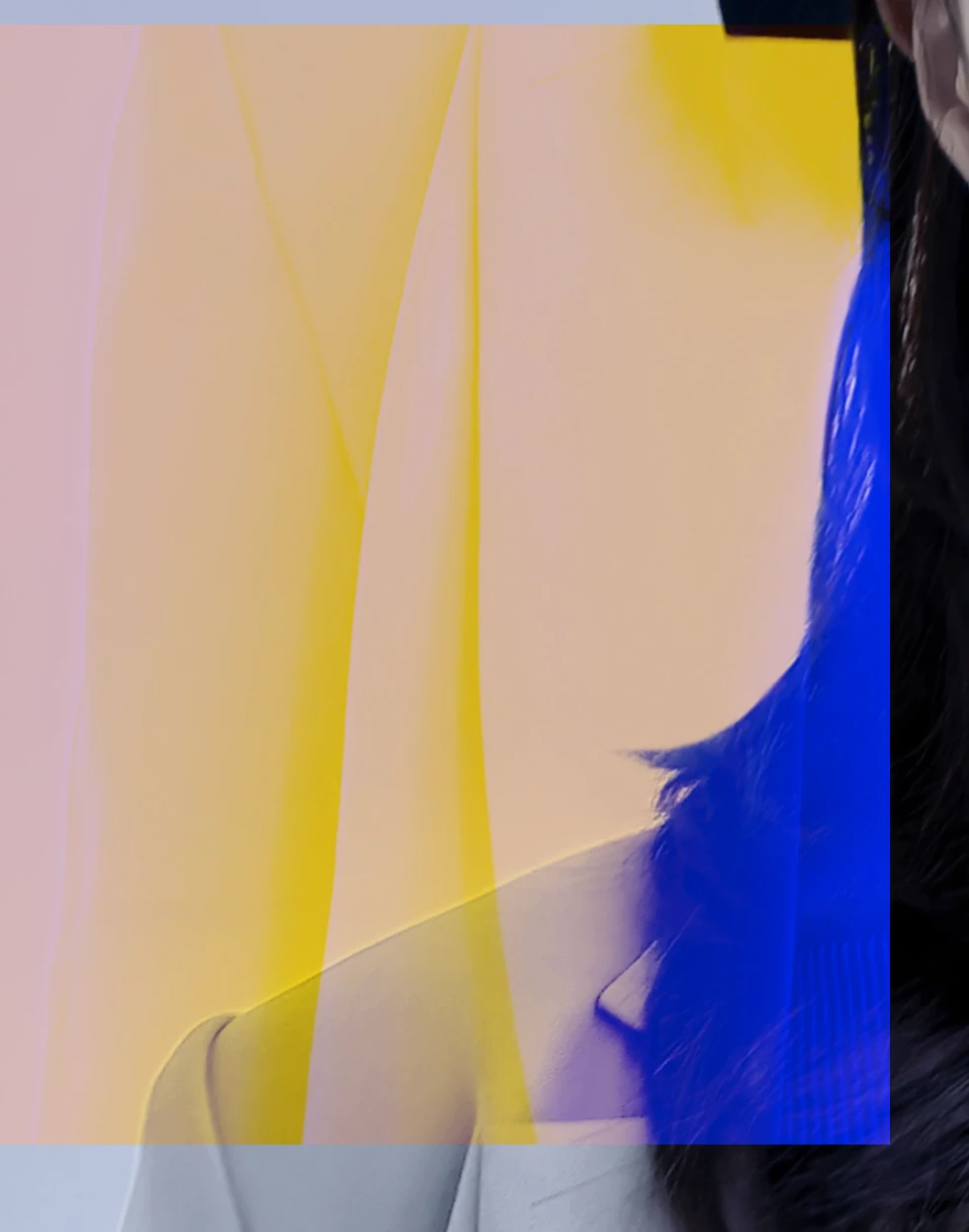
P: Strange color box with data loss

  • June 14, 2022
  • 74 replies
  • 25106 views


test pc is window10. Photoshop version 23.4

GPU comp off / on , Multithread of / off , Native canvas on /of

I reset it, but the result is the same.

It doesn't matter if it just looks like that and it doesn't affect the actual output. But that's how it's reflected in the actual output. So I can't proceed with the work right now.

That bug occurs randomly when zooming in and out. Even if i use clone stamp, patch tools, or healing brushes, bugs occur randomly. Emergency patch is required.

This topic has been closed for replies.

74 replies

Participant
June 15, 2022

I am also experiencing this problem. 

n my case, I don't know because I don't use freetrandsform often, but it also happens when I erase something using a patch tool, and when I apply Gaussian blur to a certain area with a lasso tool, a color box appears randomly like that..

Of course, before I wrote this, I saw the rollback notice. However, I wrote this to let you know because I don't think it's limited to Free Transform.

TheDigitalDog
Inspiring
June 14, 2022

If you want to go back to previous versions do the following: 
In Adobe Creative Cloud, select PS, click on the three dots and select "Other Versions".

While there, you may want to disable automatic updates. Then you decide when you want to update the version after giving a new build a few days/weeks (when not in the middle of an actual job!). 

Author “Color Management for Photographers" & "Photoshop CC Color Management/pluralsight"
Takai Tora
Participant
June 14, 2022

Today I updated to Photoshop 23.4 and since then I have been experiencing the following issue.

While working, some of the layers get a glitch:

I close without saving, just in case, and when I open the file again, the affected layers got erased:

Anyone have any idea or is having the same problem?

I work with the program, so I hope Adobe fix this asap.

Participant
June 14, 2022

I am getting a strange error with the latest update.


While editing a photo (frequency sepration method, in my case), the layer im using gaussian blur tool on corrupts after a few actions. Not sure if any other tools are causing this.


I recreated this consistantly with my own project files, as well as a downloaded stock image which is attached, along with the PSD.


Windows 10

16GB RAM

Nvidia 1080 GPU

Photoshop 23.4.0

Participant
June 14, 2022

Looking at my attachments, the glitch "recalculates?" itself when resizing as seen in the PSD file. I had to make it smaller so I could meet the file size attachment.

sooogoood
Participant
June 14, 2022

I followed the answer written by Adobe staff above.

i've tried GPU composite off, and restrart photoshop, double-check(for make sure is really off)

but same issue =(

Lasotool seems to have an effect on something, and also in my case, even if I make an adjustment layer based on lasso selection or apply a filter (blur or sharpen), that color box is randomly created.

To avoid that color box, you must delete the layer itself. Even if you turn Photoshop off and off, if the file is already ruined, it can't be restored.
It's a very flustering bug.

Participant
June 14, 2022

I just updated and found this terrible issue on 23.4 - hardware specs below.


Basically parts of my document glitch when I'm moving layers around. A lot of the document glitches when selecting a few pixels and rotating. Ive had DISPLAY issues before, but these are being incorporated back INTO my document. So i saved my file, restarted my computer and parts of my document layers were clearned (deleted) or moved! this release needs to be pulled to fix


macOS Monterey Version 12.4
MacBook Pro (16-inch, 2019)
Processor 2.6 GHz 6-Core Intel Core i7
Memory 32 GB 2667 MHz DDR4
Graphics AMD Radeon Pro 5500M 8 GB

Participant
June 14, 2022

Same just had a file corrupt and remove parts of an image and turn black and PS is trying to open PSD's in Illustrator

Ged_Traynor
Community Expert
Community Expert
June 14, 2022

@Pete.Green Disabling GPU compositing and restarting Photoshop fixes the issue for me

Known Participant
June 14, 2022

After updating PS today, i found this bug. 

PS corrupt my photos while i'm doing FS to some photos. usign Guassiang blur as you could see in the video. 


Known Participant
June 14, 2022

I have the some problem with ALL photos. 

Jqqerry
JqqerryAuthor
Inspiring
June 14, 2022

@Pete.Green  Yes. When I turn off or turn on an some option, I always turn on the setting window again and check it twice, three times, and four times.

The option that I was turning off was exactly turned off, and a bug occurred. In addition, when I turned it on and reproduced the bug, I double-checked it to see if the option was really active.

Thank you for your hard work.

Pete.Green
Community Manager
June 14, 2022

Thanks @Jqqerry , That very well might be true, thanks for reiterating the difficulty you're seeing and the steps you've tried.

You may have already rolled back to 23.3.2 at this point. If not, I would be curious if those changes you set "stuck" (so to speak). Meaning, did those preference changes stay unchecked after you restarted Photoshop?


In some of my testing, I unchecked them, and they were checked again after a subsequent restart of Photoshop.

So that is why I'm asking this seemingly unnecessary question and verification. 

Hope that helps clarify why I'm "double-checking" this step.


Regards,

Pete