The primary cause of this issue has been addressed in the newest release of Photoshop, which is now available for download. Please open your Creative Cloud app, upgrade to Photoshop 20.0 and try your video render again. We would appreciate your feedback.
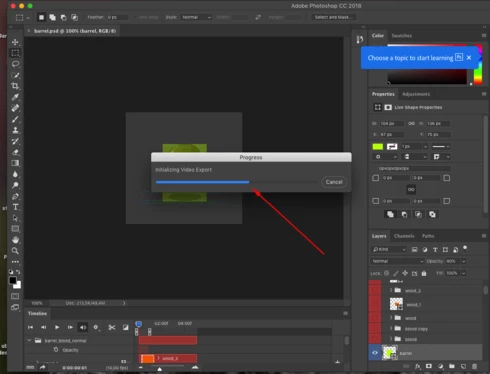
Hi Hannah - I'm having the same problem, about a 50% freeze when trying to export for video. I have the latest update (as of October 13th 2018) and I'm working on the newest macbook pro. I've gone through the steps of trying to open a video in photoshop and it freezes, and so I went through your steps of trying to find the empty file in "logs" to no avail. I really need to export these as videos. Is there a number I could call to walk me through?
Sorry for late reply. It turns out we don't teach this class until spring, so I probably have time to test with a couple of students, assess, and then loop you to our IT guys. If it's a 15 min fix they won't mind.
I understand. So you know them to be having trouble rendering video? Asking because this isn't happening to every user. You are welcome to tell your IT department that I would walk them through a fix in what would likely take no more than 10-15 min if they have trouble.
Hi Hannah, To clarify... I personally don't have a problem with the workaround on my personal laptop. Issue is in a networked lab environment with students who 1) just want stuff to work and 2) don't have the admin rights to go under the hood. I'm loathe to bring this kind of thing to our IT guys bc they are overworked/underpaid.
If you're having trouble following the help doc I would be happy to help you. Jim and I did a screenshare on Sunday night and he is up and running again without issue.
Email me with the Adobe ID associated with your subscription and we could set up a screenshare. I would be happy to get your machine up and running again.
Hi, I'm watching this conversation with some anxiety, as I wish to use this for teaching this fall. The problem with the suggested workaround is that students on networked machines in the lab don't have admin rights to go under the hood and implement it. It may be anathema to mention it but I may be forced to use something cheesy like https://ezgif.com/apng-maker to get the output that Pshop can't provide.



 AdChoices