sacb0y
Known Participant
October 20, 2022

P: Windows HDR Calibration breaks Phoshop Ui and color selection

  • October 20, 2022
  • 21 replies
  • 8269 views

Photoshop 24.0.0

Windows 11 Pro 22H2 build 22621.675


After running Windows HDR Calibration which is reccomended in the display settings


It will save a profile and use it, for some peers it helped their displays greatly.


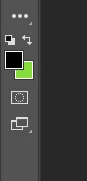
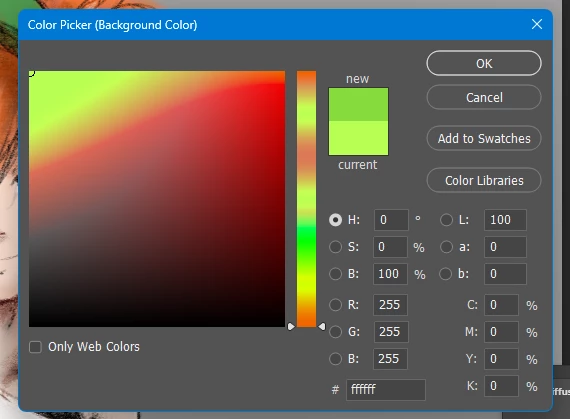
Photoshop is now displaying UI colors incorrectly. 
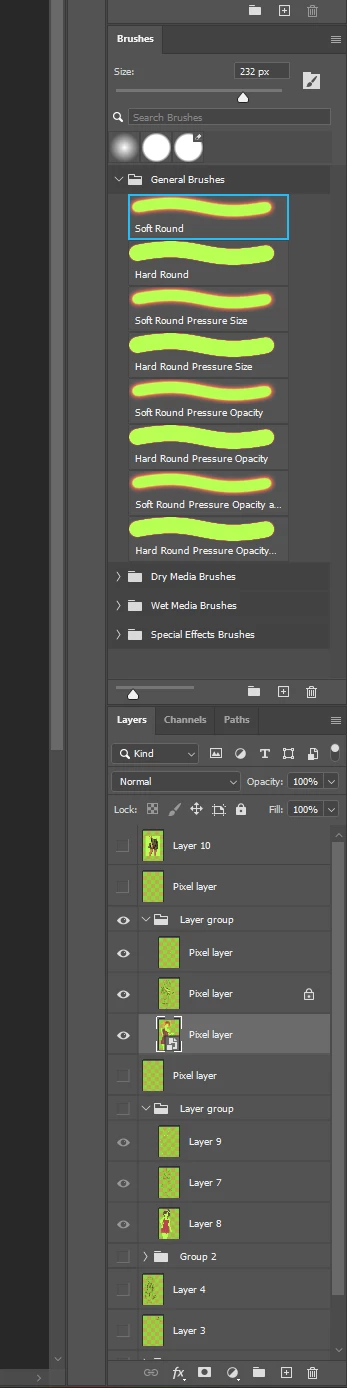


The color white appears green in most cases, amoung other colors. 


The actual image displays correctly after the profile is set. But the rest is broken. these are my settings.
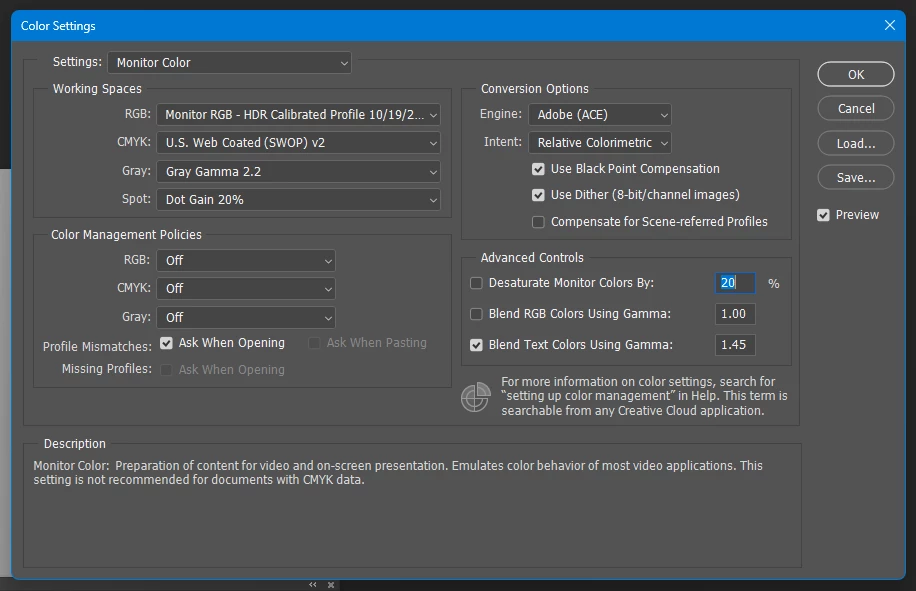
 

If turning off HDR, and rebooting photoshop with the same settings fixes it. But for my own ease of use I keep HDR "on" on my PC for various reasons. Considering this is native functionality with windows at this point, it really needs to be fixed. 


21 replies

Participant
April 18, 2025

This fixed it for me, thanks!!

sacb0y
sacb0yAuthor
Known Participant
April 5, 2024

To think OSX has had native HDR support for like 2-3 years now.

jjm44543999
Participant
April 5, 2024

Legacy display box was checked and after unchecking it, I finally have correct colors in photoshop again after years of not being able to remove the yellow tint while utilizing HDR. 

Participant
April 19, 2023

I also had this same issue,  and the  Click on the Compatibility tab and select the "use legacy display ICC color management" checkbox  DID work for me.  However... I downlaoded PS Beta and it was having the same color issues, and now i have discovered that when i right click on the app's  exe  and go to properties, i do not have a "compatibility" tab at all.   Does anyone know why that may be,  and/or  another way to access that option  for legacy display ICC color management????   Thanks! 


I also made a seperate post before finding this one, but can see it here and breaks it down good, but essentially is same issue as in this thread.

Color Issues with HDR enabled for my Monitor - Adobe Support Community - 13622164

Thanks! 

Participant
March 3, 2023

just wanted to verify, are you saying to uncheck the "Use legacy display ICC color management". When I unchecked "Use legacy display ICC color management" my issue went away.

Inspiring
December 31, 2022

Hi.... I have the same 'green' issue.  I even did the following:

Checked my ICC color profile.
And checked off the following:
1. Go to Preference - Technology Previews - Check "Deactive native canvas"

2. Go to Preference - Technology Previews - Check "Older GPU Mode Pre 2016"
Restarted PS.  NO CHANGE!!


After reading over posts from people having similar issues and also digging into my own memory, I'm pretty sure this issue began right after a recent update!!

Inspiring
December 31, 2022

Same  problem here!!!  Virtually every photo in my library is like this when I open it in Photoshop!

My Photoshop version is: 24.1.0


Participant
November 18, 2022

Its works for me!!!!! Thank you!!!!!

Participant
November 17, 2022

Ao ativar nas opções do Windows o HDR (tenho monitor compatível) as cores ficam todas trocadas, mais especificamente o branco se torna verde... Como corrigir isso?

Participant
November 7, 2022

Now plausible workround is to set the checkbox 'use legacy ICC profile' to true in the properties of photoshop.exe