
Participating Frequently
October 19, 2018

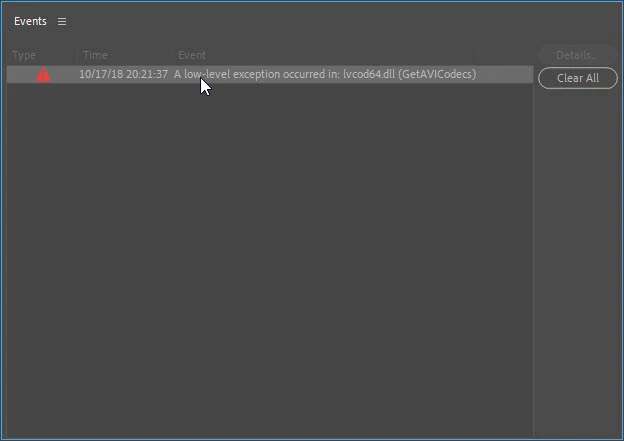
A low-level exception occurred in: lvcod64.dll (GetAVICodecs)

  • October 19, 2018
  • 64 replies
  • 49671 views

After upgrading to the 2019 version of Premiere Pro CC I'm getting this error when opening any project. I can edit the project but I don't know if any work that I'll be doing will be compromised by this error. I need a position about this problem to continue working in any project in the 2019 version.
This topic has been closed for replies.

64 replies

Participant
May 28, 2023

This is now happening to me after the update....

Participant
June 4, 2023

Same here, I have the issue now for the first time 😞

Participant
June 11, 2023

Yep just started for me.  Deleted the .dll and now sound doesn't import into Premier Pro

Participant
May 23, 2023

A low-level exception occurred in: lvcod64.dll (GetAVICodecs) is definitley not solved on the latest version of Premier Pro v 23.4 running Windows 11, latest version 22H2. Any actual solution would be most welcome.

Participating Frequently
May 25, 2023

I as well am getting this for the first time after the latest update. I reinstalled logitech webcam as someone suggested. I am on Window 10.

BobbyJayOTA
Participant
May 17, 2023

Well, here we are in 2023...  and this wonderful little error has seemed to reared its ugly head on me...  I've done the whole "Update" thing...  Yeah... Funny...  I've uninstalled...  I've even gone ahead and completely uninstalled the entire Creative Suite...  and then reinstalled everything one by one...  And low and behold... I'm still getting the error...

So...  Is there an actual FIX for this issue?  Rather than just saying update...

Inspiring
May 19, 2023

I have the same thing, I am not too sure why this is an issue and if it really is an issue that will affect the final export, but considering the Adobe subscription cost this shouldn't be an issue at all.

BobbyJayOTA
Participant
June 2, 2023

I'm with you there...  This should not still be happening...  My investigation into the DLL in question led me to Logitech, and my Legacy Webcam...  I deleted the DLL, rebooted the computer, and it's been fine ever since...  However, I don't know if it affected any of the encoding formats...  It hasn't on any of mine - yet...  

Inspiring
May 12, 2023

Guess what.,... it's back! 😐 

BobbyJayOTA
Participant
May 17, 2023

I'm thinking it missed us...

renatom24393182
Participant
December 23, 2018

I had same problem here ! It is very expensive plan for there to be no solution ! If there is no quick solution I will cancel my Plan, ADOBE CREATIVE CLOUD !

Ann Bens
Community Expert
Community Expert
December 23, 2018

There is no point in threatening to cancel your subscription on a user to user platform.

If you want help Contact Customer Care and ask for video queue.

Participating Frequently
December 21, 2018

I'm experiencing this issue in Windows 10. Reverting to Premiere 2017 or 2018 for now.

s_Mash_D
Participating Frequently
December 6, 2018

what's the fix if using a mac?

Participant
October 30, 2018

Deleting the file lvcod64.dll from the folder C:/Windows/System32 has solved this issue for me.

Thank you so much

Participant
October 29, 2018

Ppro is so unreliable that I lost my work after 2 hours working hard on it. Stopped responding for no reason

Participant
October 23, 2018

Same problem here and I can´t delete lvcode64.dll because I use my logitech webcam for video conferencing

Shivangi_Gupta
Community Manager
Community Manager
October 24, 2018

Hi germancgalvan,

I understand your point. Till the time we are working on a fix, you can use the previous version of Adobe Premiere Pro i.e. cc12.1.2, if it is working fine for you.

I will advocate on your behalf.

Thank you for your patience,

Shivangi