



No way to manually tweek the 'Mask Path'? What if the "tracker" fails at few points. The new 'Mask Tools' in Premiere-26, doesn't animate the keyframes of mask path and transform controls.
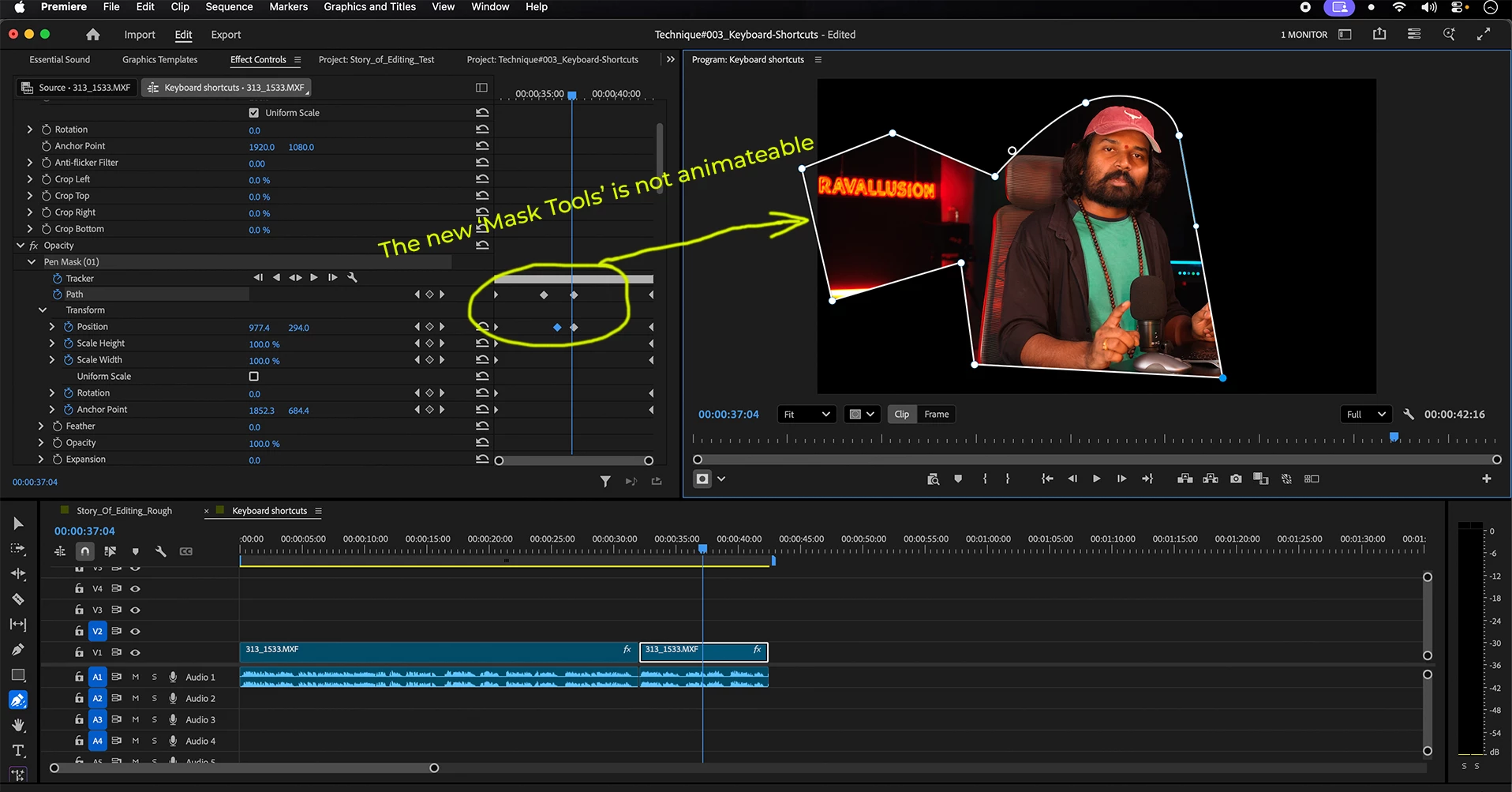
Adobe has come up with the new 'Mask Tools' in the new version - Premiere-26, but they forgot to include the 'automatically adding keyframes for every change in the parameters" feature in the new "Mask Tools". The only way is to click on "Tracker" controls to track forward or backward. What if the tracker goes off at few points? There is absolutely no way to manually tweak the mask, reposition it and register that keyframe unlike After Effects. They have given the stopwatch next to all the Transform controls but when I add keyframes, it doesn't animate. I tried tuning on/off the tracker, but still it doesn't work. This is a serious glitch. I hope Adobe will fix it soon!
 AdChoices