
Inspiring
October 21, 2024

P: Hundreds of Direct2D Drawbot error. HRESULT: -2005270494

  • October 21, 2024
  • 49 replies
  • 17963 views

I'm getting hundreds of these errors, and every time they happen the UI freezes for a second or two.
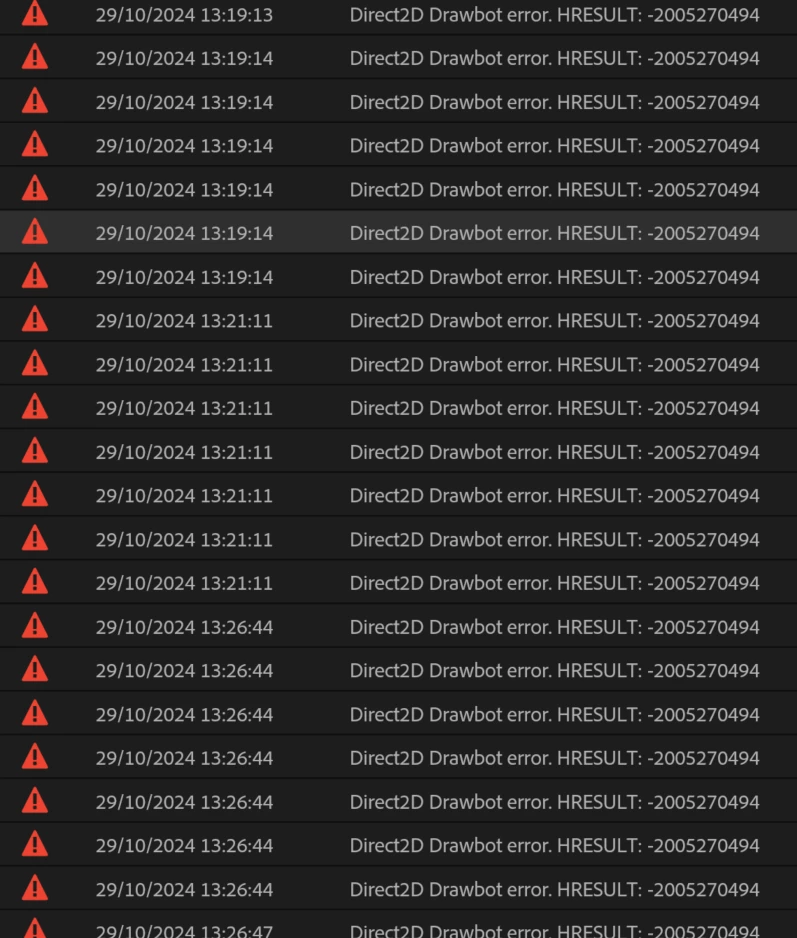
 

Not entirely sure what build I'm running but it's 25.0. Here is the extremely useful about box:


Any ideas? Thanks!


49 replies

Adobe Employee
December 16, 2024

@Beatriz31757337ujvd - Following on Jamie's comment, if your case was with AE, I'd recommend starting a thread for your case in the AE forum, with a title+description it in terms of your use case, with a focus on the minimal repro steps. 

AE similarly moved over to hardware accelerated UI which had been in public beta for a while, and went into release in v25.

That class of error isn't a issue for general usage of these apps, but such errors have been found to occur in particular panels/operations in connection with the move to hardware acceleration. Those error codes tells us what kind of problem arose(e.g. GPU device failure, or resource leaks), but on its own isn't enough information for folks to uniquely recognize if a bug is the same or for engineers to act on replicating and fixing such an issue.

jamieclarke
Community Manager
Community Manager
December 16, 2024

Hi @Beatriz31757337ujvd - We need some more information to help you.  What exact version of Premiere are you using? What OS and GPU are you using?

Participant
December 16, 2024

i mean on after effects

Participant
December 16, 2024

I have uptated to the latest version I am having this issue non stop, i cant work on  a file for more than 5 minute without this comming up, I was only adding a png to a mp4 file and it crashed with this error code.

jamieclarke
Community Manager
Community Manager
December 10, 2024

Hi @Dnl13 @neilgdabc  - Can you try installing Premiere Pro beta version 25.2.0 build 46 or later and let us know if you are still having issues.

Adobe Employee
December 5, 2024

@Dnl13 - It sounds like you isolated a problem on this view... Can you elaborate on which views you were using for the scenario on this screenshot? A repro for this one can be a huge help, as your report on this seems to be the first on it - I have not seen anyone else comment on similar.

For more context - GDI objects are used by Windows OS to manage UI resources which applications make use of to render their UI. It gives a hard quota of them for each application to use sparingly. Premiere has used resources from this system for a long time, but two aspects changed with the 25 release:
1-The D2D system uses different OS resources in different patterns, as it employs the GPU + hardware acceleration. For a surprisingly large amount of Premiere UI, the switch between the two systems is very smooth, and has generally yielded notably better performance, but at times there have been features which implicitly relied on platform specific characteristics in abnormal ways.

2-The D2D system used for hardware accelerated UI with Premiere 25+ is much stricter about checking and enforcing that it can make use of resources. Resource allocation failures could occur in prior releases also, but there wasn't a central mechanism forcing errors to be reported in a standardized fashion.

These slow GDI leak issues discussed on this thread are challenging as they rely on local malfunctions to particular experiences, being repeatedly exercised through hundreds or even thousands of iterations. The error which gets detected is ultimately the same, but the source causing them can differ greatly. That kind of behavior can be more difficult to catch and isolate, because that type of usage isn't normally happening during normal feature integration testing, or even getting well reported via beta usage. 


As Jamie has noted where the team can reliably understand(or narrow down) what steps are leading to such failures once they are encountered, it's immensely easier to start isolating and fix the root cause.

Especially after a consistent leak repro is reported, I'd likewise recommend disabling hardware acceleration while waiting on a fix, as that path is a slower but well proven fallback.

Participating Frequently
November 21, 2024

Tried this and it worked! Thank you

Participating Frequently
November 19, 2024

@Dnl13 Could not have said it any better myself. @jamieclarke we appreciate your help so far but we would be so grateful if you could help relay this to the higherups at Adobe - we 1000% prefer a stable software over one with new tools.

Participating Frequently
November 19, 2024

Hey @jamieclarke,

Thanks for your response.
I’ll also reset the registry entry since I’m not entirely sure it won’t negatively impact my system in other ways.


I understand why we’re encouraged to test the beta, but a company like Adobe should be well aware that its products aren’t just for fun or hobbyists. Users shouldn’t be turned into unwilling beta testers.

This is an expensive product, not an open-source GitHub project, where one might have a different expectation of functionality and stability.


However, since I see no other way to maintain productivity for my clients without the beta, I suppose I’ll have to go that route. That said, this situation will cost at least 2 points on the infamous "Would you recommend Adobe?" question (presented in glorious Windows 95 style).


Please prioritize stable systems and only release updates once the beta versions have been thoroughly tested.

I understand Adobe is under pressure with the AI revolution, but I’d take a functioning, reliable GUI over any fancy new AI tool.

What’s the point of new features if we can’t use them properly?

I think you seriously need to rethink your release strategy.

Apologies if this comes off as less than friendly, but this issue has been ongoing for quite a while.

Filing a bug report as a regular user is nearly impossible when time seems to be the only relevant factor.

Please, please, please focus on fixes first.

Stability should come before new features (which I do appreciate, by the way).

Well then, off I go to reluctantly install the beta, hoping it won’t ruin my projects and that I’ll be able to open them in the next release.

I’m deeply concerned about the hard-fought progress I’ve made so far.

Thanks and best regards,
An unwilling beta tester

jamieclarke
Community Manager
Community Manager
November 19, 2024

Hi @Dnl13 - I would not expect that changing the registry would help your situation.  It will most likely just delay the memory leak. We ask users to check the beta version because there are updates and bug fixes that we find after a version has released.  You are running into one of those issues which is a memory leak within the GDI objects section.  We believe we have addressed this in the next version of Premiere, but we ask you to try the beta just to be sure we didn't miss anything.  Thank you for your detailed information especially the controls that is causing this for you.  Please install the beta and let us know if it helps your issue.