
Inspiring
October 21, 2024

P: Hundreds of Direct2D Drawbot error. HRESULT: -2005270494

  • October 21, 2024
  • 49 replies
  • 18206 views

I'm getting hundreds of these errors, and every time they happen the UI freezes for a second or two.
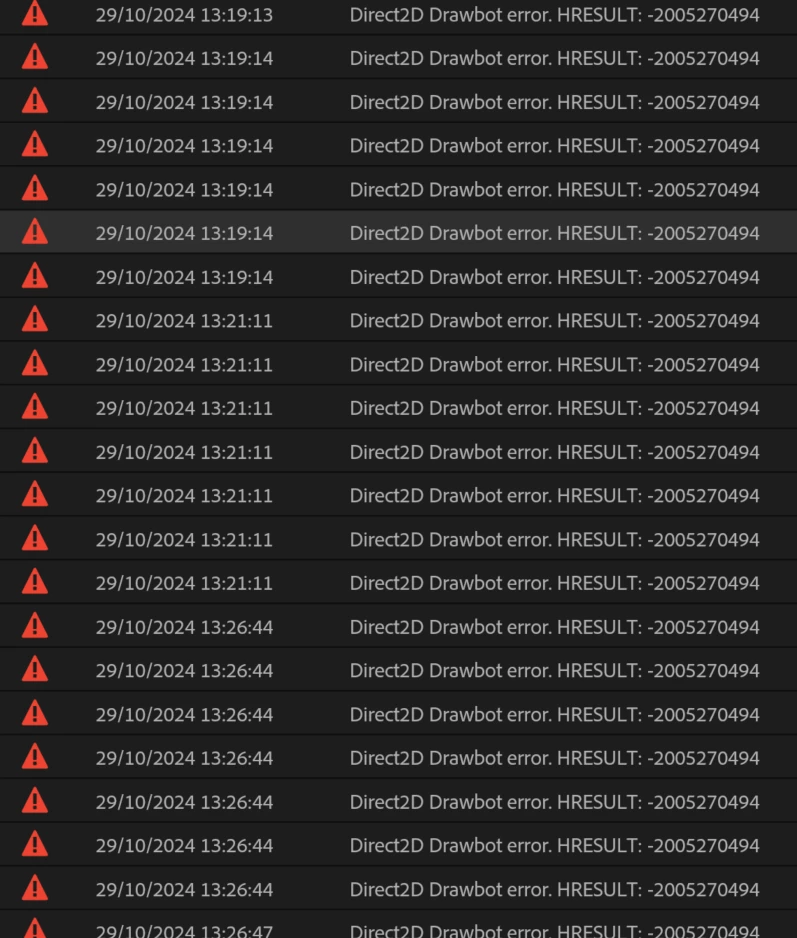
 

Not entirely sure what build I'm running but it's 25.0. Here is the extremely useful about box:


Any ideas? Thanks!


49 replies

Participating Frequently
November 19, 2024

Hello @Max291794530wtx,

Unfortunately, I have to let you know that this didn’t work for me. I followed your instructions, changed the key, and restarted the PC.

The error occurred again after about an hour. However, I’ll leave the registry entry as it is for now since I got the impression that the overall UI felt a bit snappier and more responsive.

Thank you so much for trying to help me!
Best regards!

Participating Frequently
November 19, 2024

Thank you so much for this great explanation! I’ve now changed the registry entry and will keep an eye on whether it improves things.

Normally, I’m not a big fan of advice I can’t fully understand—especially since I have no idea what these GDI Objects actually are (they sound like graphical elements 😉 ). I’m also not too keen on tinkering with the registry, but given the urgency of the situation, it seems like this is the way to go for now.

Thanks again for your quick response; I really appreciate it!


I really hope that a hotfix will be released soon, or that part of the beta can be made available as a stable version. Otherwise, I’m concerned that the registry change might negatively impact other processes. Fingers crossed!

Thanks again! 


The elements marked in red here are triggering an error, while the green ones are not.

 With each mouseover, I can reveal or hide GUI elements, and an error is triggered.


Participating Frequently
November 19, 2024

Same issue here!
After some time editing, the UI freezes, and on hover, UI elements begin to disappear.
Additionally, the error message "Direct2D Drawbot error. HRESULT" keeps spamming, making the situation even worse.
Restarting Premiere is the only way to keep working.

Could we please get a proper hotfix for this?
Bugs like this should ideally be addressed through targeted hotfixes for the stable release, instead of pushing users to switch to a beta branch.
Beta versions often introduce unfinished features or new bugs, which can make production work even more challenging.

This issue is severely impacting my workflow and productivity. Any manual workaround or an update addressing this bug would be highly appreciated.
Build: 25.0.0. Build 61

Specs: 32GB RAM, 8GB VRAM (RTX 2070 Super), Intel CPU (10 cores/20 threads).
Currently, I can't work for more than an hour without encountering this error and needing to restart Premiere.

jamieclarke
Community Manager
Community Manager
November 12, 2024

Hi @FilmGuyMax - We have made some updates around this issue in beta, can you try downloading 25.2 and let us know if you are still having issues?

Participating Frequently
November 12, 2024

Hi Jamie,


I was able to successfully replicate the error! I changed the 'GDIProcessHandleQuota' value in the Windows Registry to 1000 just to see what would happen, and wouldn't you know it the error popped up like normal as the GDI Objects passed 1000.


If you want to replicate the error too, the pathway is HKEY_LOCAL_MACHINE\SOFTWARE\Microsoft\Windows NT\CurrentVersion\Windows --> GDIProcessHandleQuota

Participating Frequently
November 12, 2024

Slight update - I see that the default value for GDI Object limit on Windows is actually 10,000 - this may be the issue. I went into the registry and changed it to a higher value and restarted. Let's see if that does the trick.

jamieclarke
Community Manager
Community Manager
November 12, 2024

Hi @Max291794530wtx - We have made some updates around this issue in beta, can you try downloading 25.2 and let us know if you are still having issues?

Participating Frequently
November 12, 2024

Good call - curiously, I received the error again right at around 10,000 GDI Objects on Premiere. Technically the number reads 9998, but I observed it reaching 10,000 before going back down. Any time I try to click on something it temporarily brings it back up before going back down to 9998. Strange.


I should also mention I just downloaded the newest set of nvidia studio drivers today, but the error has been consistent with many versions of the same drivers before.

jamieclarke
Community Manager
Community Manager
November 12, 2024

Hi @Max291794530wtx - Can you open Task manager and find the details pane in the Column headers, right click "Select Columns" "GDI Objects" is one of the options. Monitoring from there allows for recognizing a growing leak much earlier than when something blows up.  any steps you can reproduce to let us know when the objects start to climb would be very helpful.

Participating Frequently
November 12, 2024

Hi Jamie,


I'm not 100% sure what leads to the Drawbot error, but it seems it becomes more common as the complexity of the Premiere project increases.


I'm pretty fast when it comes to whipping out shortcuts on my keyboard, so if I make edits too fast and Premiere is unable to keep up, sometimes it can trigger the error. My guess is there's a miscommunication between the windows display drivers and Premiere during that time.