







Learn how to create, build, and animate 2D puppets.
Recently active
I have a character that has a mask but no eyebrows and I want to use my eyebrows to distort the mask like eyebrows. the puppet has two sides, Front and 3Quart Left. I rigged the mask the same way as an eyebrow and it works well. So, I added 2 inbeetween to each of the faces to make a smoother head turn, which gives me 2 x 3 heads, when I added the two inbeetween, I copied and pasted the bones of the mask on the two Inb. This is where it makes the error, there is only the first inb that works, the second does not work and the final image (Which is the original, the one I rigged first and which I copied the bones to paste them on the other Inb) of the side no longer works.I have checked that the 6 eyebrows/masks are rigged in the same way with the same values.
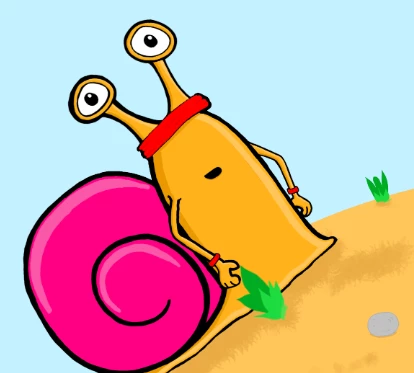
Hi, I created a draggable arm movement and recorded it, I really like the movement but its just a but slow. Is there a way to speed up an event like this or do I have to re-record it again? 'The Snail - Take 13 Handle (draggable) thanks 🙂
My mouth Actions are not showing when I switch to recording or stream. This is the settings. The lipsync isn't reading the behaviors. It was working before but now not working so I think I clicked something by accident. This is what it looks like on Record or Streaming. But when I press triggers, they work just fine. Is there any easy solution that I know somehow I'm messing it up please?
I used the Make A Puppet character WATTS, exported it to Photoshop and added +Left Quarter, +Frontal, and +Right Quarter layers. The rigging imported correctly to Character Animator, (the blue face icons highlight when I click on each layer) and there are "no issues found". I added Head & Body Turner, controlled by head rotation. Each face layers has a number ONE in the Behaviors. When I go to record, the background is there, but the character is not. But if I turn my head to to the right, the character appears with the +Right Quarter face showing. The body and head move with me, but the only face which appears is the +Right Quarter face, and the moment I turn my head to look forward at the camera, the entire character disappears. I calibrated the webcam looking forward, and it did not help. I calibrated it looking left, (to overcompensate) and now I can look forward and the character appears (but still without turning faces) and if I turn my head too far left it will still disappe
Hi everyone, I have been running into an issue using body tracking on two puppets that I have. Everything works fine, except the feet aren't totally flat on the ground. Please see attached picture. Ground detection is enabled and pinning is off. Any help would certainly be appreciated. I've been trying to figure this out all day 😞
this is really frustrating and I don't recall this happening after the update.I am not moving anything in my photoshop file, just making small layer adjustments on hands, and every time I try to animate, the elbow messes up due to a skewed origin and fixed point for the overall character. here are some examplesHow I want it to appear/how i change it to EVERY time:how it appears after loading an edit from photoshop.Thanks
Hi, I am new to Character Animator and this is my first project. I am animating a children's book that I have written, illustrated and self published... anyway... I am looking to have a spider (sally) appear from the tree, bounce at the bottom of the web, and dangle. I have watched so many tutorials but feel I cannot figure this one out. To someone with a bit more experience I think this is probably simple enough. I did consider using keyframes to manually make the bounce but I feel the Physics and Transform properties will do a much better job. I have keyframes set for her to appear from behind the tree, and later to climb back up so I would really like to apply a bounce (maybe a bit of 'squashiness' too) for both. This is my first post on here, hope I have given enough information. Screenshot of character timeline (Sally) in particular and configurations. Thanks in advance. 🙂
If I have the spirites how can I insert a non-human face into the characterizer?
I have a character made in Illustrator that has a gradient.The gradient doesn't survive the trip to Character Animator.Is there a way around this? Thanks!
Hey,I'm currently putting together a large scene with multiple characters and a detailed background all created in AI and put together in CH (I'm not sure if this is the best way, or if I should really animate each character separately and then bring them one by one into AE, but that's a separate question.) I want to be able to zoom in on the characters' faces when they talk, etc.(i.e. filling a 1920x1080 screen) with the scene showing in the background, so I've sized my scene background vector files as large as they can possibly go and set the raster effect to 300 dpi, but understandably, this is slowing things down drastically. How large does a vector file actually need to be to retain sharpness when zoomed in? I saw an option somewhere about importing the file at 400%, but I can't seem to find it again and I'm not even sure that that's applicable in my case. This seems like a simple question, but I haven't found it yet on the forum, so I apologize if it's been asked before.I pl
Hello! I'm making a puppet and slowly working through stuff.Oddly, even though I *think* everything is the same between the left and right arms, the right shoulder stays connected to the body, while the left shoulder floats off independently. As far as I can tell, all the tags and meshes and settings are the same between them.Any thoughts?
I'm working with a colleague and I can't open her file neither she can open mine. The project is saved in dropboxI gat this error message (attached below). How can we work as a team on one single project?
When i have two puppets on my timeline, the only way i can see both puppets, is by selecting the empty or alpha channel background of the puppet on top but once i press play or try to begin to work on it, the backround comes back up and hides the puppet under it. can someone assist me with this please?thank you
Hi everyone, I'm trying to figure out why my puppet is having a bit of a jump around. When I load my puppet with body tracking for the first time, more often than not it will load like this:Usually a simple refresh is all it takes to fix this so I can perform or record. However, the problem comes with exporting. When the stage refreshes everytime I hit "export" - be it for PNGs or MOVs - the character is never quite alligned, and renders out with either the torso or hips in the wrong place, despite how everything looks correct on the timeline before I hit render. This has happened to more than 1 puppet, so I'm thinking it must be something I'm doing with my rigging. I am using version 22.0. My work around for the time being is slapping a greenscreen behind the puppet and recording the take in OBS so I can key it in AE, but it would be nice to get the animation higher quality. In order to get a nice head-and-hips movement, I have followed some of the tutorials on Youtube and s
I am very new to Character Animator, so obviously still learning the fundmentals, but I had a professional create my puppet and background -- and whenever I go into "record" mode, the puppet goes out of frame (see attached screenshot) and I have no idea how to make it centered again. I'm sure it's a simple fix, but I can't figure it out. Any guidance would be deeply appreciated!
Hi again,I'm working on a non-traditional character that has no legs and is attached to the wall. I'd like it to be fixed in place in two spots (the nails) and have it have just a little bit of movement everywhere else to give it some expressiveness. It currently bulges slightly around the eyes, but I'd like it to be more like a slight and smooth movement around the fixed points. Can this be done?Here is my current structure:Thank you!
Hey love the program, but forever the biggest issue has been the lack of double limbed acurate recordings, specifically the far arm. Whether it be the left or the right, with limb IK adjusted, when you record and move both arms with the dragger, the far arm will be wonky after the render. Please tell us this is a bug thats being looked at
I am using Character Animator 2020 but I can't find the "Make A Puppet" option. Is it not included in this version?
How can I fix this problem?
Hello, I was having trouble finding out if this is possible. I have two puppets that I'd like to keep as seperate illustrator files. I have them both set up with a wave controlled by key 1. When I add the both to a scene is there anyway to trigger both there waves at the same time by pressing the 1 key?
I used Character Animator a few years ago and had a template for Illustrator that I can no longer find that I used to put the artwork for my puppet on each layer. I remember having some difficulties when drawing my artwork and getting it onto the correct layers in Illustrator.1. Can someone point me to an easy to use Illustrator puppet template? I searched and was unable to find it.2. Besides using a puppet template and needing to put the artwork on each layer, is there another way to create a puppet from artwork in Illustrator? Just checking to see if anything has changed since last using it.Thanks!
Hi all,I've created a replay for my puppet to spin, using a combination of body swaps and the dragger tool. It works fine, however, I'd really like it to do a sort of jump mid-turn. I armed the position Y and made the appropriate changes, but when I try to make a replay with all the draggers, swaps, and transform keyframes, it ignores the transform keyframes. I seem to be able to make a separate replay with just the transform keyframes, but not the rest of the motion. Is it not possible to combine the two? Or am I doing something wrong?Here's what it looks like now (I had selected the keyframes too, but they got "unhighlighted" after the replay was made):Thanks!
I am right now working on my first character; I am already past the designing and basic rigging stage. While it has been a smooth ride till now (thanks to the Okay Samurai tutorials), I am stuck on the walking phase. I am unable to understand why my puppet has ended up with elastic feet that streches in and out while walking. I have attached a short video. Need help as I have no plans to make big foot videos (bad joke intended)!
Hi there. Just wondering if there is any step by step guides or easy ways to try and use my android tablet as a midi controller over WiFi or usb, to my windows pc, to then control triggers on character animator? Thanks
Hi. I see this has happened to others before and I've tried most of the suggestions. I have also updated my graphic card, but I stil can't open/ use Character Animator without being told that I nedd to update. I've used CA without problems before but now I'm stuck. Please help me. And also. I am not a pc expert. Thanks,Peder
Remix with Firefly Community Gallery
Thousands of free creations to fall in love with and remix in Firefly.
Already have an account? Login
No account yet? Create an account
Enter your E-mail address. We'll send you an e-mail with instructions to reset your password.