



raj gohil
Participant
February 3, 2026
Open for Voting

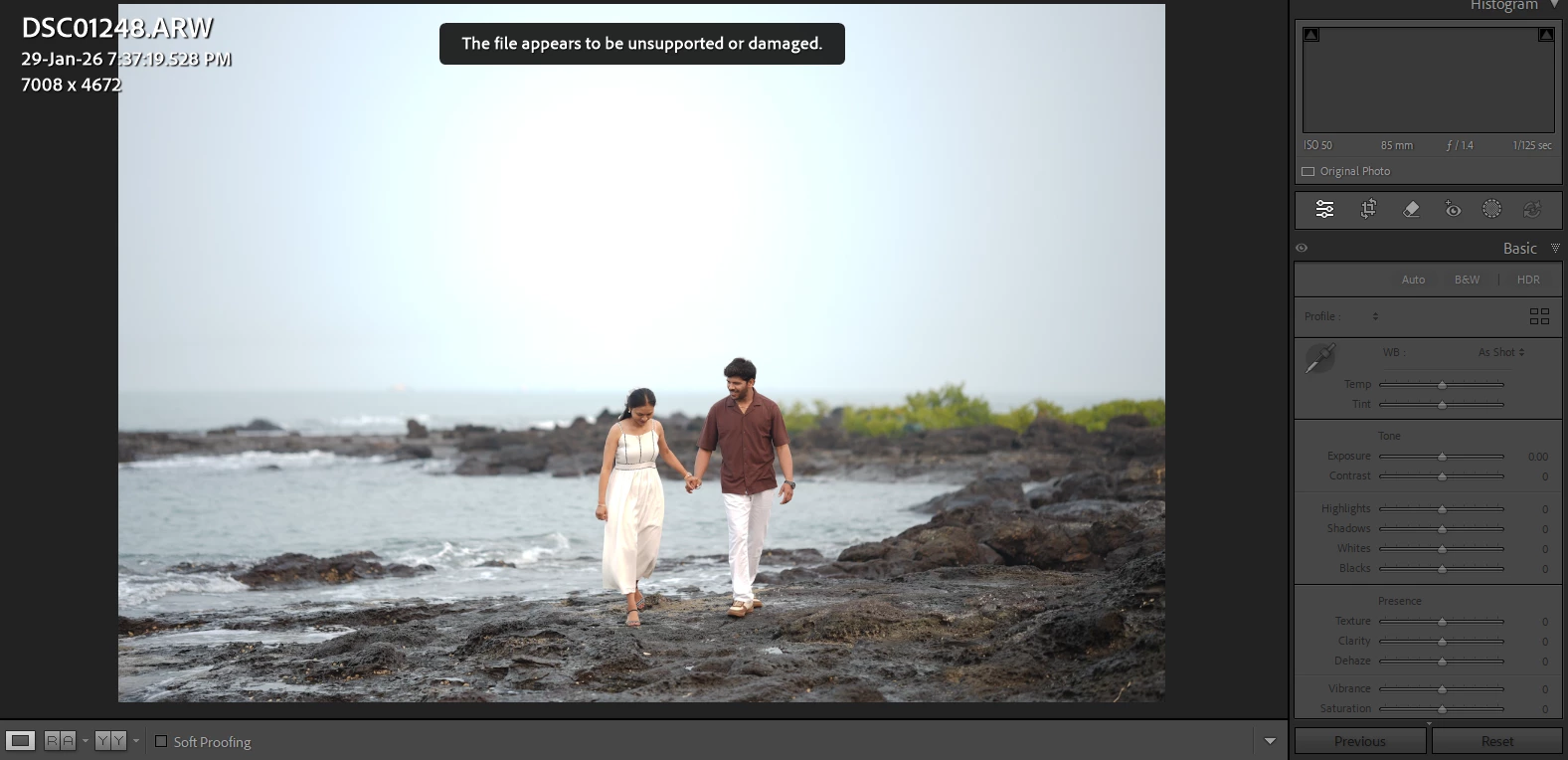
Sony Camera ARW. file are not Supported in Lightroom
  • February 3, 2026
  • 4 replies
  • 29 views
when i import ARW. file lightroom and photoshop error The file appears to be unsupported or damaged ,
ChatGpt said : If this .ARW file is from a new Sony camera, your Lightroom version may be old and doesn’t support that camera’s RAW format yet.
i alredy update my lightroom versions still not supported , whats the Solution ?


    4 replies

    Peru Bob
    Community Expert
    Community Expert
    February 9, 2026

    Only Lossless Compressed Raw is supported at this time for Sony A7 V (ILCE-7M5).

    from here:

    https://helpx.adobe.com/camera-raw/kb/camera-raw-plug-supported-cameras.html

    Peru Bob
    Community Expert
    Community Expert
    February 9, 2026

    What is the camera model?

    What version number of Lightroom?

    CeciliaPix
    Participant
    February 9, 2026

    Sony a7 V, latest version of Lighroom Classic

    CeciliaPix
    Participant
    February 8, 2026

    I have the same problem, even after the latest update. When is this problem going to be fixed? 

    kglad
    Community Expert
    Community Expert
    February 8, 2026

    @CeciliaPix 


    again, post in the lr forum if camera raw doesn’t work for you.

    CeciliaPix
    Participant
    February 9, 2026

    Can’t figure out how to post my question there. Also, it’s not called RAW but ARW., but maybe it’s the same file type under a different name


    kglad
    Community Expert
    Community Expert
    February 3, 2026

    use camera raw and post this in the lightroom forum.