


Known Participant
March 14, 2013
Open for Voting

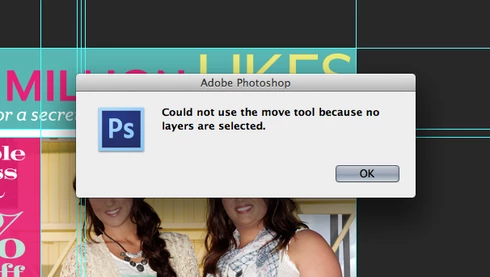
Photoshop: Disable "Could not use the move tool because no layers are selected." Message

  • March 14, 2013
  • 43 replies
  • 28039 views
Get rid of the "Could not use the move tool because no layers are selected." message that pops up when you click anywhere with no layer selected. Or, at the very least, make an option to disable this dialog. In an effort to improve the Adobe cross-platform experience, please disable this pop-up message. I actively use Illustrator and Photoshop together literally every day and in Illustrator, you click off of an object to deselect it. If I do the same thing in Photoshop, I get the redundant dialog. I don't need Photoshop to deselect layers when clicking elsewhere on the canvas, but I do need it to stop showing a message every time I click, either on purpose or on accident, without a layer selected. Seriously, if I click and nothing happens, I know it is because I don't have a layer selected - I don't need a stupid window to pop up every single time to tell me no layer is selected.

Please... make it stop. Thank you.
43 replies

Participating Frequently
June 10, 2019
Hello, nopa web. Unfortunately, the button you are referring to is the layer filtering toggle switch, which has nothing to do with the issue we are experiencing.
Inspiring
June 9, 2019

To fix this, click the red button on the image above
The problem will be solved
I'm happy to follow you
Instagram: vahid.sghn

Inspiring
November 25, 2018
I can't believe this is still not configurable. It took 10 years to get CTRL+Z to undo more than one thing (I know there was another shortcut for multi-undo unlike every other app in the world), so maybe in another 10 years they'll realize this is a really awful user experience to show "Warnings" as error modals that disrupt your workflow and require you to manually dismiss. Just change the modal to a toast-style popup.

Horrific UX should be considered a bug in terms of escalation/priority.

@Chris, this is more like your car displays a warning on your windshield obstructing your view and disabling your entire car until you reach up and click the X every time you press a wrong button on your radio.
Inspiring
May 2, 2017
I hate this popup so muchhhh, I strongly agree with the above messages, imo a simple grey "x" appearing next to the cursor would be much less disturbing than this damn popup that I get fifty times a day !!!
Inspiring
March 22, 2017
Agree. When I turn on filter layer in Layer panel (In my case filter by color) I'm then unable to use Move Tools "Auto-Select" option. I doesn't select layer and this annoying message pops up.


Windows 10, Photoshop 2017.0.1.

This is related: https://feedback.photoshop.com/photoshop_family/topics/auto_selcet_and_ignore_the_layer_adjustment
Inspiring
November 17, 2016
You will see it with correct autoselect settings. Because you can use layers filter in layers panel or lock layers.
Inspiring
November 17, 2016
check auto select
Inspiring
September 12, 2015
I agree with that. Adobe should focus on people who use their software 8 hours a day 5 days a week. These are the people who pay them. That a lot of small details makes great software. Competition understand this and so people are switching to the affinity and sketch.
Inspiring
September 12, 2015
Yes this is very annoying. I see it a hundred times a day. It disturbs my workflow. Because I use locking layers and layers direct selection by mouse clicking.

This is not only annoying message that I can see. Adobe should revise the system error messages.

http://www.goodui.org/#8
Inspiring
September 12, 2015
Hello Cris,

Thanks for your answer.

I am sorry, but I strongly disagree with you.
When you use illustrator or other ADOBE programs, this behaviour does not happen (and please, don't add this "dis-feature" now in illustrator or I will hit my head with a wall in a loop).

This popup is pointless... I know that when I am clicking outside of the canvas, nothing is going to move (because, precisely, I am outside the canvas). It's like if every time you close the door and then remove your hand from the handle, I tell you with a popup that "your hand can not be used because it is not in the handle".

I bet that 99.9% of the users, which by the way pay their price monthy... do not want this to happen.

What we are requesting is not something aesthetical (like "I don't like the gray shade of the UI", which is purely subjective). We are requesting to add an option to remove something that makes us (the users / your clients / the ones who pay for the software), very frustrated and angry with a product that we, otherwise, LOVE.

We are requesting that you make your product better, in the most simple way, by making the UX better, and by having a less intrussive workflow.

Thanks,