


Known Participant
March 14, 2013
Open for Voting

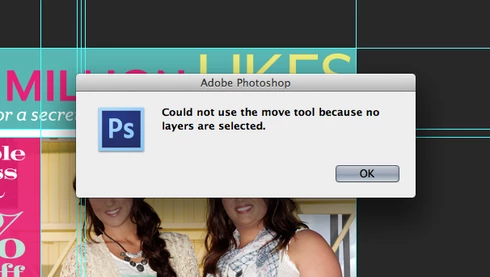
Photoshop: Disable "Could not use the move tool because no layers are selected." Message

  • March 14, 2013
  • 43 replies
  • 28039 views
Get rid of the "Could not use the move tool because no layers are selected." message that pops up when you click anywhere with no layer selected. Or, at the very least, make an option to disable this dialog. In an effort to improve the Adobe cross-platform experience, please disable this pop-up message. I actively use Illustrator and Photoshop together literally every day and in Illustrator, you click off of an object to deselect it. If I do the same thing in Photoshop, I get the redundant dialog. I don't need Photoshop to deselect layers when clicking elsewhere on the canvas, but I do need it to stop showing a message every time I click, either on purpose or on accident, without a layer selected. Seriously, if I click and nothing happens, I know it is because I don't have a layer selected - I don't need a stupid window to pop up every single time to tell me no layer is selected.

Please... make it stop. Thank you.
43 replies

Inspiring
September 12, 2015
wow. double wow.

Chris, your example is way off. This warning is more like "Warning, you are currently not turning because you probably don't need to make a turn".

Yeah, pretty annoying.
Inspiring
September 12, 2015
Yes, we read them. But this is not a bug. This is just a warning message telling you that you made a mistake (much like "oil level is low" warnings in your car).
Inspiring
September 12, 2015
Is there anyone from Adobe even reading this ? Does this post count as a logged bug? Because this problem has been here since more than a year. I tried logging a bug in the adobe bugbase, but you can not select photoshop. This is interface UX 101, just put a simple "[ ] Do not show again", and stop bothering users. I get that popup 10 times per hour. It is excessive. And I am fed up already.
Participant
September 2, 2015
I google this topic again, and it appears I've reacted once before already!

Please fix this Adobe. It literally can't take much more than an hour to add this to the settings.
Inspiring
August 21, 2015
Ditto. Double-ditto. I have no need of this warning and there ought to be a pro setting that allows disabling such annoying warning messages.

PLEASE.
paulmzAuthor
Known Participant
February 19, 2014
I still despise this pop-up box. Please allow us to turn it off!
Participant
February 13, 2014
I remember it from previous versions, but it's quite silly indeed.

Other warning dialogs have a "don't show again" checkbox -> this DESPARATELY needs one.

If I can't move because nothing is selected, I will notice when nothing moves. Then I will adjust my selection.

But right now it just pops up whenever I do a wrong click, and then I have to get my hand off the mouse, on to the keyboard and press Enter which disrupts whatever I'm working on.

Or even better, when I'm selecting multiple layers with CMD + click, it will also pop up for whatever reason, because clicking somewhere you're bound to drag a little bit.
Inspiring
November 3, 2013
I also hate it. I don't remember this in previous versions.
paulmzAuthor
Known Participant
October 15, 2013
I would like to reiterate that I hate this stupid pop-up box. Please allow us to turn the dumb thing off.
spdorsey6969
Inspiring
August 1, 2013
I gotta side with Paul here.

Regardless of whether or not it's a bug, there should be an option to disable the pop-up. It's quite annoying.