











Share your work and connect with the Fresco community.
Recently active
Trying to export my Fresco artwork as a PSD file from my iPad so I can open it in Photoshop but it keeps failing. I see the little blue sync circle then finally a red warning triangle with "tap again to retry" message. It seems to start uploading then fails. I'm saving to Creative Cloud, there's plenty of storage available.
Hi, I'm a paying user of Lightroom mobile plan (using 58GB out of 100GB) Unfortunately Fresco sees that my creative cloud storage usage is way above the free 2GB (due to photos managed by LR) and doesn't allow me to upload anything. I would have expected either: - be able to use the free 2GB inside Fresco independently of the already paid Lightroom usage - be able to share the already paid 100GB from LR inside Fresco As it stands paying customers from other products are penalized and can't even use the 2GB of the free plan. Is this expected behavior? Thanks (screen shots from inside LR and Fresco)
Never mind ...found them!11
I have recently installed Adobe Fresco on the IPad and am impressed with the drawing and paint features over Adobe Draw and Adobe Sketch, particularly for the Oil and Watercolor brushes. One issue that I have not been able to work out is the syncing of files between the IPad and Windows 10 Adobe Creative Cloud (with Photoshop/Bridge). I have it all set up under a single CC account and when I go to https://assets.adobe.com/files I can see folders for "Synced Files" and "Cloud Documents". The problem is that I can only see my files in "Synced Files" on the IPad and I can only see my files in "Cloud Documents" in Photoshop/Bridge on Windows. I can get around this to work to some degree by Exporting and Importing files to the "Cloud Documents" folder from Fresco and these files then become available in Photoshop/Bridge on Windows and vice versa. What I would really like is to have a single folder that is available in both systems that automatically syncs in both directions. If th
When will adobe fresco be available for Apple iPhones ?
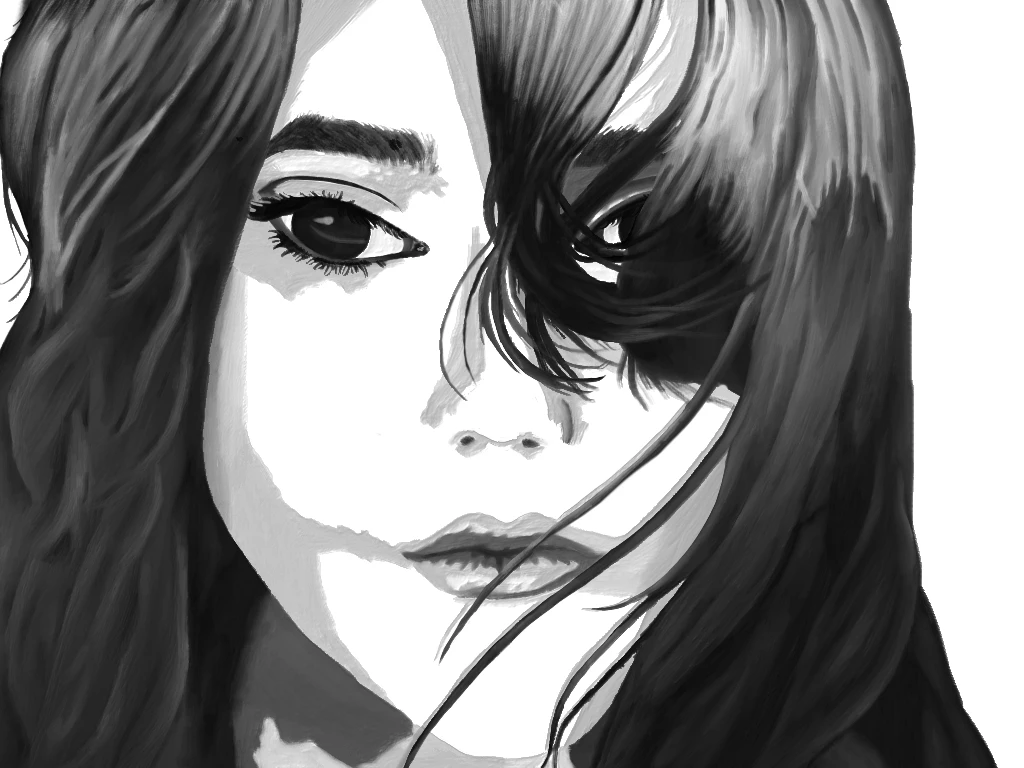
I used fresco to bring this portrait to life, utilizing the live brushes. These brushes give a lovely real time feel of how watercolour happens. You can check out the Time lapse and other painting details here! Thanks
Congrats to the Fresco team on the release! I have spent a few hours with Fresco, and it's really exciting-- a few questions-- or suggestions or how do yous... Easily clear a layer? Where is the blender tool? Is there a blender? (not via live brush) SWATCHES!!???!! uhm... guys.... where are the swatches? i cant import my cc swatches? does this finctionality exist? will it exist? dilute existing opacity towards 0% when using water color-- it appears that adding color and mixing color is fantastic in using it, but how do i thin out areas thick areas of color with "water" or clear transparency? personalize finger gestures? adjust "canvas" texture for pixel brushes -- (for example: i have Kyle's mega pack from 2015, obviously the brush engine is different than PS, but it appears the texture of many brushes all have the same pebbly, toothy quality)
Fresco crashes every time I want to use Kyle crosshatch brushes.
Pen: Grungy Inker Question: how do I make it more sensitive to pressure? Right now, it takes a fair amount of pressure to make a mark. I just want it to respond without having to apply as much pressure. Thanks.
Does a perspective grid option similar to that in Sketch exist in Fresco? It's really helpful and I'd like to transition from Sketch to Fresco but the grid is the defining feature for me.
If not, we need one. [Renamed by Mod]
I am trying to tranfer (really just move to center of canvas) all layers at once. (like it was possible to do with transfer tool in sketch)Now I assume I can group all my layers and then move them, but that seems silly to do when I am trying to reposition everything. I don't want it them in one group.
Hi, I have my Adobe ID and a valid subscription on photoshop, but even withnthis, adobe fresco ask me to subscribe and pay. Doesn’t it supouse to be available with these subscriptions already? thanks!
I installed Fressco. It imported some of my Draw projects. I have like 9 years of Ideas and Draw projects. I can see like 30 projects, that's probably a few months worth 🙂 Where are the rest? If I have to import 9 years of projects manually then I'll just keep using Draw. Any solutions?
CC storage: synced files x 339 (59.6 MB) cloud documents (758.1 MB) mobile creations x 523 (? this includes some of my synced files plus others) Question: Why don't all of my mobile creations sync to my Mac via CC app? I just reinstalled it and same result.
So, if I am painting with watercolors (or oils), and I want to see and experiment how different color combinations would look like, how do I do that. Can I change the colors used in each of the layers? Or once I use a color, I am stuck with it?
Hi everyone -- I tried saving a .psd file and opening it in Fresco, to find all my layers grouped and stuck in that group. The only thing I can do is make a pixel layer out of it, which I don't want, I want to edit each layer as I was in Photoshop. I have Creative Cloud but can't save anything to "cloud documents" from photoshop either.
When will the adobe fresco tablet be made? (moderator's note: corrected "Presco" to "Fresco" in the title)
I am using a Logitech crayon, but when I draw, only appear dots, so I can't draw nothing. Oh, i am using a 6th generation iPad with iPadOS 13.
There is a growing crowd of artists, designers, and photographers (myself included) that work off of the Microsoft Surface line, yet we still don't have a drawing/painting app that compares to Procreate. Then I see previews for Fresco. Finally! A amazing drawing app for....only iPad. Make a version for Windows!!!
I have created a vector drawing in Fresco, then saved and imported it into illustrator CC 2019 though all of the artwork is grouped as one. The artwork is just a lot of black scribbles and lines on a blank page as I was testing out Fresco/brushes for the first time. When imported these brush marks are all grouped, though I can see they are individual shapes as I can see the edges of each mark, but they all come within the same bounding box. I've attached screengrab. Does anyone know if there is a process to ungroup the artwork so each shape/brush mark is released? Thanks.
Although I'm not an artist, here's the artwork that I created for the very first time in the digital world. It's a simple coloring exercise that I did to understand the application and I am absolutely in love with it. Are we all ready for halloween?
The blending mode dropdown lists, for both layers and brushes, usually closes before I can make a selection. Sometimes I can't even scroll down. It often takes several tries before I can hit it just right iPad Pro 3rd gen 12.9 iPadOS 13.1.1
Fresco seems to have trouble seeing what's currently in a Drive folder. I've dropped PSDs in a Drive folder to import it into Fresco, but the list available in Fresco appears to be days behind what's actually on Drive. Is there a way to refresh it so that you can import files?
Hello! I’d love to be able to edit the brush tip shape on the fly as in Photoshop (editing the Roundness, Angle, etc). Is this a planned feature at all? Thank you!
Remix with Firefly Community Gallery
Thousands of free creations to fall in love with and remix in Firefly.
Already have an account? Login
No account yet? Create an account
Enter your E-mail address. We'll send you an e-mail with instructions to reset your password.