
Lost the “Insert text” blue arrow
I use Acrobat Reader: Edit PDF's on an iPad. I've used this program for years without issue. After installing the most recent iOS update (17.4.1), I can no longer insert text into my PDF's. I can type into the text box, but the little, blue arrow that has always lived in the bottom, right corner of the text box is no longer there. There is no way to insert the typed text into the document. (I've included a screenshot.)
I have chatted with support. They had me uninstall and reinstall the program. They had me try inserting text into a number of different documents. They had me close out the program and restart my device. Nothing brought back the little, blue arrow. They said there was no more they could do for me and sent me here, to the experts. 🙂
Is anyone else experiencing this issue? Does anyone know how to fix this?
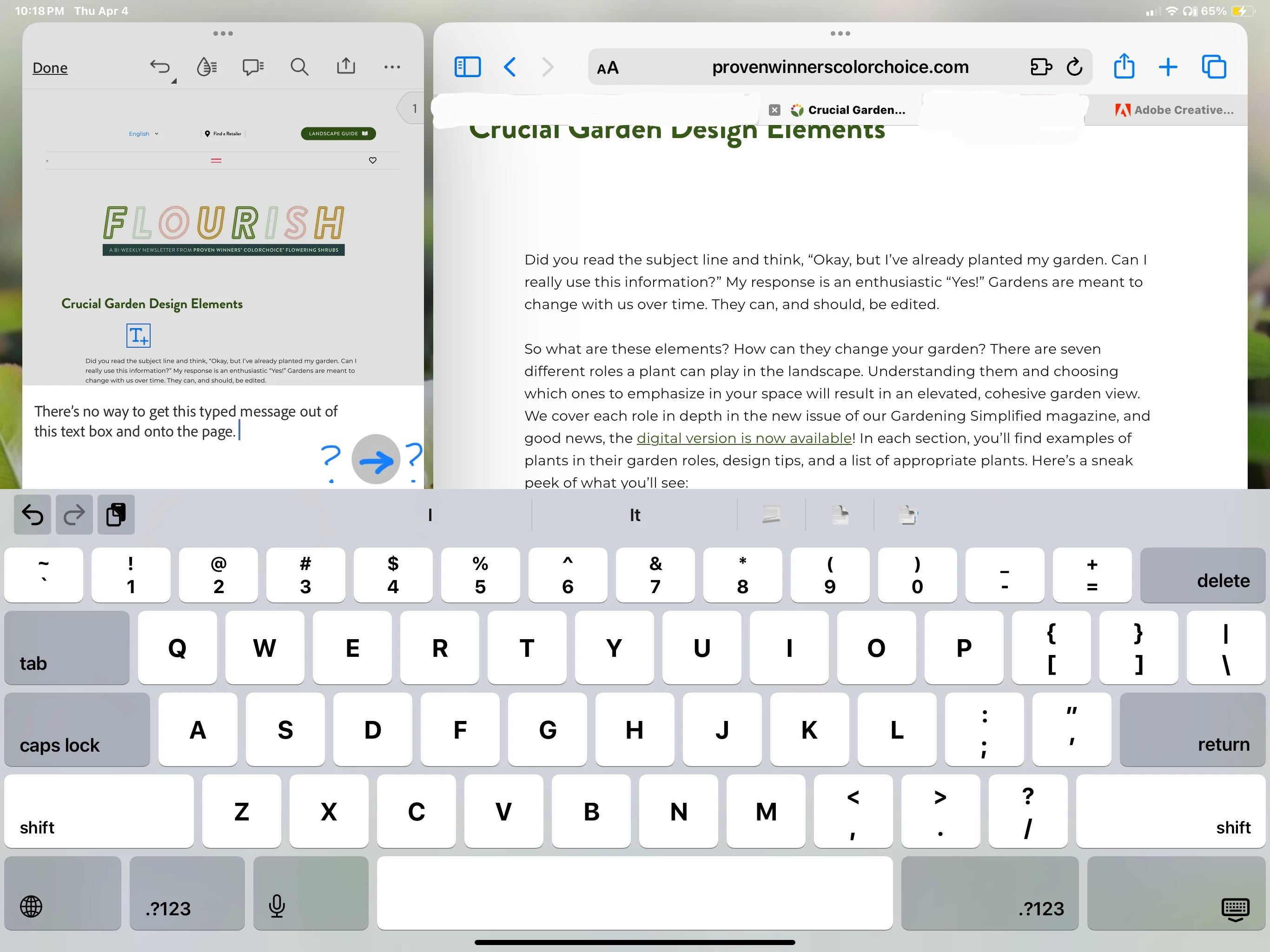
Thank you so much!
Archie


 AdChoices