CodeSlayer2010
Inspiring
Oct 18, 2023 4:05 PM UTC
Answered

Your plan includes unlimited adobe stock downloads - Where are they?

Since my company set up my Adobe CC subscription earlier this year I've had this issue from the very beginning. 
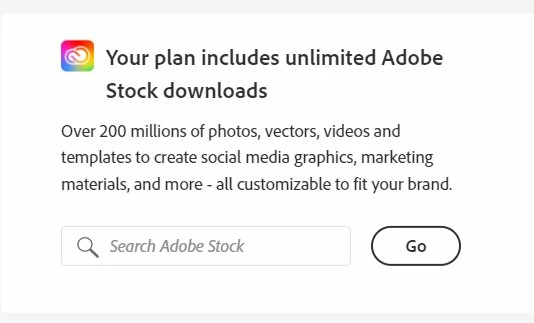
 

From time to time the message "Your plan includes unlimited Adobe Stock downloads" appears in my Creative Cloud dashboard. However, whenever I search for an image and the browser window pops up with the results, every result has a blue button when you hover that says "Free with trial". When I click the download button, the filename has "preview" in the name and there are diagonal watermarks all over the image.


Maybe I'm misunderstanding something. I already have a plan that my employer pays for. The app itself is telling me that I have unlimited Adobe Stock downloads. But, I can't download anything.


It seems like it is trying to get me to pay for something that my employer is already paying for.


I found these related posts, but none had a clear answer to my issue:


This topic is closed to new replies. Start a new post to keep the conversation going.
EvilBug1Correct answer
Adobe Employee
Mar 1, 2024 8:49 PM UTC

@Julie34044002v7mg Your account looks perfect here, with unlimited license. As @Abambo suggeested, please make sure you cleared cache and logged into the right profile. If problem still exist, contact your admin, so they can file a ticket with us. 

54 replies

ridhima_2797
Participant
Apr 27, 2026 11:29 AM UTC

I’m facing the same issue. My plan is supposed to include unlimited stock images but it’s showing that i need to buy templates and the free trial banner is coming up. I would appreciate help with this issue, thanks

Translate
Nancy OShea
Community Expert
Community Expert
Apr 27, 2026 11:09 PM UTC

​@ridhima_2797 

Log-out of Creative Cloud Desktop App. 

Log-in with your paid Adobe ID & password.

See link below for more details:

https://helpx.adobe.com/ca/manage-account/kb/stop-creative-cloud-trial-mode-after-purchase.html


Translate
Nancy O'Shea— Product User & Community Expert
Participant
Aug 17, 2025 1:38 AM UTC

Hello, 

I am having this exact same problem and I already confirmed that I am indeed on the right account (the one provided by my university) and have already tried signing out and signing back in again. I would appreciate help with this

Translate
Participating Frequently
Feb 7, 2025 10:43 PM UTC

Same here, help!

Translate
Abambo
Community Expert
Community Expert
Feb 8, 2025 3:16 PM UTC
ABAMBO | Hard- and Software Engineer | Photographer
Participant
Nov 27, 2024 11:14 AM UTC

Having exact same issue: All Apps - Edition 4 and should include stock. Says in creative cloud desktop I have it, click the link, stock items page opens up and says I dont have a stock items plans. Opened a support case, they remote accessed my system to confirm, and then gone silent. Any ideas

Translate
ewhinds
Participant
Aug 14, 2024 6:01 PM UTC

I am having the same issue.  Adobe Stock banner say s"Get 10 free Adobe Stock images.  Start Free Trial.

Translate
Participating Frequently
Aug 21, 2024 6:14 PM UTC

@ewhinds - are you still experiencing the issue? If so, could you please confirm you are logged into the correct profile? 

Translate
Participant
Aug 12, 2024 9:23 AM UTC

Hello, I have the same issue, what can I do?

Translate
Abambo
Community Expert
Community Expert
Aug 12, 2024 3:28 PM UTC

What is your issue? Several users here have reported different issues.

Translate
ABAMBO | Hard- and Software Engineer | Photographer
Participant
Aug 13, 2024 8:30 AM UTC

Hi, the issue i'm having is with Adobe Stock, even though im on a plan with unlimited images , I seem to only have the option for download with free trial.

Translate
MugWumpClox
Participant
Jun 20, 2024 10:08 PM UTC

I'm having the exact same problem -- I recently upgraded to the Creative Cloud All Apps plan.

Translate
Abambo
Community Expert
Community Expert
Jun 30, 2024 2:23 AM UTC
quote

I'm having the exact same problem -- I recently upgraded to the Creative Cloud All Apps plan.


By @MugWumpClox

A Creative Cloud All Apps plan does not include Adobe stock. You will need at least a Creative Cloud All Apps Pro plan. That plan is only available under a Teams or Enterprise account, and there may be also some additional requirements.

Translate
ABAMBO | Hard- and Software Engineer | Photographer
Inspiring
Mar 1, 2024 3:11 PM UTC

To all: my company subscription also includes Adobe Stock. To access Adobe Stock, I had to first go there from the link in the CC app, in the left column under Resource Links, while I was logged into CC with my company account. Then I was able to download images. Once it figures out who you are, you can also access from a browser bookmark. Hope that's helpful. 

Translate
Jill_C
Community Expert
Community Expert
Mar 1, 2024 4:09 PM UTC

That's very useful info !

Translate
Jill C., Forum Volunteer
Participant
Feb 28, 2024 8:50 PM UTC

I am having this same issue.  I have an unlimited license through work and used it just yesterday, now it says I have to buy everything even things from my library previously downloaded.  I need Access ASAP

@EvilBug1  any change I could get someone to look into this.  

Translate
Abambo
Community Expert
Community Expert
Feb 28, 2024 9:27 PM UTC

Can you sign out and sign in again. Choose your corporate account. Report back if the issue stays.


Your plan asministrator should contact Adobe support on this, after having checked that the plan is correctly assigned to you.

Translate
ABAMBO | Hard- and Software Engineer | Photographer
Participant
Jan 17, 2024 12:04 AM UTC

Hello, I came here because I am having the same problem. My account page says my plan includes unlimited stock downloads, then when I click the link to go to Adobe Stock, my only option is to purchase each picture. I have ensured I am logged into the correct account several times. From this thread, it doesn't appear there is a fix besides someone from Adobe assissting me, is this correct? 

Translate
Adobe Employee
Jan 17, 2024 9:24 PM UTC

@Kristi23183195fd9m Looks like something wrong with your account. I have submited the issue to our product team. Will get back to you when there is any update. 

Thank you for your patience.

EB

Translate
Participant
Jan 18, 2024 12:28 PM UTC

Mine is the same way! Can mine be checked, please?

Translate