




Migrate my files to the new Adobe Express mobile app!
Hello, everyone!
With the new Adobe Express Mobile app launch, we'd like to help you migrate your projects.
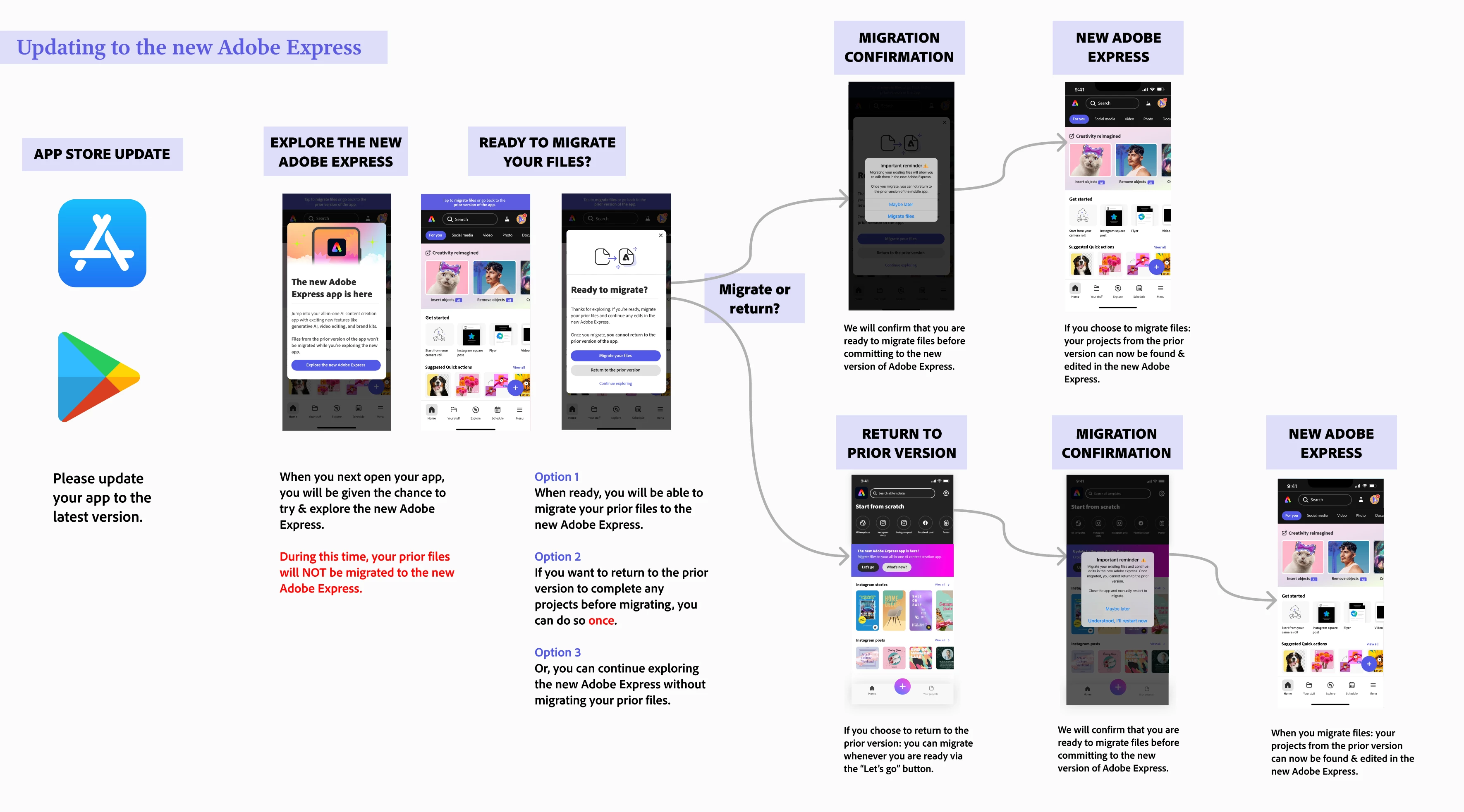
File migration occurs at your discretion, allowing you to select the best moment to transfer your creations. This way, you can ensure that you have ample time to complete any pending tasks before transitioning everything to the new version.
Please refer to the diagram below to understand file migration on your mobile app:
Note:
- File migration generally takes 10 to 30 seconds, depending on the number of files you have.
To migrate files on your mobile app, please follow the diagram below.
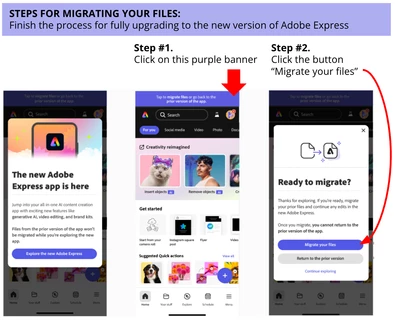
If you don't see your files after this, consider the following steps:
- Restart your Adobe Express mobile app - sometimes a good refresh does the trick!
- Check on desktop if you see any of your files on this link: https://express.adobe.com/sp/projects
- If you are redirected to https://new.express.adobe.com: then it means all your files were successfully migrated. Restart your mobile app and look for your files located in Your stuff
- If you are not redirected: there is a button on the top right-hand corner called Move all folders and files where you can trigger file migration
If you have tried the steps above without success, please reach out and provide more details about your situation - attached screenshots/videos are always welcome too!
Learn more here:
 AdChoices