

How to Make Non-Required Prefill Fields Locked after Sending for Signature
I am creating a form with a section that includes a blank table where the agreement sender can prefill information about products. These fields are not required as the number of products covered by an agreement can vary. How can I keep this flexibility in prefill without the remaining empty table fields being editable for the Signers? Right now, whenever I send for a signature, the signer can add more information in the unfilled rows of the table. Here's a screenshot of the Prepare Form view of the fields I have set up in the blank table.
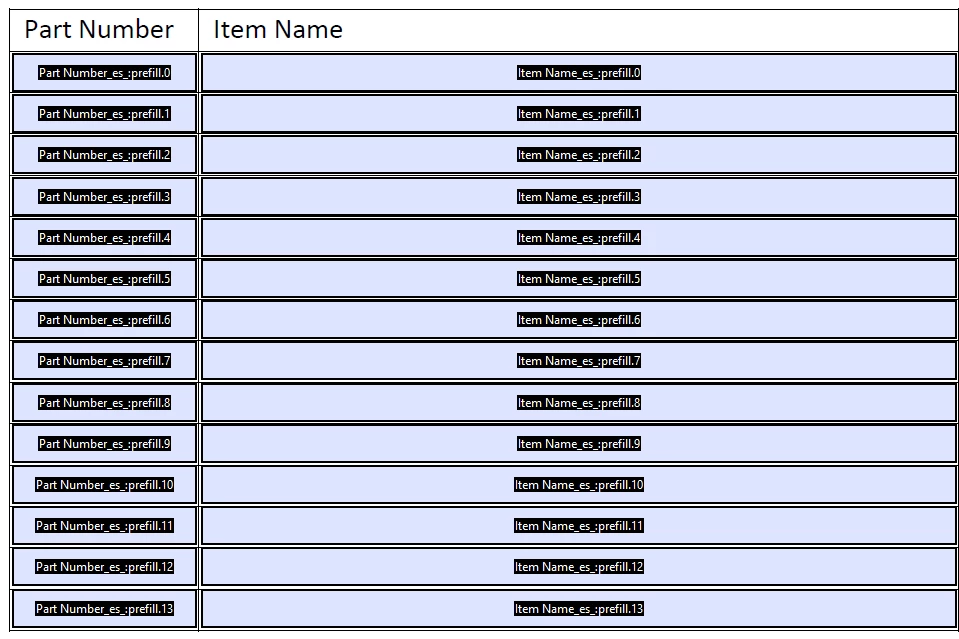
In case it's helfpul context, the way I have this doc designed is with the following flow:
- Sender prefills client-specific information and sends for sigs
- Signer 1 is an internal signature from the account manager
- Signer 2 is an external signature from the client
I'd like the prefill information (even fields left blank) to be uneditable after the sender sends. Appreciate any help or insight!


 AdChoices