Hi Kens,
As you are adding signature fields on the template, there you cannot assign the fields to a particular signer.
You can assign the form fields as the number of participants (like participant 1, participant 2, etc.)
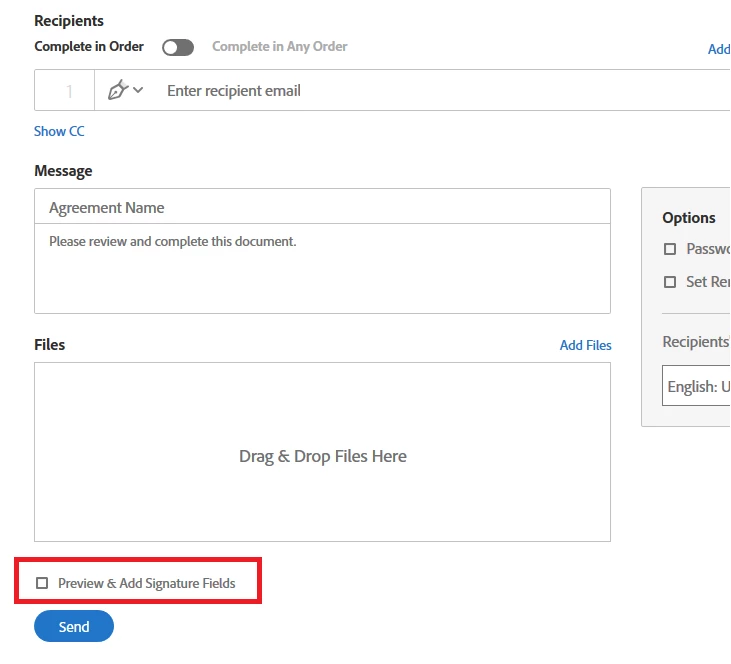
When you add the email address on "Send" page to send the document, it will automatically assign the signature field in the order you enter the signers.
You may also, change the assigned fields in the preview page, before sending the document.
Fo that, make sure you check the box for "Preview & Add Signature Fields" on Send page.
Check if that answers your query.
Let us know if you are referring to something else.
Regards,
Meenakshi



 AdChoices