


richardk30969393
Participant
September 22, 2021
Question

Reviewer cannot Decline in Adobe Sign

  • September 22, 2021
  • 7 replies
  • 2199 views

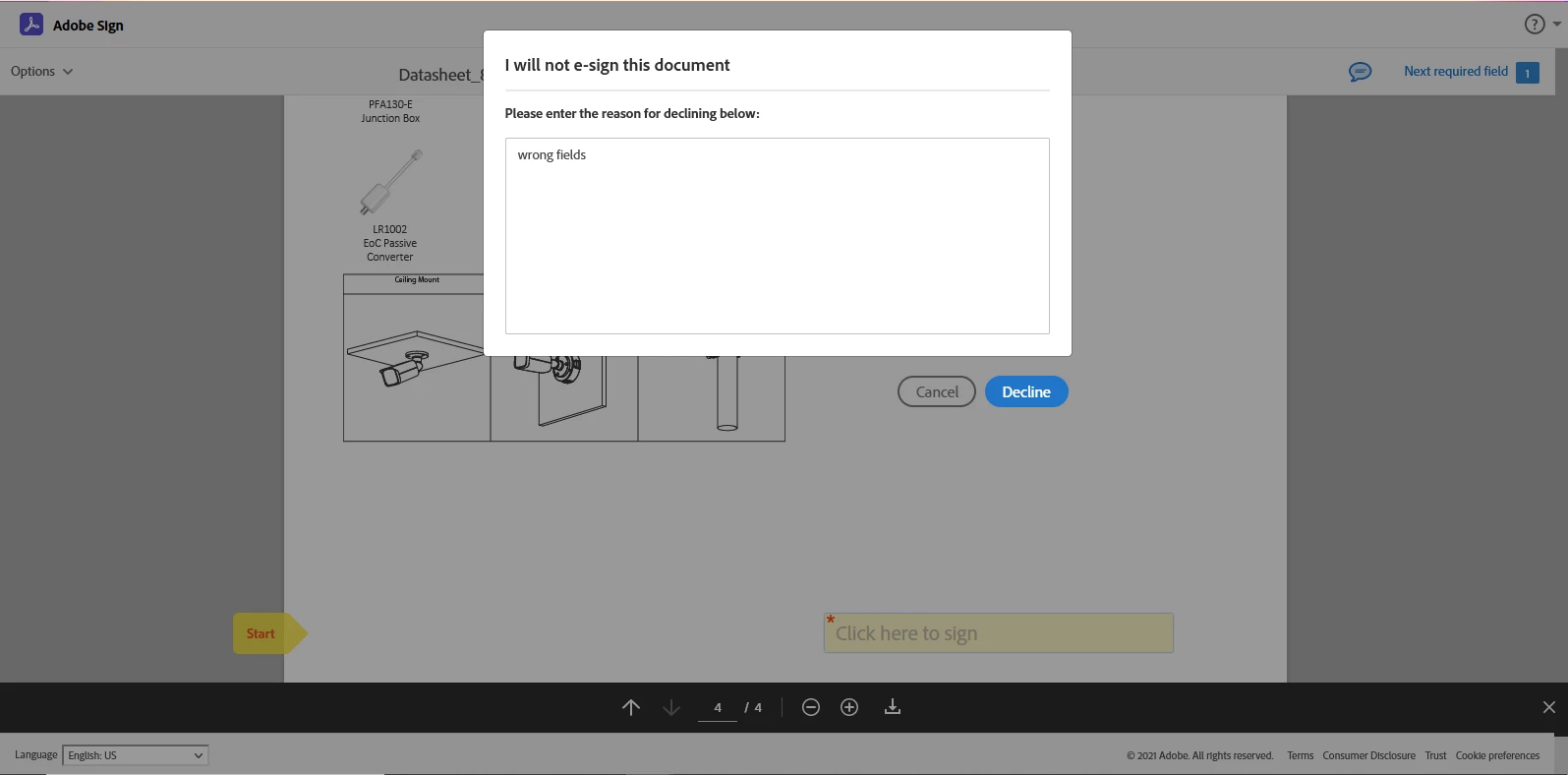
I use Adobe Sign to send PDF documents to reviewers for signoff prior to release. Recently, the reviewers cannot decline a document. In the past, the reviewer navigated to the Option menu, chose Decline, entered the reason, and then clicked the Decline button. Currently, when a reviewer clicks the Decline button nothing happens, Decline box slightly enlarges, but nothing else happens, plus the Cancel button stays grayed-out. Any help is appreciated.
 

You need to ask program questions in the forum for the program you are using
To ask in the forum for your program please start at https://community.adobe.com/
Moving from Using the Community (which is about the forums) to the correct forum... Mod

7 replies

Participant
December 30, 2022

We are having same issue here, how can we fix that suport was not able to fix it.  

Participant
November 18, 2025

Was this ever addressed or resolved for you?


AnandSri
Community Manager
Community Manager
November 19, 2025

Hello @Reco_BCG001


I hope you are doing well, and thanks for reaching out.


Could you please share more details about the issue? What is the error message you/reviewer are getting? The error message appears if the decline functionality is disabled for that account or group. The UI shows the button, but it’s not functional because the setting is turned off. Alternatively, the reviewer’s recipient role may not allow for a decline. If they’re set as a “Certified Recipient” (or similar role where decline is disabled), they won’t be able to decline. 


See these articles for more information: https://adobe.ly/4phMsir

https://adobe.ly/3K7bimd


We're here to help, just need more info.

Thanks,

Anand Sri.

sameer_puri
Adobe Employee
Adobe Employee
October 11, 2021

Hello All,


Just as an update, we are targetting 19th October (After hours) to deploy the fix for this issue. We will keep you posted if the schedule changes for some reason.


Thanks

Sameer Puri

Participant
October 22, 2021

Thanks Sameer, all working now for me and my customers


Regards


Barry

Participant
December 30, 2022

We are facing the same issue here in our Office? could you please help ? 

Inspiring
September 25, 2021

As stated by Sameer_puri, it works by using keyboard, enter reason, press tab two times and hit enter. It works! but not through clicking.


Thanks @sameer_puri 

sameer_puri
Adobe Employee
Adobe Employee
September 22, 2021

Hello All,


We are trying our best to fix the issue and deploy the fix ASAP. Meanwhile, to unblock everyone, there is a workaround you can try. The issue only happens when you click on the Decline button. You can use Keyboard to navigate and Decline, that should work for you. So basically do the following, step wise:


Enter a reason, hit tab key for focus on Cancel button, hit tab key again to focus on Decline button. Once focused on a button, hit Enter key to execute a click.


Hope that helps!

Sameer Puri

Participant
September 23, 2021

Thank you we are having the same issue.  Would appreciate a notice once it is fixed if possible.  In the meantime we will try your workaround.

sameer_puri
Adobe Employee
Adobe Employee
September 22, 2021

Hello,


We have identified a potential issue and working to fix this as our top most priority. I will keep this thread posted once I have a timeline on when the fix is expected to be deployed.


Sorry for the inconvenience caused.


Thanks

Sameer Puri

Participant
September 22, 2021

We are also having this exact issue.  kbabin@delmarsystems.com

richardk30969393
Participant
September 22, 2021

Hello, I actually heard back from Adobe Support and they verified the issue and are working on it. No timeline for a fix, but they did say it was a priority. I will try to remember to let you know when the issue is resolved.

sameer_puri
Adobe Employee
Adobe Employee
September 22, 2021

Hi,


Do you continue to see this issue? We fixed a similar issue in the signing workflow yesterday. If you can still reproduce this issue, please DM me your adobe sign account email along with the agreement name that you are trying to sign, so that we can take a look.


Thanks

Sameer Puri