


New Participant
November 12, 2021
Answered

FTP could not connect to server

  • November 12, 2021
  • 1 reply
  • 962 views

I've seen previous posts on this in forum and read the solutions, but none apply for me.

I attempt to connect using FileZilla, but it gives me error:

"Could not connect to server."

I'm not copying and pasting my user and pw - I'm carefully and manually typing them in each time.

(Note: in the past, I have successfully signed in numerous times and successfully uploaded clips.  But now it no longer works. So it used to connect, but now it does not).

I had a "Quickconnect" set up, where the host / user and pw was saved - and this quickconnect button worked in the past with the stored settings, but even that no longer works.  (This should remove any doubt that somehow I'm typing the user and pw incorrectly).


So did something change on Adobe Stock Server side?  


I repeat, it formerly worked and now it does not. I have been trying for weeks now - in case there was a temporary outage.  Still does not work.  Can anyone help?

thanks.
This topic has been closed for replies.
Correct answer @MNiessenPhoto

A few months ago, Adobe Stock started requiring the use of an SFTP connection. Did you configure it that way?

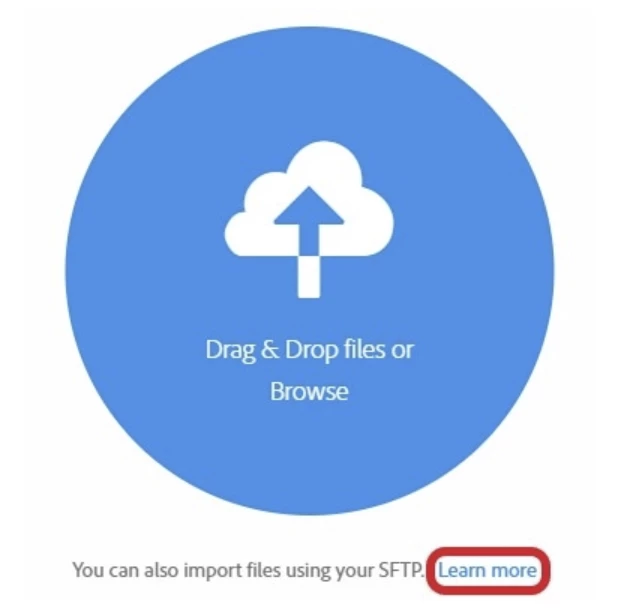
If not, click on the "Learn more" button on the contributors website for details.

Full explanation at https://helpx.adobe.com/ca/stock/contributor/help/uploading-content.html


Hope that helps,

Michael

_____________

Michael Niessen - Photographer, photo-editor, educator

1 reply

@MNiessenPhoto
@MNiessenPhotoCorrect answer
Brainiac
November 12, 2021

A few months ago, Adobe Stock started requiring the use of an SFTP connection. Did you configure it that way?

If not, click on the "Learn more" button on the contributors website for details.

Full explanation at https://helpx.adobe.com/ca/stock/contributor/help/uploading-content.html


Hope that helps,

Michael

_____________

Michael Niessen - Photographer, photo-editor, educator

Photo-editing (Ps/Lr/LrC) and photography workshops & one-on-one training (off- and online)
New Participant
November 13, 2021

Thanks Michael.  I was using the SFTP connection, because somewhere I did read about that. But what I missed is that Adobe updated or changed my password as part of this switch. So I was using my old password. I followed the Learn More button and it generated a new password. That worked!

New Participant
November 14, 2021

Good to know it now works 😉


Michael

_____________

Michael Niessen - Photographer, photo-editor, educator


And now today it stopped working! Using exact method and login that worked yesterday, today it doesn't work.  Are they updating password every day? Do I need to generate a new password for each new session?  (If so, this was missing from instructions).