Participant
January 25, 2021
Answered

Files not saving to iphone

  • January 25, 2021
  • 2 replies
  • 939 views

I recently got a new iPhone, and on my previous phone, scanning and saving a document would automatically save it to a folder in my files. Now, the document just gets saved to the app but I cannot find it anywhere in files, and I have to manually save it to files. I have tried reinstalling the app and there are no updates for it. 
This topic has been closed for replies.
Correct answer Jason5CCC

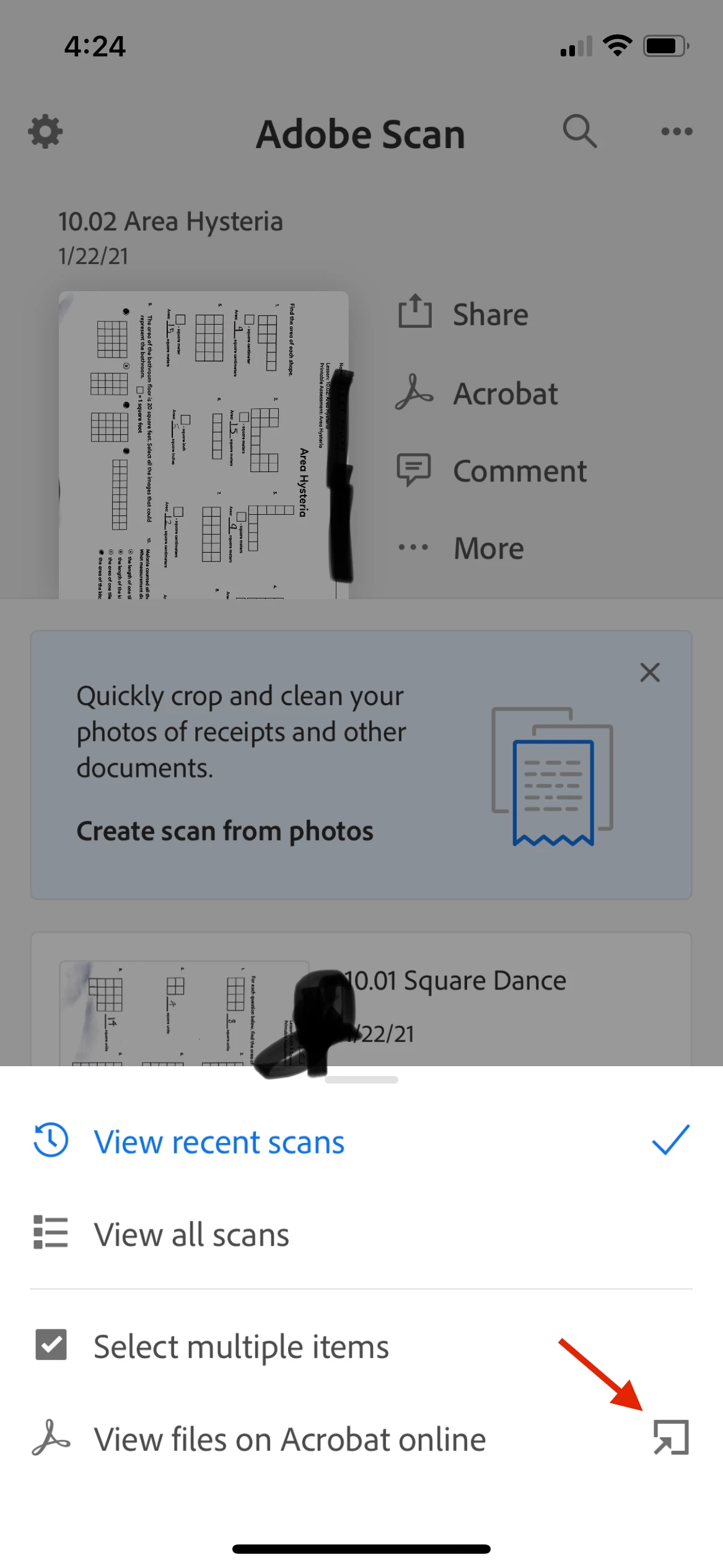
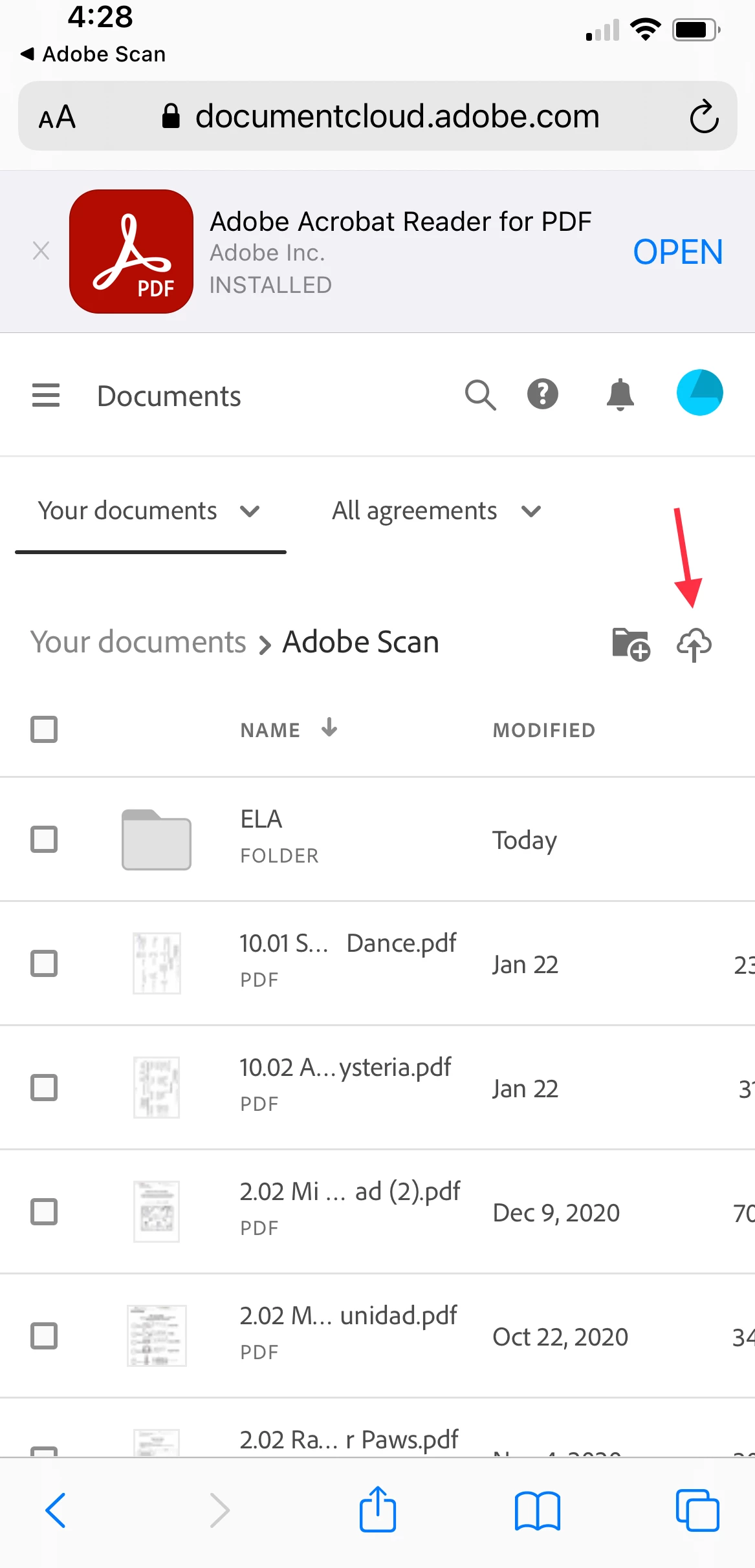
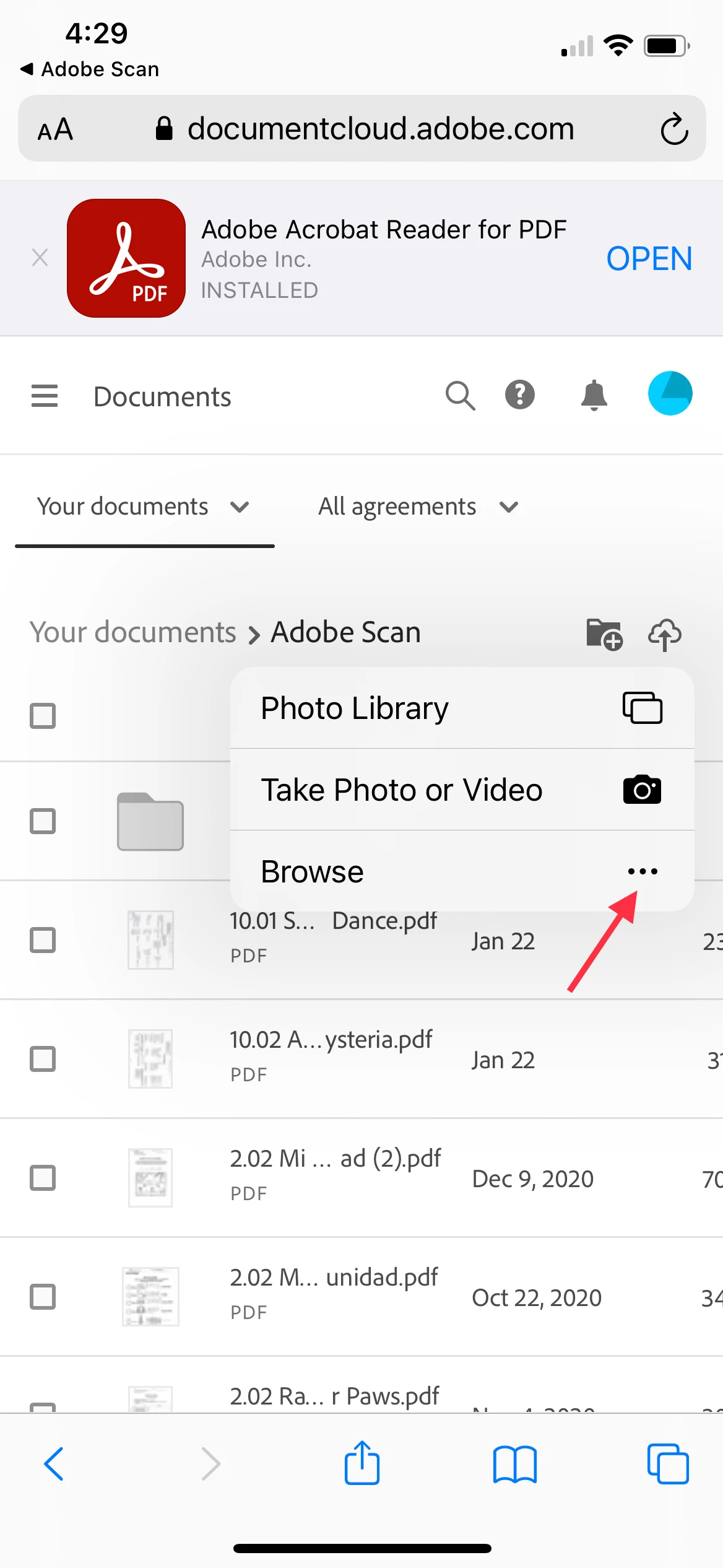
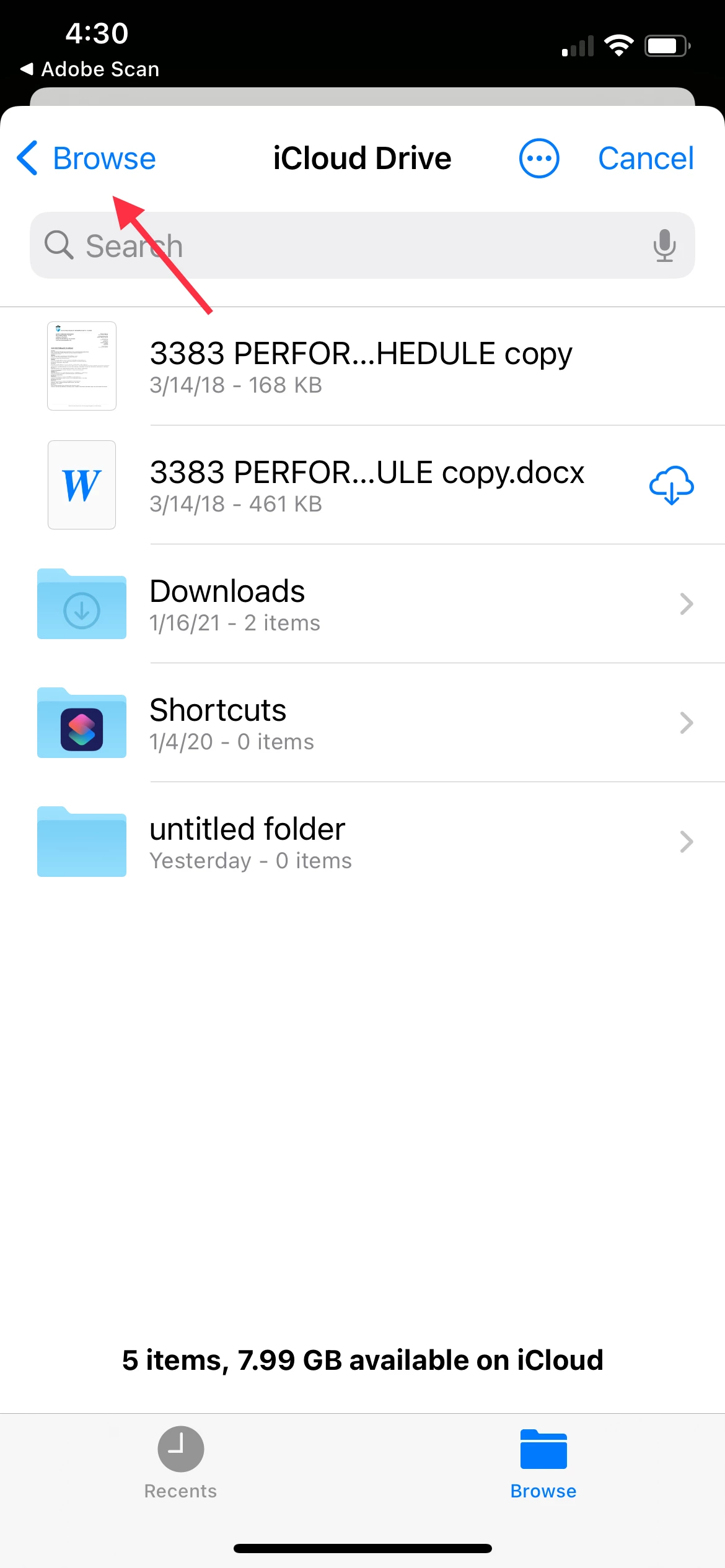
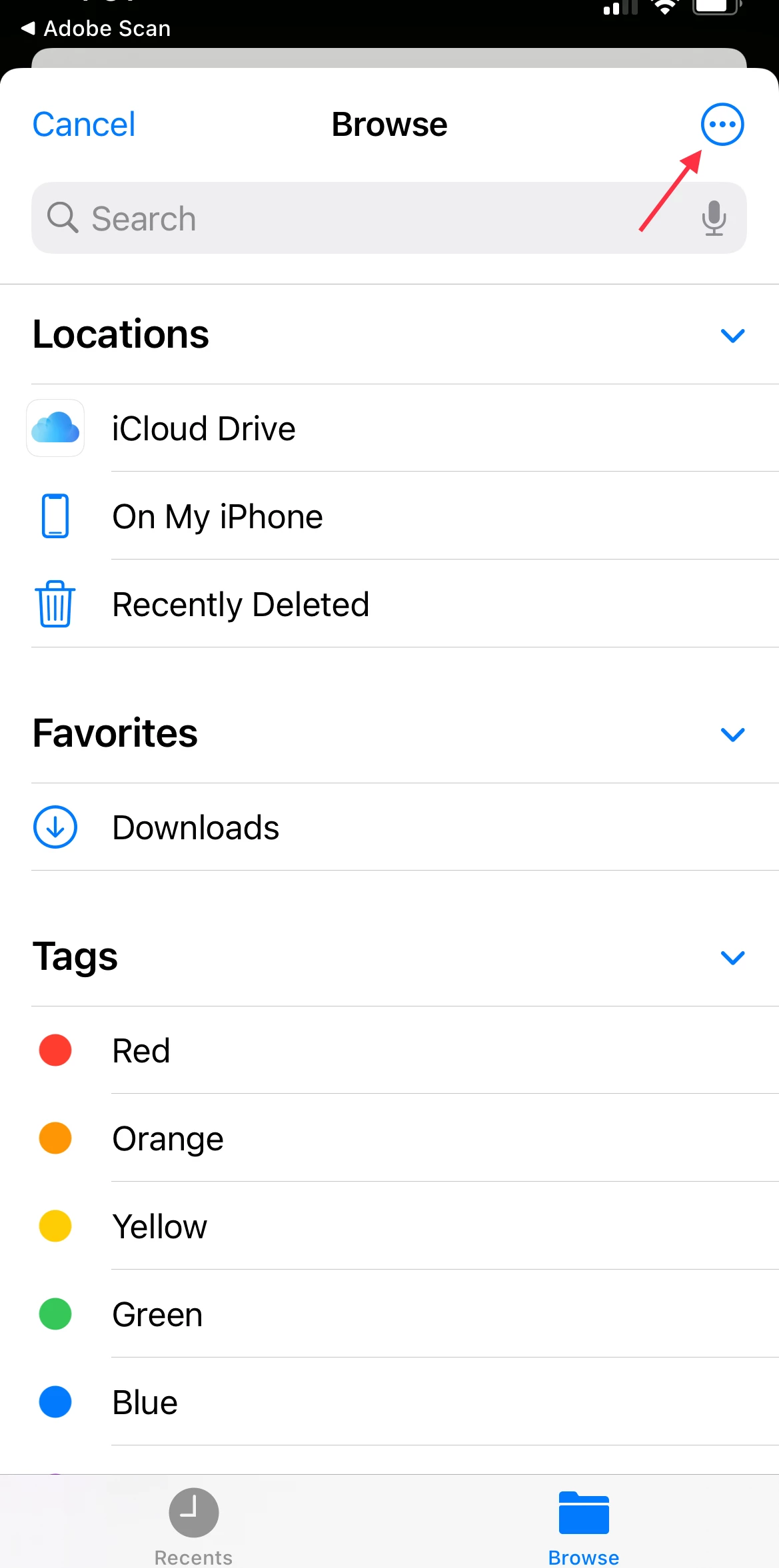
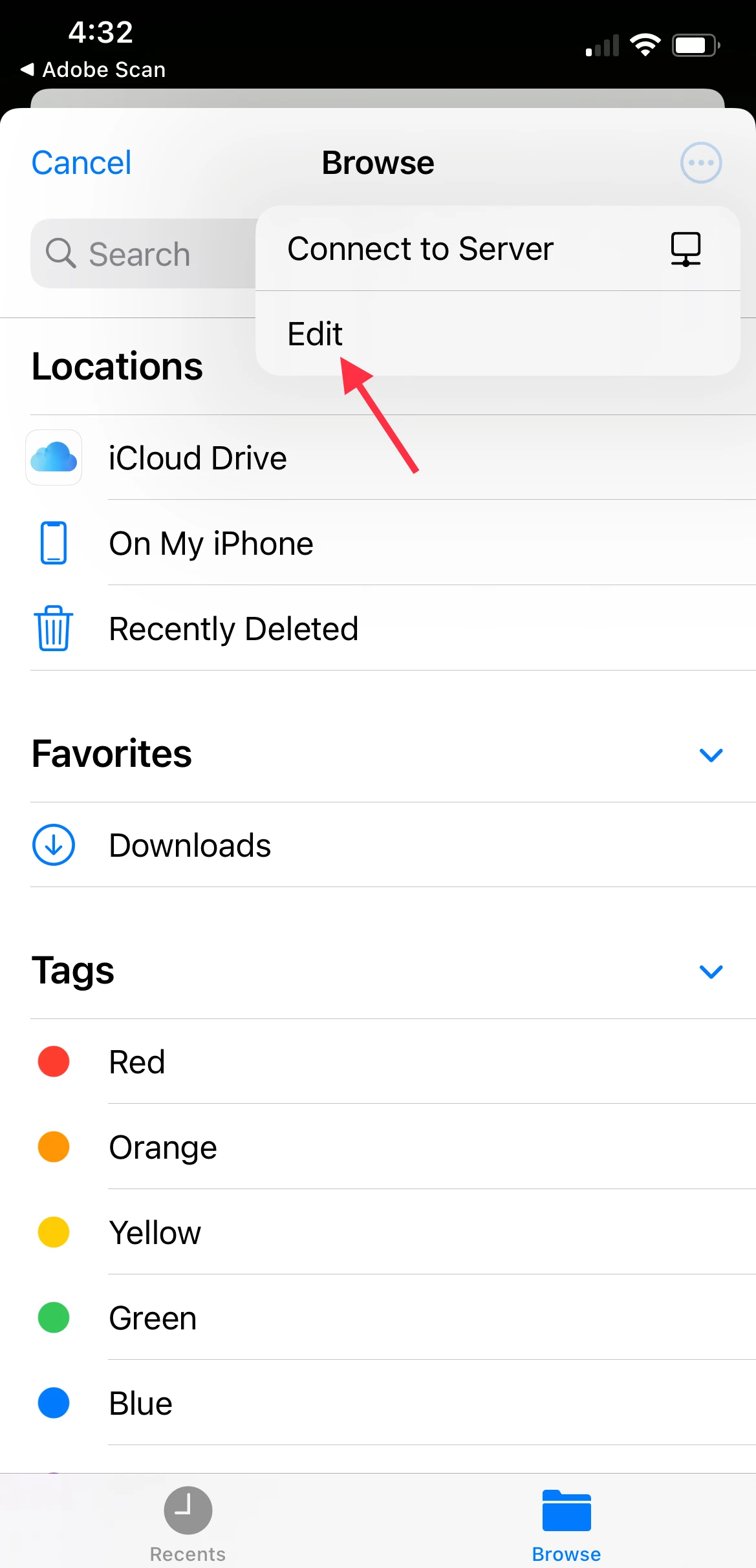
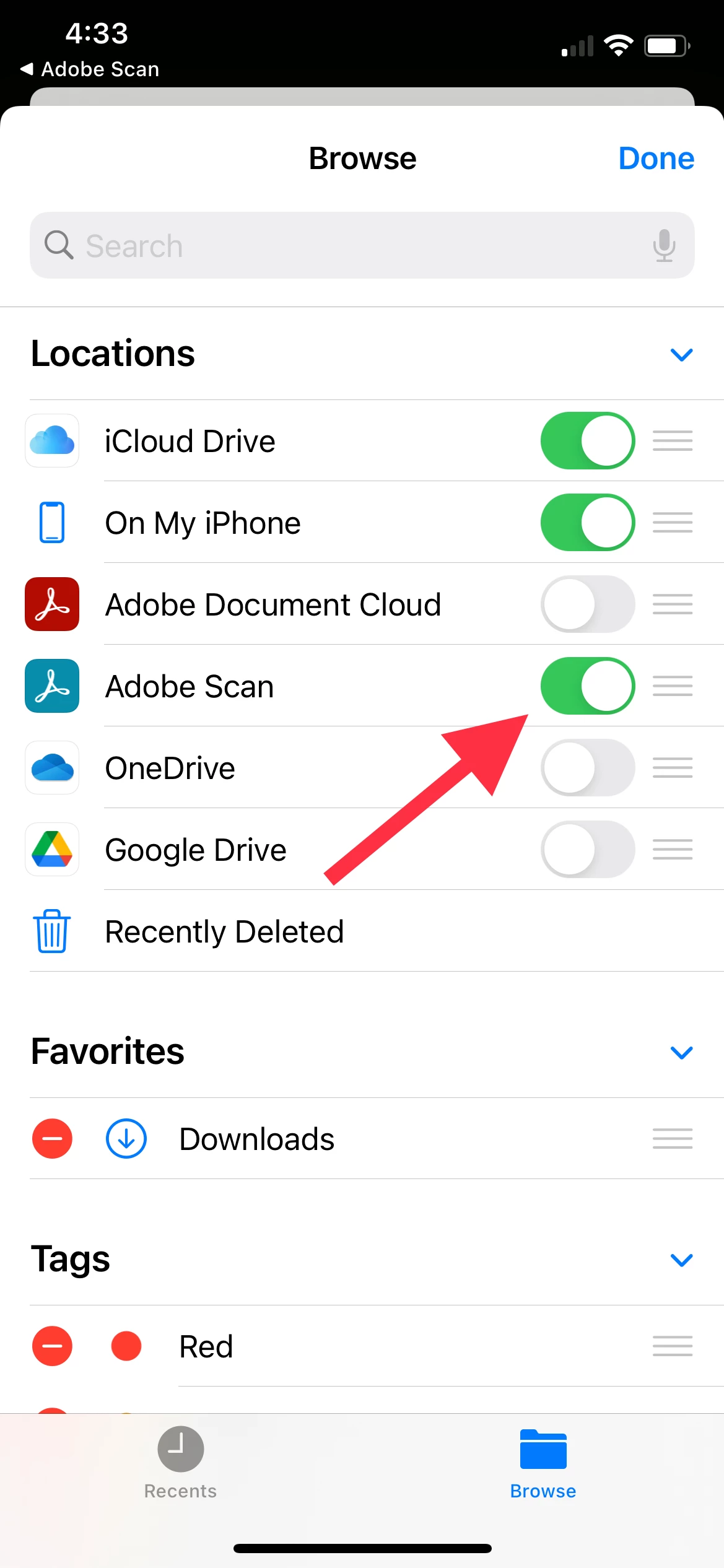
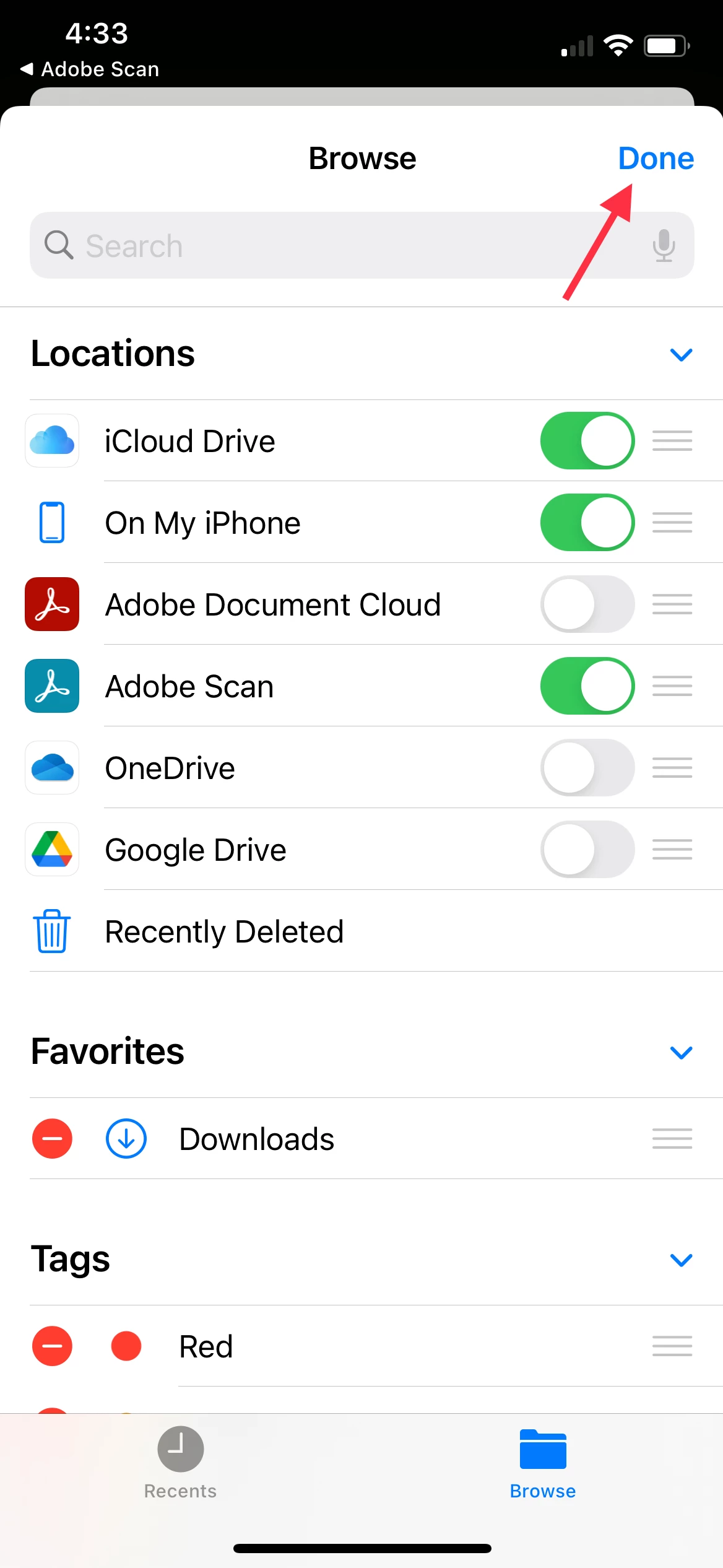
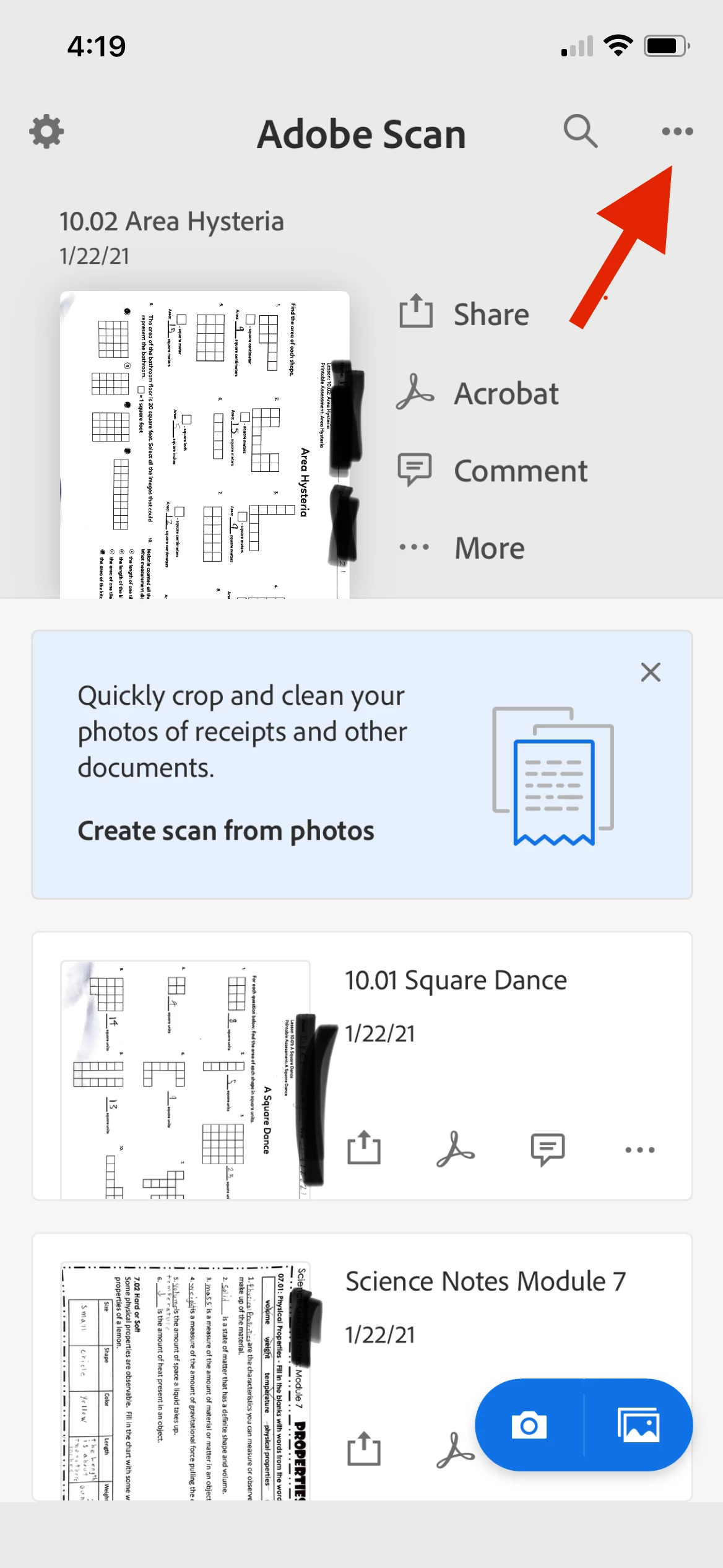
I solved the problem on my end!  Total accidents.  I'll attach pics in case this is the same issue you're having!


2 replies

Jason5CCCCorrect answer
Participant
January 26, 2021

I solved the problem on my end!  Total accidents.  I'll attach pics in case this is the same issue you're having!


Participant
January 27, 2021

Bless you! This worked perfectly!

Participant
January 25, 2021

I'm having the exact same problem!  I can see the files in the app and in the Acrobat app under the document cloud but when I'm trying to upload files from the app in another window like Safari I can't access the files! The only way that I can get to them is if I save them into photos. Worked perfectly on my iPhone X but now that I have the iPhone 12 pro I've got nothing!  please help! I tried calling customer service and let's say that that was just significantly less than helpful.  And