Participant
September 8, 2021
Answered

Add to render queue outputs as static

  • September 8, 2021
  • 1 reply
  • 318 views

Hi all,

So I was playing with render settings a while back and have since not been able to get it back to normal and have had to use adobe render queue instead.


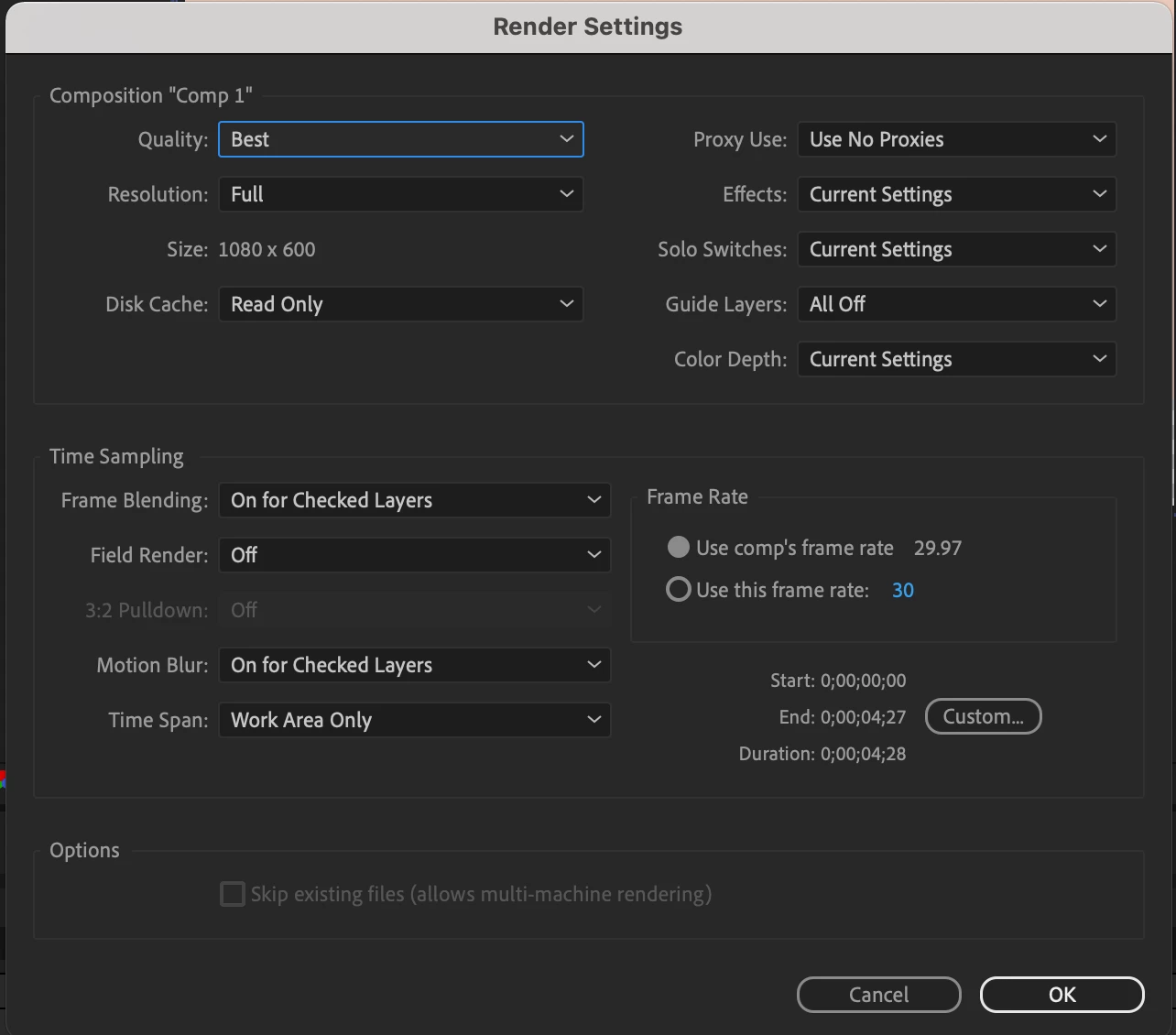
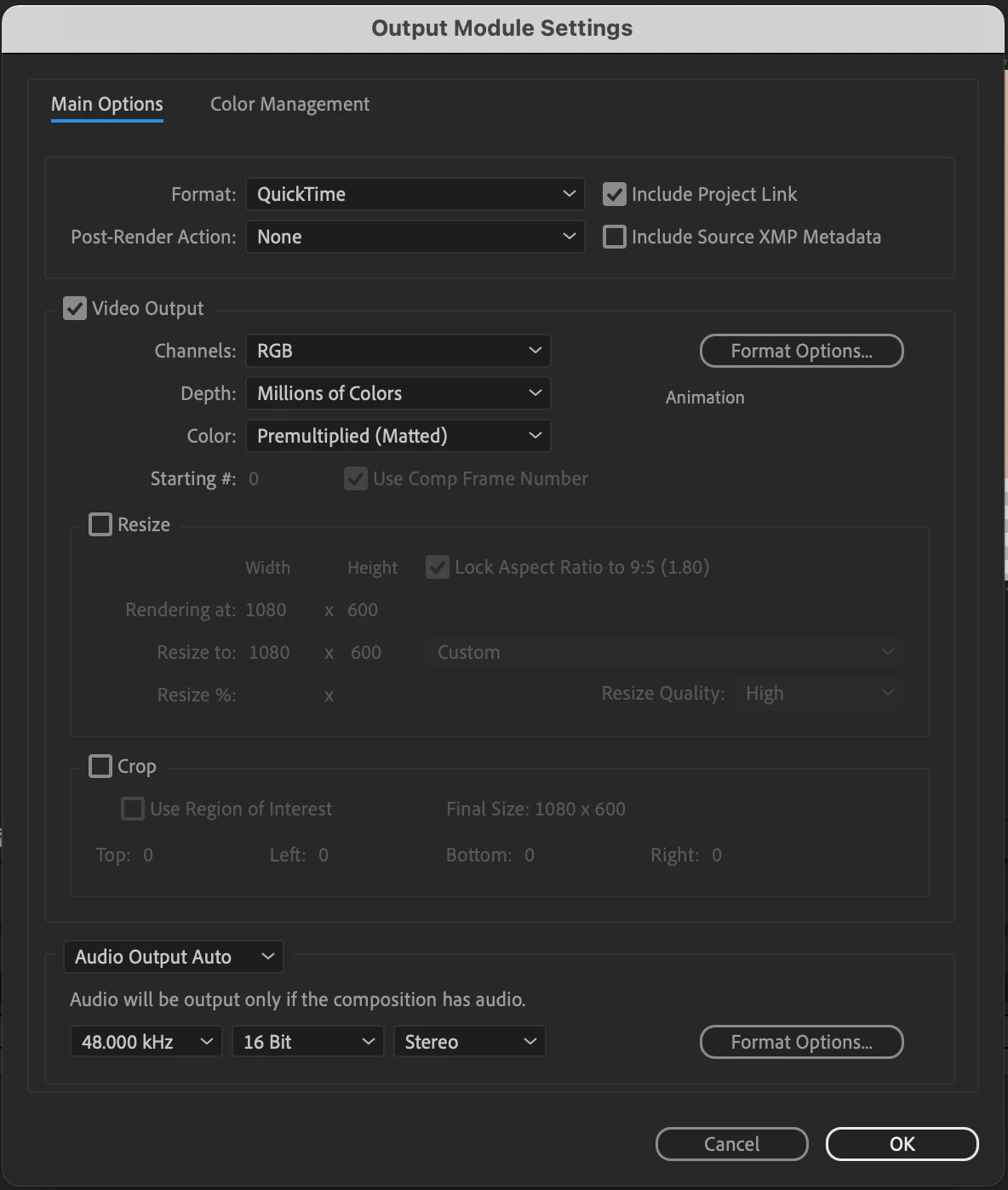
My latest composition I need to be RGB + ALPHA but when I add to render queue, it outputs as a static .mov. It is a 5 second comp with a basic track matte with position keyframe. I can output ok in Adobe Rende Queue but need the transparent background .Screenshots attached.

I've uninstalled and reset my prefs but no luck. I'm on a m1 mac.

many thanks



This topic has been closed for replies.
Correct answer Jose Panadero

In the Output Module settings window you must select:


Channels: RGB+Alpha

Depth: Millions of Colors + (or Trillions of Colors + if you are on a 16-32 bpc project)


Be warning that only a couple of quicktime codecs let you embed an alpha channel inside the movie. Animation and ProRes 4444 are some of the most used. I recommend you to use ProRes 4444.

1 reply

Jose Panadero
Community Expert
Jose PanaderoCommunity ExpertCorrect answer
Community Expert
September 8, 2021

In the Output Module settings window you must select:


Channels: RGB+Alpha

Depth: Millions of Colors + (or Trillions of Colors + if you are on a 16-32 bpc project)


Be warning that only a couple of quicktime codecs let you embed an alpha channel inside the movie. Animation and ProRes 4444 are some of the most used. I recommend you to use ProRes 4444.

Shock0neAuthor
Participant
September 8, 2021

Thanks, the problem isn't the transparency it's that when I output it the file doesn't have any movement and is static.


Jose Panadero
Community Expert
Community Expert
September 8, 2021

Maybe a problem with the Quicktime Player? Sometimes the Quick Preview on macOS doesn't work as expected. I always try to play video files using Quicktime player o VLC.