


Participant
May 17, 2019
Question

After Effects CC Keeps Crashing

  • May 17, 2019
  • 2 replies
  • 3190 views

Hey,

I've been working on AE CS6 in before, but recently I've faced issues about rendering videos so I decided to work on CC 2019 and got the trial version. But the problem is, whenever I open the application, I face a crash report.5-10 seconds later of opening it, it crashes. My system specs are enough as far as I know, I've been looking for crash logs but I couldn't find any. I'm leaving a screenshot below. I have a work to be done urgently so I'd be appreciated a lot if you can find me the answer to solve the situation.
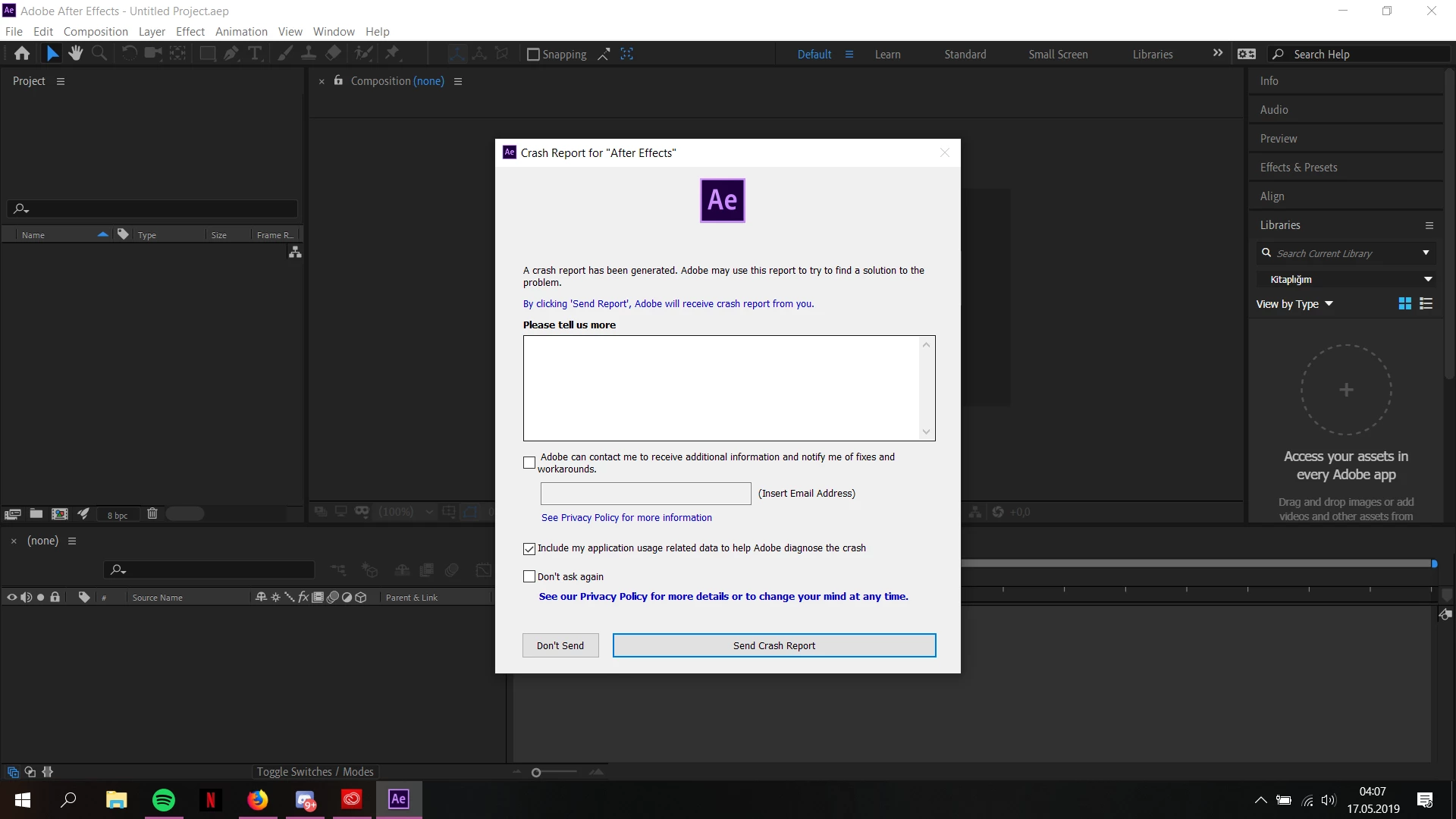
P.S: The crash doesn't depend on the thing I do, that's all I can say.I just open it and wait, then it crashes.

This topic has been closed for replies.

2 replies

pazarayAuthor
Participant
May 21, 2019

No one has a solution for this problem?Yet I couldn't get an answer from the Adobe team aswell

Rameez_Khan
Legend
May 27, 2019

Hey velona77,

Sorry to hear that! Let's try to figure out what's going on.

Please share detailed information about your computer configuration: OS/RAM/CPU/GPU/Drivers/Disk setup

Have you been sending us these crash logs? If yes, send me a Private Message with your email address so that I can pull your crash report from the crash report server.

You can also check the crash log in Event Viewer. Here is how you can do that:

Checking Windows Event Logs [this article is for an app called M-files but is valid for any application. Look for After Effects instead of M-files]

Let us know what you find out.

Thanks,

Rameez

Community Expert
May 17, 2019

Maybe try re-setting preferences. If on Mac hold down option/shift/command and click to open the app. If on Windows hold down shift/alt/ctrl and click to open the app. Also may try going to the top of the app and going to edit/preferences/Media and disc cache on Windows or After Effects/preferences/media and disc cache on Mac and clean the folders with the options in that menu. Good luck and hope that it helps

pazarayAuthor
Participant
May 17, 2019

Thanks for the answer, I've applied what you've told but they don't seem to be helping