
Participant
November 15, 2019
Question

After Effects Help - Offset composition preview/playback

  • November 15, 2019
  • 4 replies
  • 849 views

Hello!

Everytime I press play, instead of playing centered in the preview window, my composition is offset to the bottom left while a freeze frame of the beginning of the clip stays centered. No idea how I did this, the composition is from a premiere project if that helps with troubleshooting. Any help/suggestions are appreciaed. Thanks! 
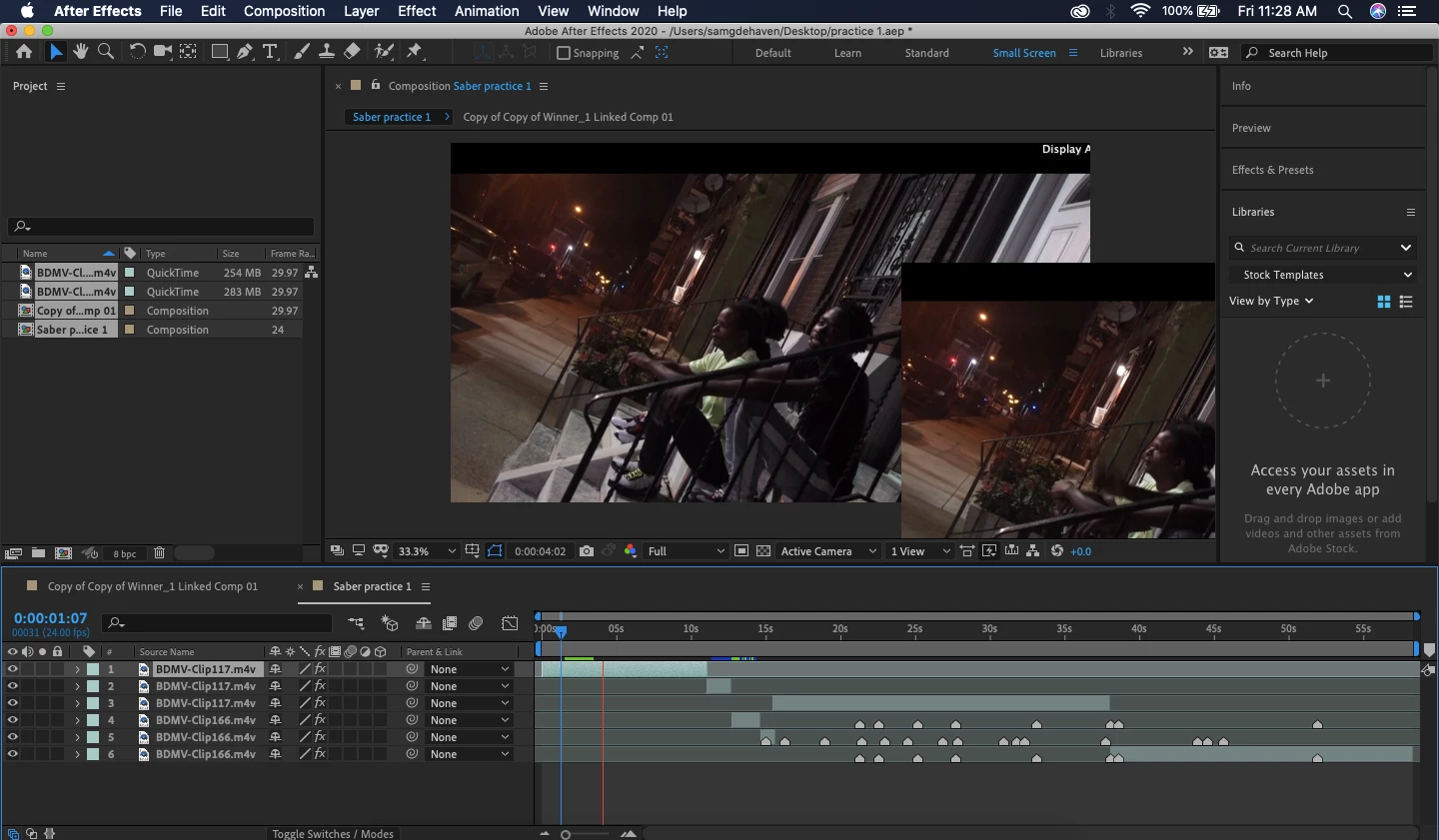
This topic has been closed for replies.

4 replies

Shivangi_Gupta
Community Manager
Community Manager
December 11, 2019

Hi there,


Thanks for your patience. Adobe After Effects has released a patch update which  provide a fix for the duplicate preview issues. For more information, please check https://helpx.adobe.com/after-effects/kb/fixed-issues.html


Let us know if you have any other questions.


Thanks,

Shivangi

Roland Kahlenberg
Legend
November 16, 2019

Others have made similar reports here. This issue looks like it's related to your GPU. AE 2020 has more stringent GPU and hardware requirements and there have been speed optimizations - these may lead to issues for certain users and especially those with powerful GPUs.


Try disabling Hardware acceleration in AE's Prefs>Display. AE's Project Settings dialog too has a GPU Acceleration switch (for computating Effects and Transforms) - disable this if it hasn't been disabled, by default.


Then experiment with different Comp Resolutions and see if there's a sweet spot that works.


Then file a Bug Report with your findings. YOU MUST include your hardware specs with your Bug Report. Include information on your GPU model and the version of the GPU driver you are currently using. Good Luck.

Very Advanced After Effects Training | Adaptive & Responsive Toolkits | Intelligent Design Assets (IDAs) | MoGraph Design System DEV
Participating Frequently
November 15, 2019
Participating Frequently
November 15, 2019

Having the same issue. Logged it on this thread, including a screen capture of the issue: https://community.adobe.com/t5/After-Effects/Adobe-After-Effects-Issue-With-Composition-Preview/m-p/10741532#M96959