Participant
November 20, 2025
Question

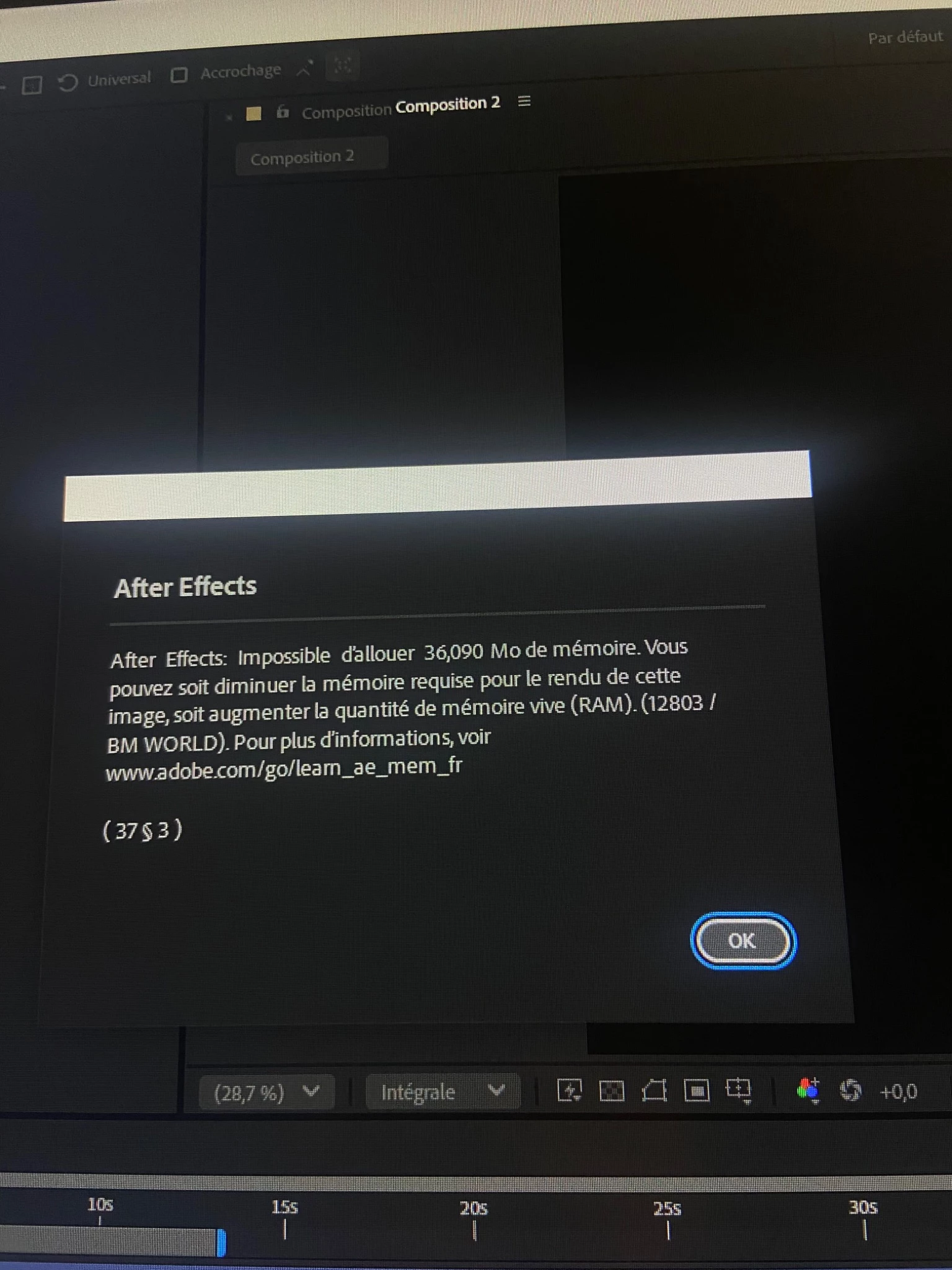
After Effects keeps crashing with “Unable to allocate XXX MB of memory” + random GPU/CPU errors

  • November 20, 2025
  • 3 replies
  • 88 views

I’m completely stuck with a critical After Effects issue and I really hope someone here can help.
Here are the exact technical facts....

The main issue

After Effects crashes with:

  • “Unable to allocate XXX MB of memory”

  • Or random GPU/CPU errors during preview or render

This happens even on very small projects, sometimes after 1–5 minutes.

Hardware diagnostics already done

I tested absolutely everything on the hardware side:

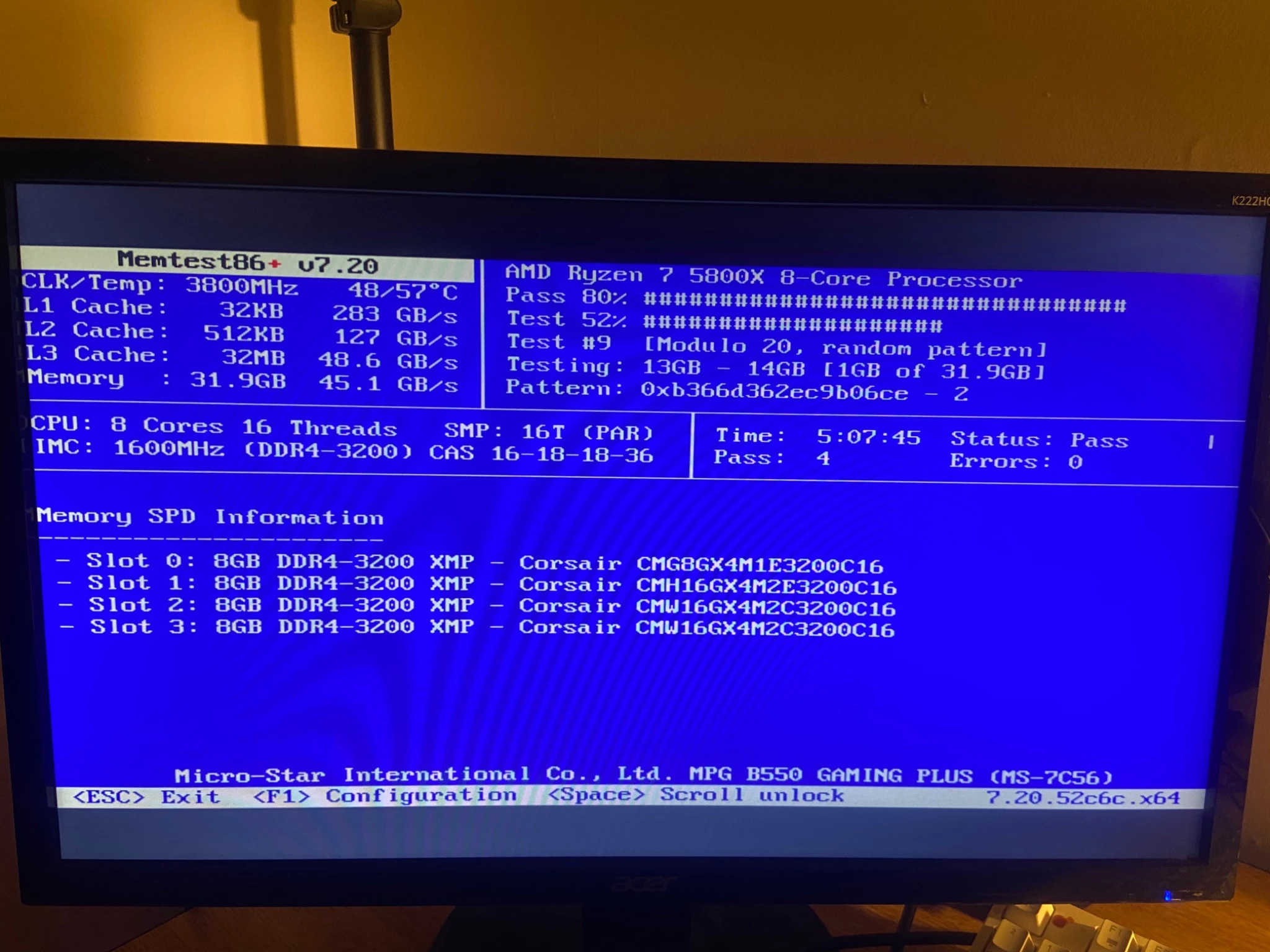
  • MemTest86 — 4 passes — 0 errors → RAM is 100% stable

  • Motherboard BIOS updated (MSI B550 Gaming Plus – latest version)

  • AMD chipset drivers updated

  • AMD Radeon 6700 XT → clean driver install (Factory Reset)

  • XMP disabled for testing

  • Temps are normal (no thermal throttling)

After Effects troubleshooting already done

  • Reset AE preferences (Ctrl + Alt + Shift)

  • Disabled GPU acceleration (Mercury Software Only)

  • Cleaned media cache (manual + preferences)

  • Deleted all Adobe cache folders in AppData

  • Memory & Performance: multi-frame render disabled

  • Memory virtualized by OS (auto)

  • Fresh installation of AE using Adobe Cleaner Tool

  • Tried different RAM slot combinations

Nothing fixes the issue.

System info

  • CPU: Ryzen 7 5800X

  • GPU: Radeon RX 6700 XT

  • RAM: 32 GB DDR4 (MemTest86 PASS)

  • Motherboard: MSI B550 Gaming Plus

  • OS: Windows 11 

Thanks in advance — I’m blocked from working right now because of this, and any insight would help a lot !!! 
3 replies

Known Participant
January 30, 2026

I have 128gb of RAM and I get this message about every 20-30 minutes. If I open task manager I can see my system is nowhere near full. Like my entire system is using about 40% of the overall ram capacity. Doesn't seem to be affected by how full the cache is either. I've never had this problem until 2025. 


I guess it's just something I'll have to live with until I can remove Adobe from my workflow. 

Community Expert
November 21, 2025

That looks like a real out of memory error.


Are you able to open the project on a system with 64GB of RAM.


Participant
November 21, 2025

That conclusion is incorrect. This is not a “not enough RAM” situation.

I already ran MemTest86 (4 passes – 0 errors) → RAM is 100% healthy.
I also tested the project with:


Multi-Frame Rendering OFF, Mercury Software Only, Clean GPU drivers (Factory Reset), Clean AE installation (Adobe Cleaner Tool), XMP OFF, Cache fully purged, Different RAM slot combinations, Minimal compositions


The crash occurs even with only one solid, no effects, and no footage. If it were a simple capacity issue, AE wouldn’t crash on an empty timeline. This is not a RAM quantity limitation it is an allocation failure, not a lack of available memory. Recommending “try with 64 GB” does not diagnose the problem. It just avoids it. I need an actual fix for the allocation bug, not a hardware upgrade suggestion.

Community Expert
November 21, 2025

You can probably clear the error by following the instructions in the dialog box.


Kevin-Monahan
Community Manager
Community Manager
November 21, 2025

Hi,

Thanks for the note. Can you try these troubleshooting steps and let us know what happens? https://adobe.ly/4plXtiC;


Cheers,
Kevin


Kevin Monahan - Sr. Community & Engagement Strategist – Pro Video and Audio
Participant
November 21, 2025

?