



Question
after effects show all graphs instead of one
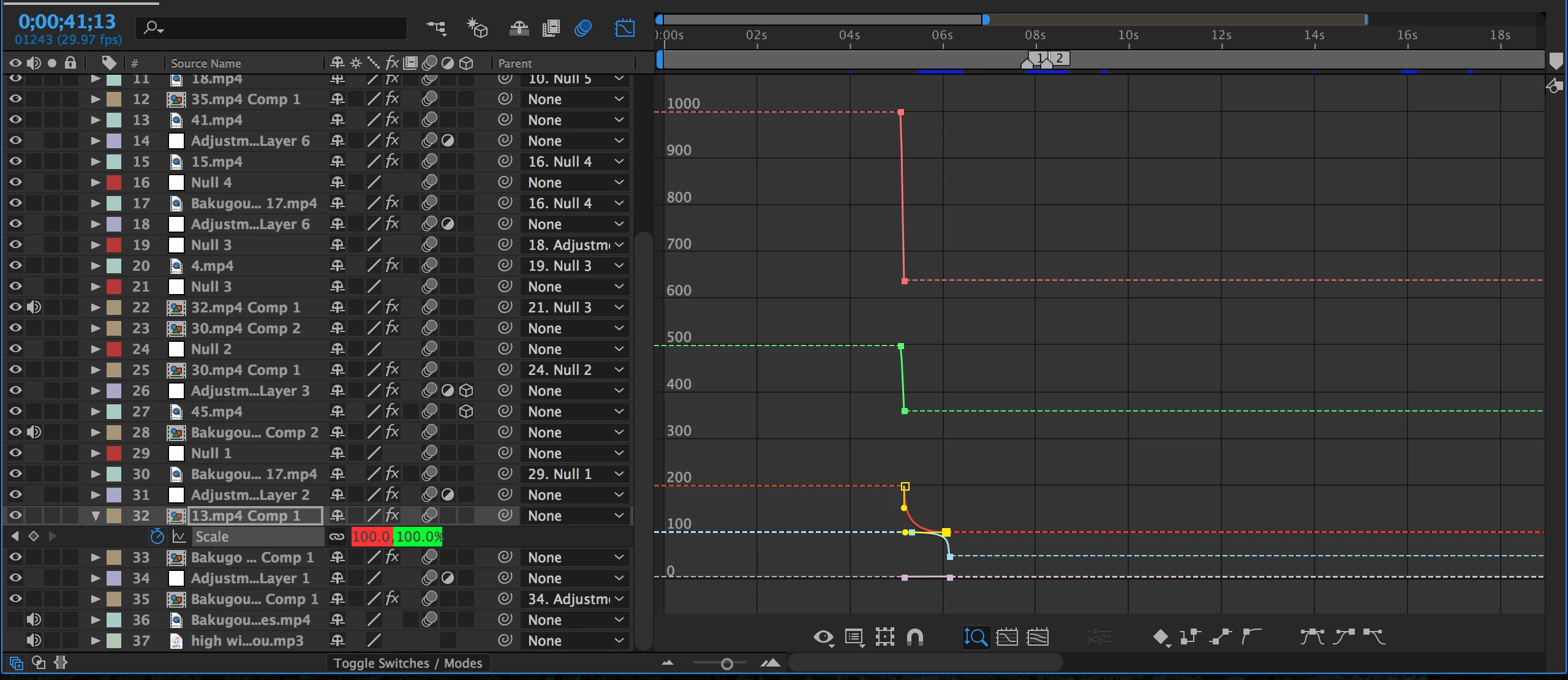
as seen here, i only have scale opened but for some reason, the graphs for every effect i have on the specific clip are opened. the problem has nothing to do with any adjustment layers or nulls. i have no idea why it's doing this.
i tried clicking off of the graph and then selecting only one effect at a time to see if it would work but all graphs still show up. i also tried changing to a speed graph but that doesn't work either
it's really annoying and it's hard to graph my key frames because when i zoom it in it looks like this
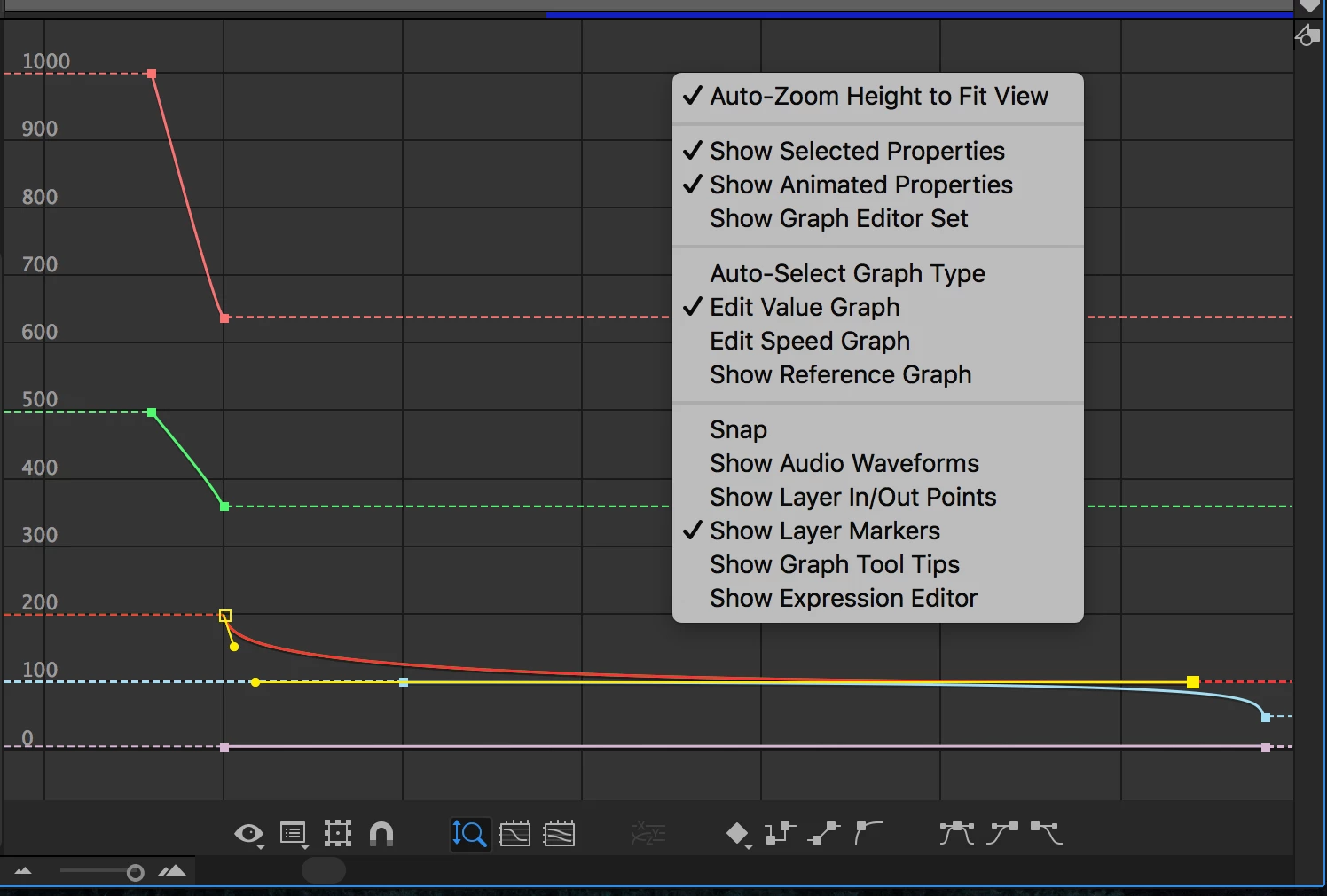
i also showed my settings too ^
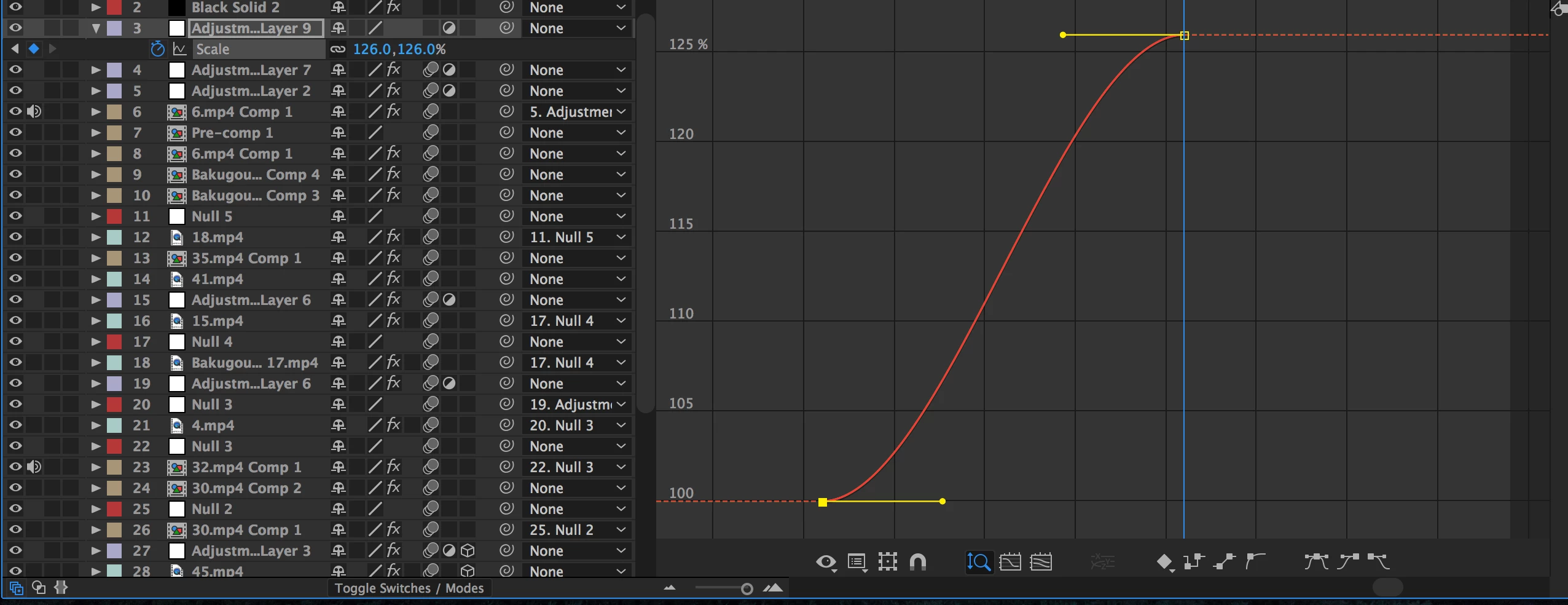
when i only have a single effect on a clip then it's completely fine. it's just weird when i add multiple effects.
thanks in advance 🙂
 AdChoices