

Answered
Apply gradient to part of text
Hello there!
I have the word Cryosense in an animation and I would like to add gradient to only the Cryo.
Is this possible or I would have to have tw separate text layers?

Hello there!
I have the word Cryosense in an animation and I would like to add gradient to only the Cryo.
Is this possible or I would have to have tw separate text layers?
You need your text layer on the bottom and a gradient layer that just covers the parts of the text you want to fill with the gradient, then apply Set Matte to the Gradient layer and choose the text layer as the source. This is everything that is required.
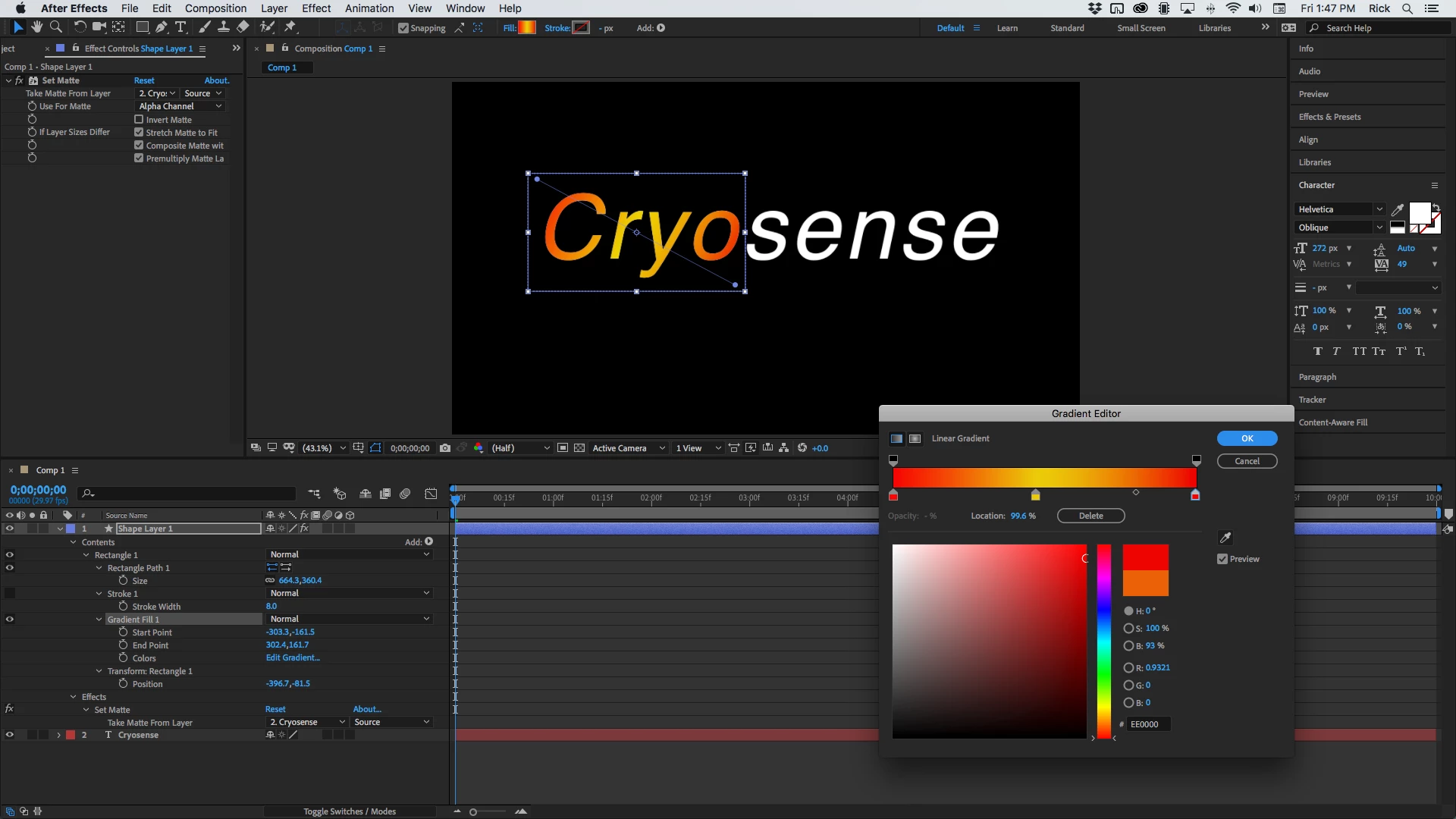
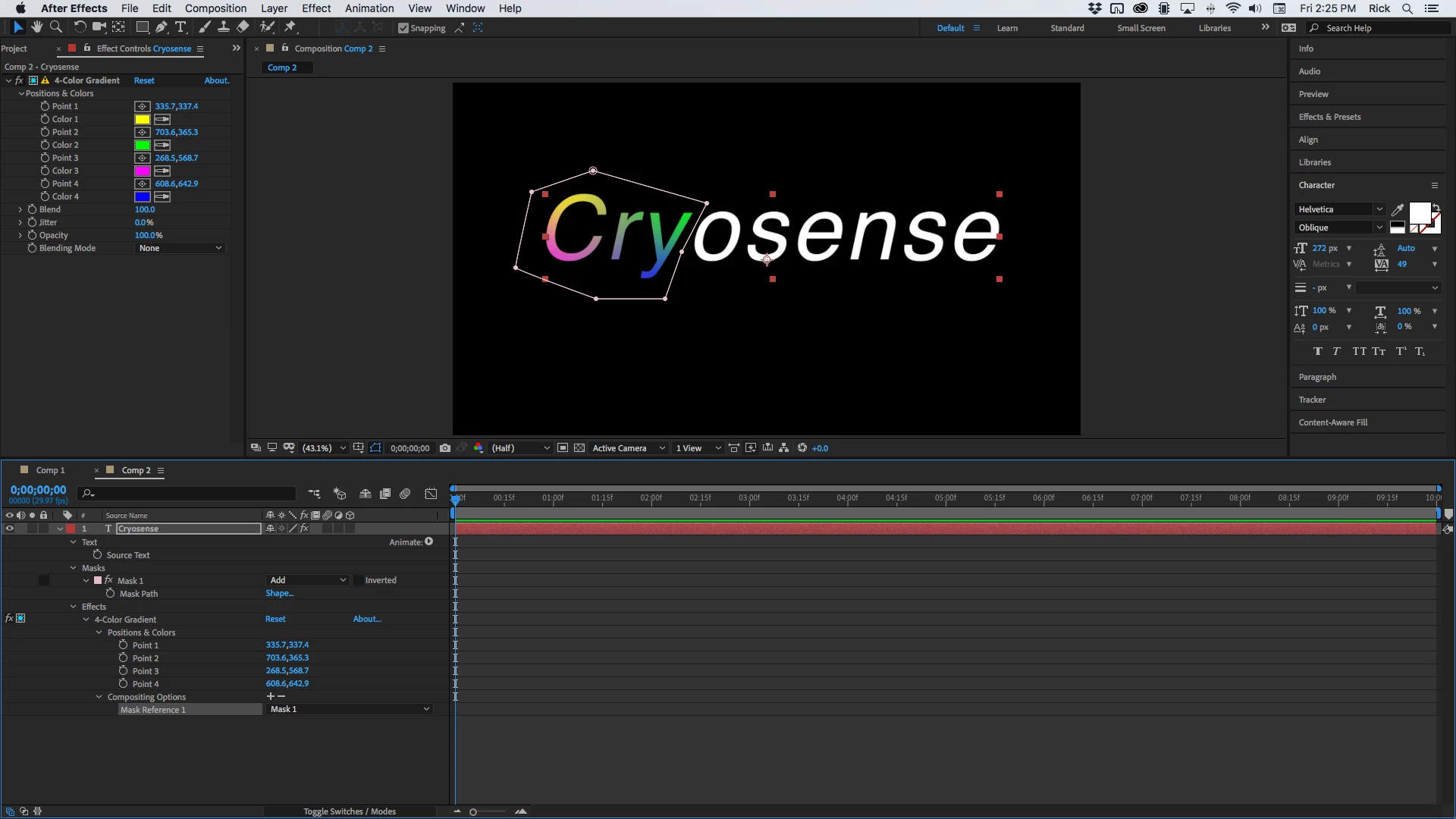
This is only 1 of about 10 ways I can think of to part of a layer with a gradient. You could also apply a mask to the text layer and add Gradient Fill (not nearly as flexible as a shape layer which can have as many gradients applied and blended as you like) or 4-Color Gradient, then use compositing options to apply the effect only to the text inside the mask. Again, I'm showing you everhting that you need to recreate the effect.
Already have an account? Login
Enter your E-mail address. We'll send you an e-mail with instructions to reset your password.
 AdChoices