


New Participant
December 1, 2023
Answered

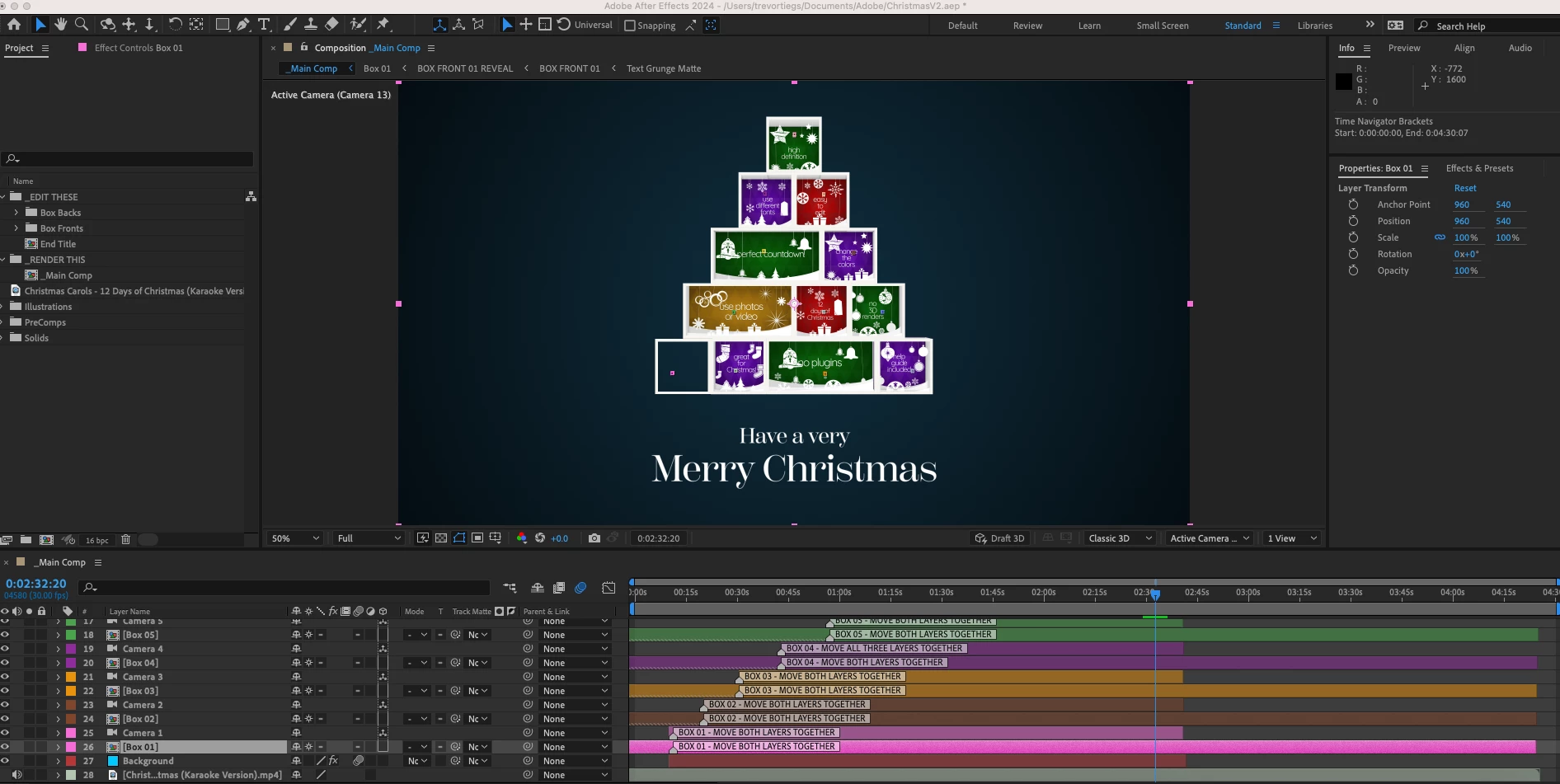
Assets disappearing from composition when moving layers

  • December 1, 2023
  • 1 reply
  • 360 views

I'm a complete beginer with AE, but while working with a template I got today I was moving some layers around to fit with music I'm putting it to, and for some reason one of the "Boxes" I have lost all of it's insides. I can't figure out why or how to get them back.
This topic has been closed for replies.
Correct answer Rick Gerard

It looks like the boxes are nested comps (pre-comps). Open up the problem comp and see if the missing layers exist. If they are, then try collapsing transformations or turning CT off. Make sure the contents are not set to be Guide layers. 

1 reply

Rick GerardCorrect answer
Community Expert
December 2, 2023

It looks like the boxes are nested comps (pre-comps). Open up the problem comp and see if the missing layers exist. If they are, then try collapsing transformations or turning CT off. Make sure the contents are not set to be Guide layers. 

New Participant
December 4, 2023

turns out I'm just dumb and didn't increase my asset durration to match my new project durration. So my pre comp's were just sort of "timing out" by the end of the project haha. Thank you for the answer though!