


Multipasser
Inspiring
December 24, 2023
Answered

Expression text jump based on textbox

  • December 24, 2023
  • 2 replies
  • 866 views

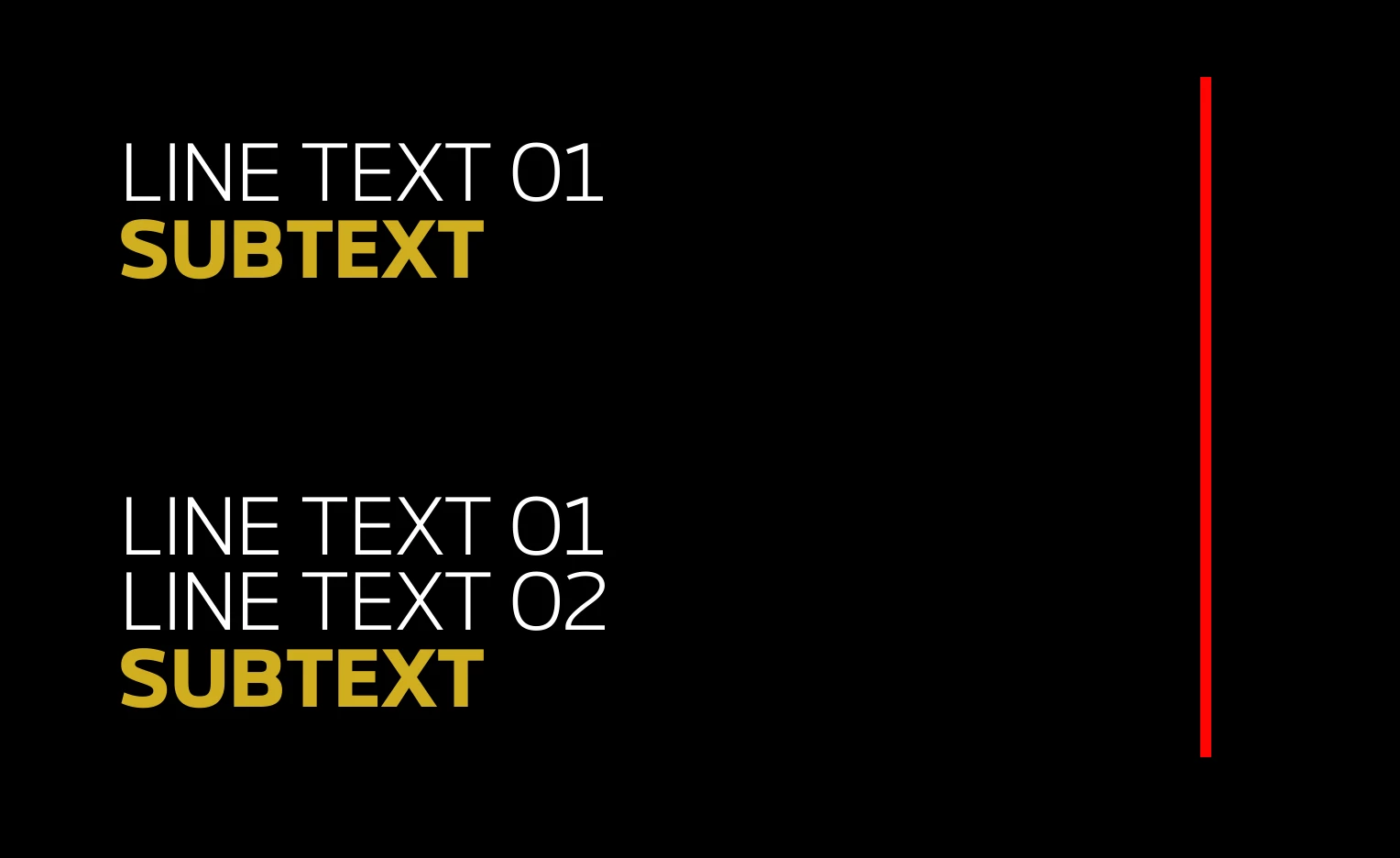
As an image says more than a thousand words 🙂

I need to convert this to a mogrt, so I need the yellow text to be a different textlayer, as it uses a different font/weight.


That said, the 'line text 01' can never extend beyond the red line. So the user needs to be able to break to second line (but I believe you can't do that in premiere essential panel?).  So is there a automatic break expression maybe I can add? Or I just use a Boxtext?


Anyhow when the first text goes to 2 lines, the yellow subtext must jump position.

How do I do that? 


thanks! Merry xmas
This topic has been closed for replies.
Correct answer Airweb_AE
  1. create a text box for your Line Text 01
  2. create a text layer for your SUBTEXT
  3. parent SUBTEXT to your text box
  4. add this expression to the SUBTEXT position:
marginTop = 50;
[parent.sourceRectAtTime().left, parent.sourceRectAtTime().top + parent.sourceRectAtTime().height + sourceRectAtTime().height + marginTop]


2 replies

Airweb_AECorrect answer
Legend
December 24, 2023
  1. create a text box for your Line Text 01
  2. create a text layer for your SUBTEXT
  3. parent SUBTEXT to your text box
  4. add this expression to the SUBTEXT position:
marginTop = 50;
[parent.sourceRectAtTime().left, parent.sourceRectAtTime().top + parent.sourceRectAtTime().height + sourceRectAtTime().height + marginTop]


Multipasser
Inspiring
December 24, 2023

Thanks guys. Will test when home!! First Christmas. Thanks for the gift. 

Mylenium
Legend
December 24, 2023

You can't have an automatic line wrap. In theory you would simply compare the position value with a sourceRectAtTime() and then recursively trim down the letters the exceed the line length to insert a line break, but you run into a chicken vs. egg situation, since the rect values don't update while you're editing, only after re-rasterizing the text layer. You could end up re-editing the text over and over and you gain nothing. Therefore the only way out is to set up two lines of text with a known fixed character length and hide the second when it's not needed, moving the yellow sub-headline into its position. That can be achieved using standard sourceRectAtTime() and simple tests like (pseudo-code)


if(myString.length < x)

{code for position/ opacity goes here}

else

{default position and opacity};


Mylenium