Inspiring
June 22, 2023
Answered

How to get particles to follow 3D object

  • June 22, 2023
  • 1 reply
  • 605 views

Hi forum.


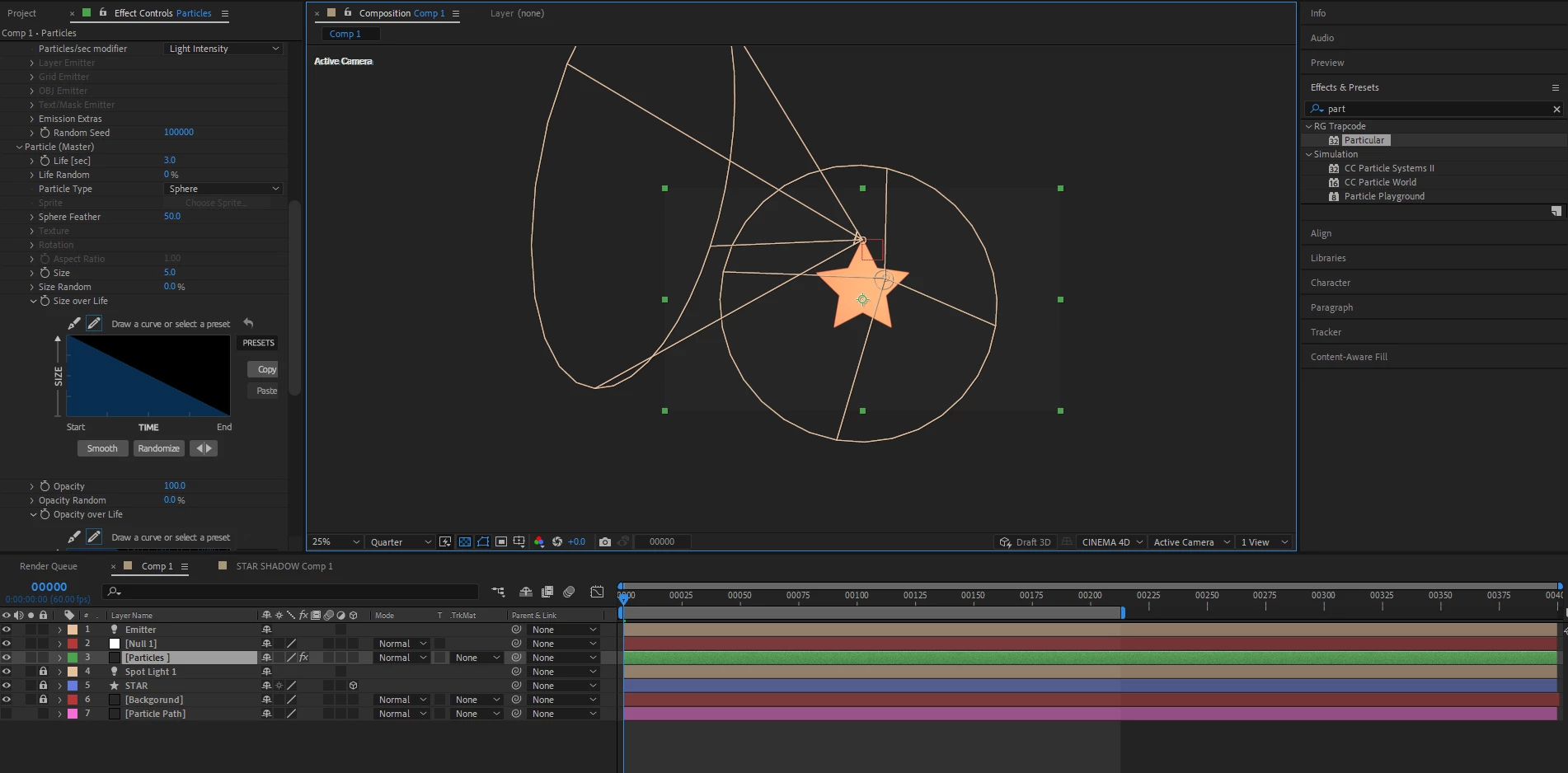
How can I make my particles follow my spinning 3D logo, Im confused what to parent the particles with.

The logo spins as it should rotating 360 on its Y axis, the particles follow the path, but they dont match the coordination.

Ive also included the file. 


Thank you


https://filebin.net/5mqddsvbw6i8erv4


This topic has been closed for replies.
Correct answer ShiveringCactus

I ran into a couple of problems with this, looks like you are using an older version of AE than I am, so it was converted and then Maxon have released a major update which might have killed my trapcode particular licence.  Charming Maxon.

[Edit: In fairness to Maxon, I've checked and my copy Particular 4 still works, but your version was newer]


Here's my saved version anyway: https://www.dropbox.com/s/ilftvoxd6z7bz49/Ask%20Adobe%20%28converted%29.zip?dl=0


But in case you can't use it, the solution is that your emitter is tracing the star's shape, but it's not directly connected to the star which is rotating.  What was needed was an additional null object.  I copied the position keyframes to this and parented it to the star.  Then I used this expression on the emitter's position:


L=thisComp.layer("Star Path NULL");
L.toWorld(L.anchorPoint);


This linked the emitter's position to the null object's world position. And the particles keep up with the rotation.


 

1 reply

ShiveringCactus
Community Expert
ShiveringCactusCommunity ExpertCorrect answer
Community Expert
June 23, 2023

I ran into a couple of problems with this, looks like you are using an older version of AE than I am, so it was converted and then Maxon have released a major update which might have killed my trapcode particular licence.  Charming Maxon.

[Edit: In fairness to Maxon, I've checked and my copy Particular 4 still works, but your version was newer]


Here's my saved version anyway: https://www.dropbox.com/s/ilftvoxd6z7bz49/Ask%20Adobe%20%28converted%29.zip?dl=0


But in case you can't use it, the solution is that your emitter is tracing the star's shape, but it's not directly connected to the star which is rotating.  What was needed was an additional null object.  I copied the position keyframes to this and parented it to the star.  Then I used this expression on the emitter's position:


L=thisComp.layer("Star Path NULL");
L.toWorld(L.anchorPoint);


This linked the emitter's position to the null object's world position. And the particles keep up with the rotation.

 

Inspiring
June 24, 2023

Thank you for your help!


Kind regards.