


Participant
January 26, 2024
Answered

Repeat + Wiggle Transform Shape layer with gradient - gradient does not move with shape

  • January 26, 2024
  • 1 reply
  • 547 views

Hi all, 


I'm trying to visualize a bunch of atoms moving around randomly. I need to be able to animate the spacing between them as well as the amplitude of the motion, so using repeaters and Wiggle Transform on a shape layer seemed like a very easy solution. It works fine as long as the shape has a solid fill.


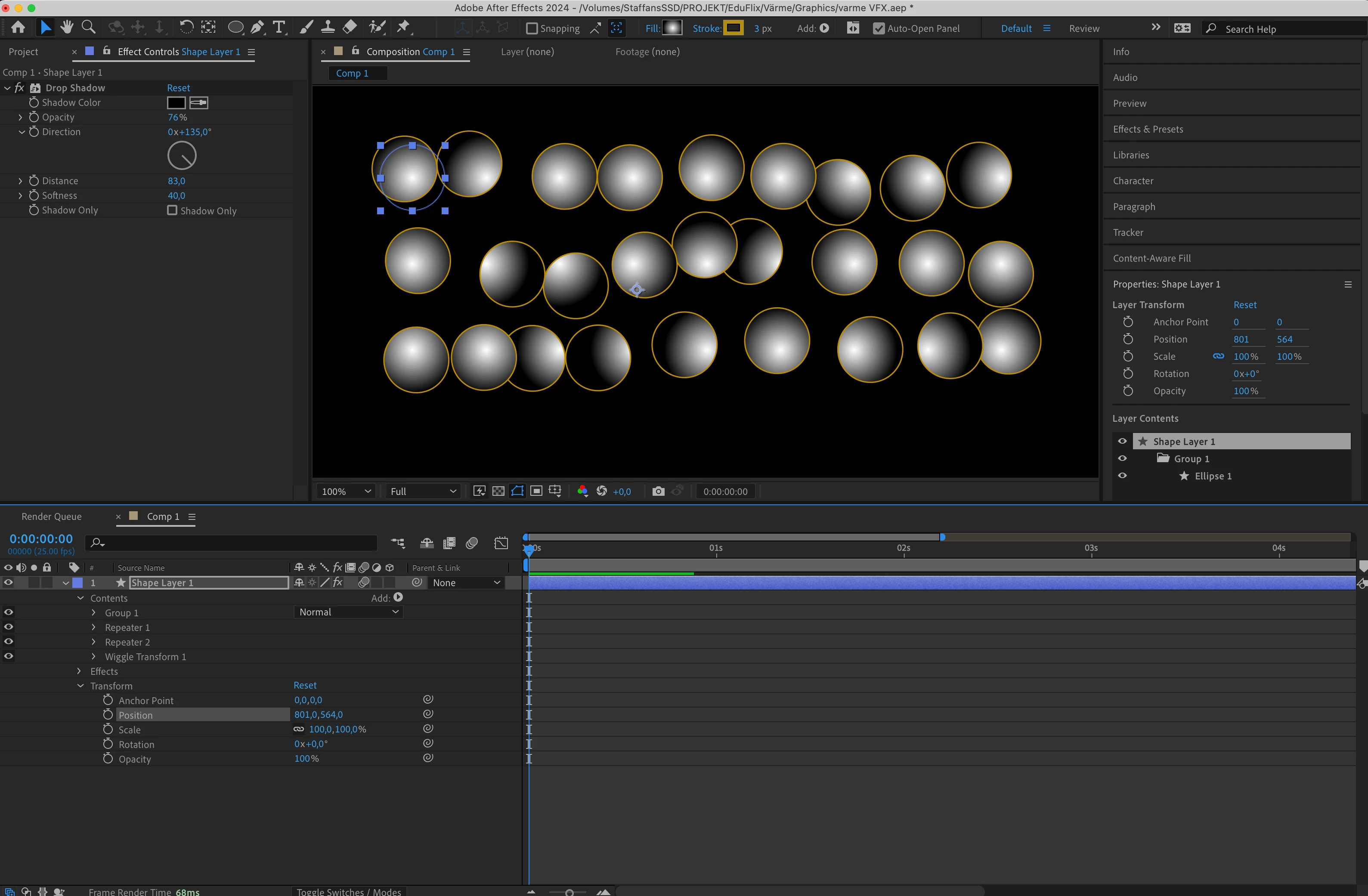
But when I give the shape a Gradient fill, the gradient(s) remain static and does not move along with the wiggled shapes. I've looke around but found no solution to this. Very grateful for any ideas!
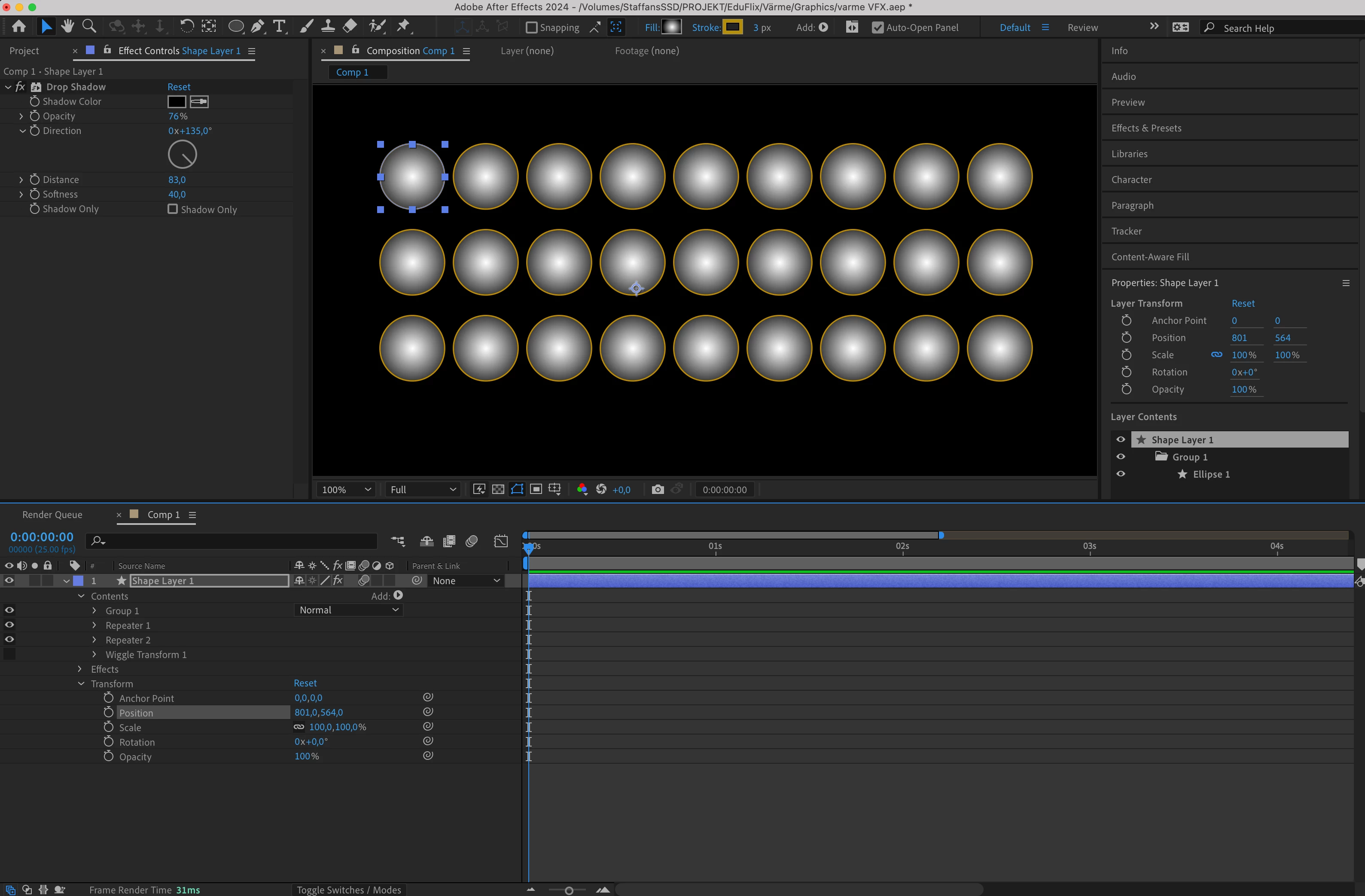
 

Fig 1 Shape repeated - works fine


Fig 2 Wiggle Transform applied - Shapes are wiggled but not the gradient fills
This topic has been closed for replies.
Correct answer Rick Gerard

When you add Wiggle Transform, it transforms the Contents/Ellipse/Elipse Path/Position of the shape instead of the Contents/Elipse/Transform Elipse/Position. The start and end values of a gradient fill are based on the Contents/Shape/Transform Shape/Position and Anchor Point, so they are not going to move. Unfortunately, the result of that wiggle transform is not accessible because none of the properties show a change over time.


You'll have to create your wiggling matrix of gradient-filled circles by using multiple shape layers and expressions instead of a single shape layer. Lock the random seed and use the layer index to offset the position of each layer, and it will be fairly easy to generate the grid.

1 reply

Rick GerardCommunity ExpertCorrect answer
Community Expert
January 26, 2024

When you add Wiggle Transform, it transforms the Contents/Ellipse/Elipse Path/Position of the shape instead of the Contents/Elipse/Transform Elipse/Position. The start and end values of a gradient fill are based on the Contents/Shape/Transform Shape/Position and Anchor Point, so they are not going to move. Unfortunately, the result of that wiggle transform is not accessible because none of the properties show a change over time.


You'll have to create your wiggling matrix of gradient-filled circles by using multiple shape layers and expressions instead of a single shape layer. Lock the random seed and use the layer index to offset the position of each layer, and it will be fairly easy to generate the grid.

Participant
February 5, 2024

Thank you so much, that was an excellent answer!