
Participant
April 1, 2021
Answered

Rotate Objects around a Circle

  • April 1, 2021
  • 2 replies
  • 3620 views

Hello I have the following problem. I want to make various objects/precomps distributed on a circle rotate around the center of the circle. And I want to keep it as simple as possible.

I have done the following: 1. drawn a circle. 2. arranged the objects on the circle 3. created null object 4. assigned all objects to the null. ((see screenshot 1))
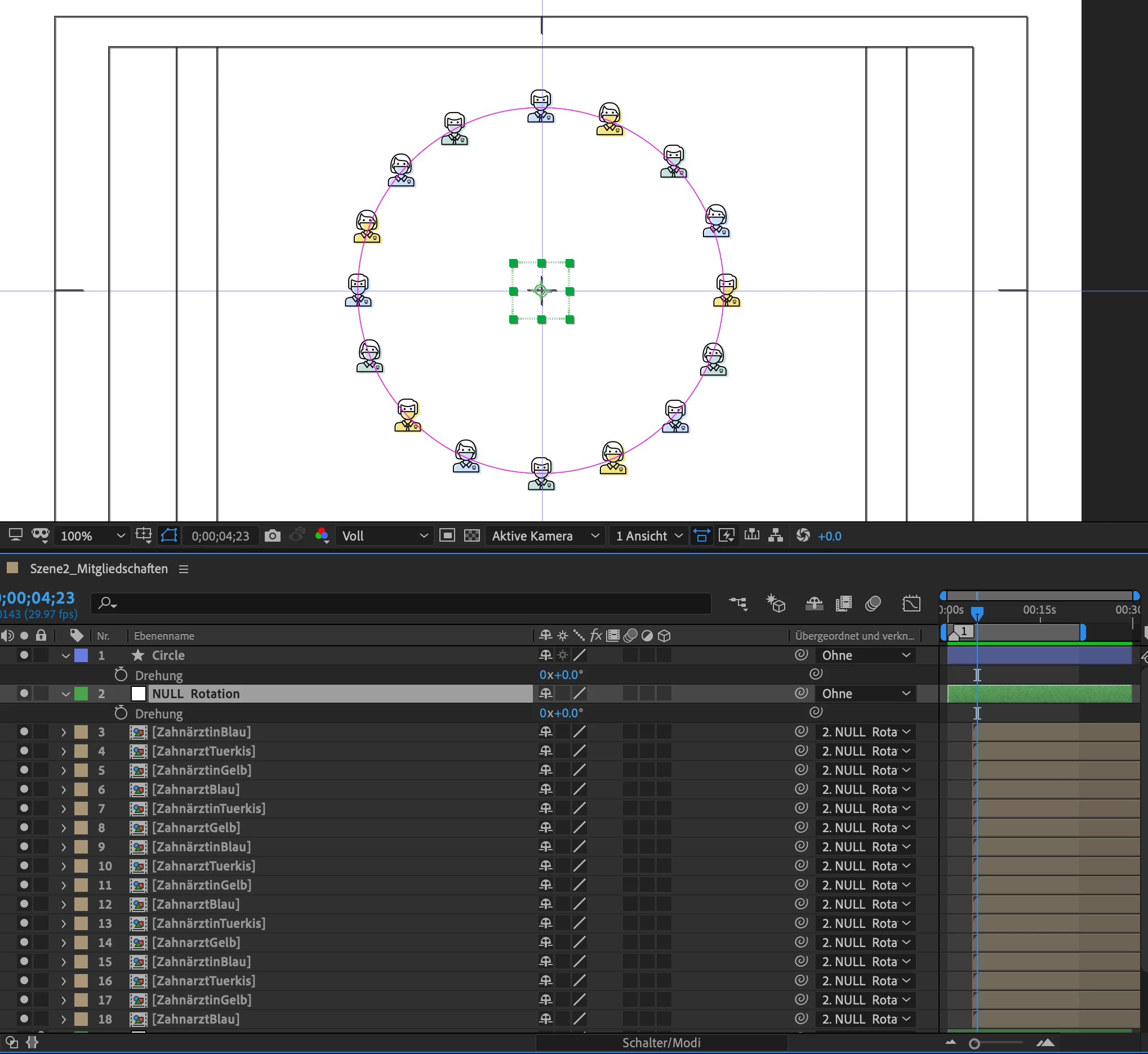
Now when I rotate the null object, the objects rotate around the center point, but they still rotate themselves as well. But I want them to stay vertical, even though Layer > Transform > Autmatic Alignment is off ((see screenshot 2)).
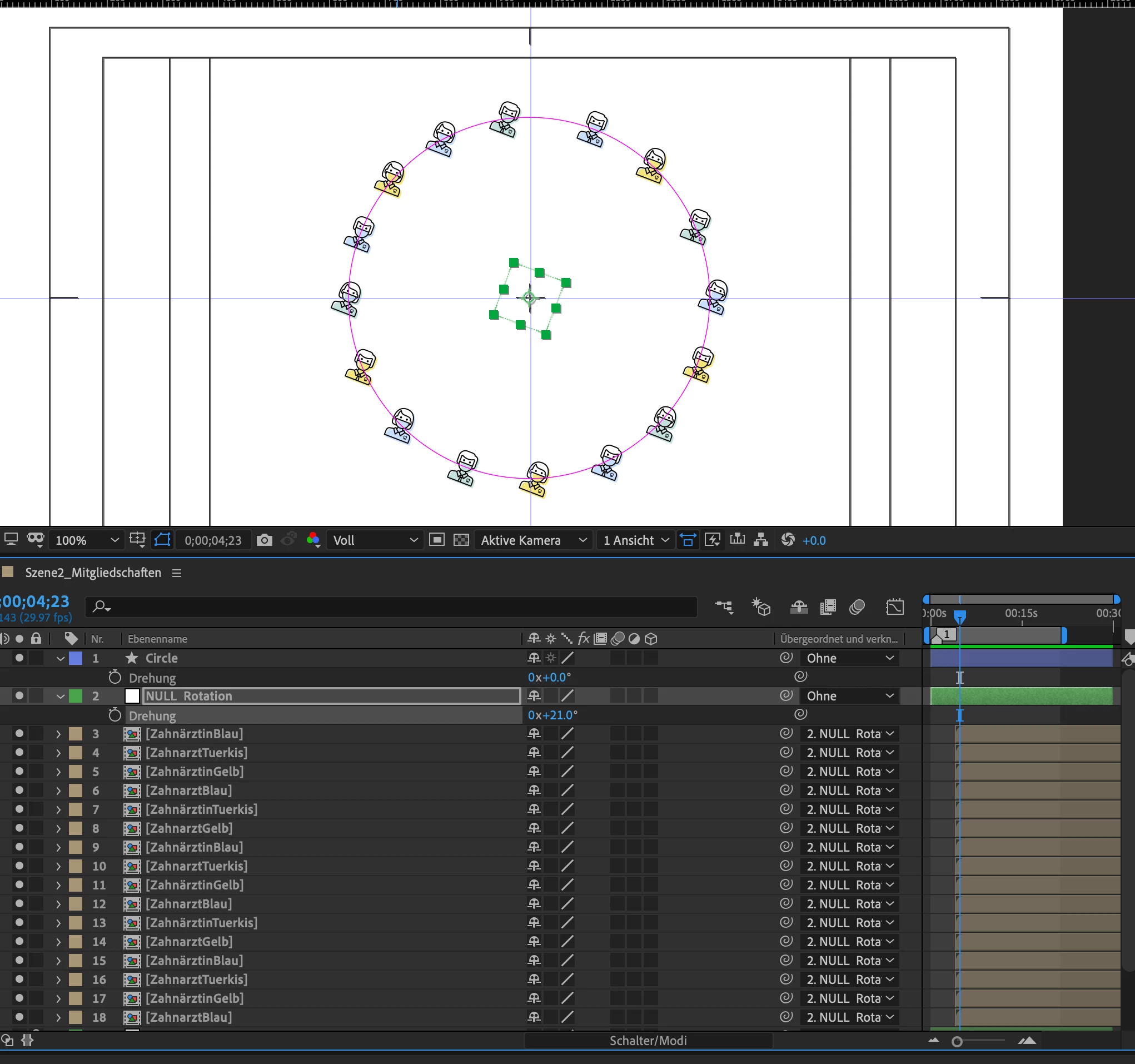
 

I don't want to paste the circle path into the position property of each object. Any Solution or Expression to this one?

Thank you very much!!

This topic has been closed for replies.
Correct answer P.M.B

It's an expression for the rotation of the object.  The "-" in the beginning is shorthand for multiplying the entire expression by -1.  You alt click the stopwatch on the rotation property of the object which will open up the expression field and that's where the expression shoould be written.  The part that says "null" should be the name of YOUR null.  

2 replies

P.M.B
Legend
April 1, 2021

You have the objects parented to a null so auto align is not even an option. 

If you had pasted the path data into the position property of every object, turning on auto align would cause this problem, not correct it.

With my limited knowledge of expression here's your two option.

Paste the path data of the circle onto the position of every object.  There's only 16

Or rotate the objects with the exact same parameters in the opposite direct.

You could do this either by keyframing one of the objects rotation and then copying that to the rest of the layers

Or you could pickwhip one of the objects rotation property to the null's rotation property and then put put parenthesis around the entire expression, add *-1 to the end of it and copy that expression to each of the objects rotation property.

It would look something like this: (thisComp.layer("Null 1").transform.rotation)*-1

So the object is parented to the null wich rotating at the center of the circle and the object is rotating on its own axis in the opposite direction.

~Gutterfish
Mylenium
Legend
April 1, 2021

As simple as


-thisComp.layer("Null").transform.rotation


Mylenium

Nico5E8EAuthor
Participant
April 1, 2021

Where should i paste this? Thanks for your answer.

P.M.B
P.M.BCorrect answer
Legend
April 1, 2021

It's an expression for the rotation of the object.  The "-" in the beginning is shorthand for multiplying the entire expression by -1.  You alt click the stopwatch on the rotation property of the object which will open up the expression field and that's where the expression shoould be written.  The part that says "null" should be the name of YOUR null.  

~Gutterfish