


bleacxh
Participant
October 20, 2019
Question

Rotobrush

  • October 20, 2019
  • 1 reply
  • 226 views

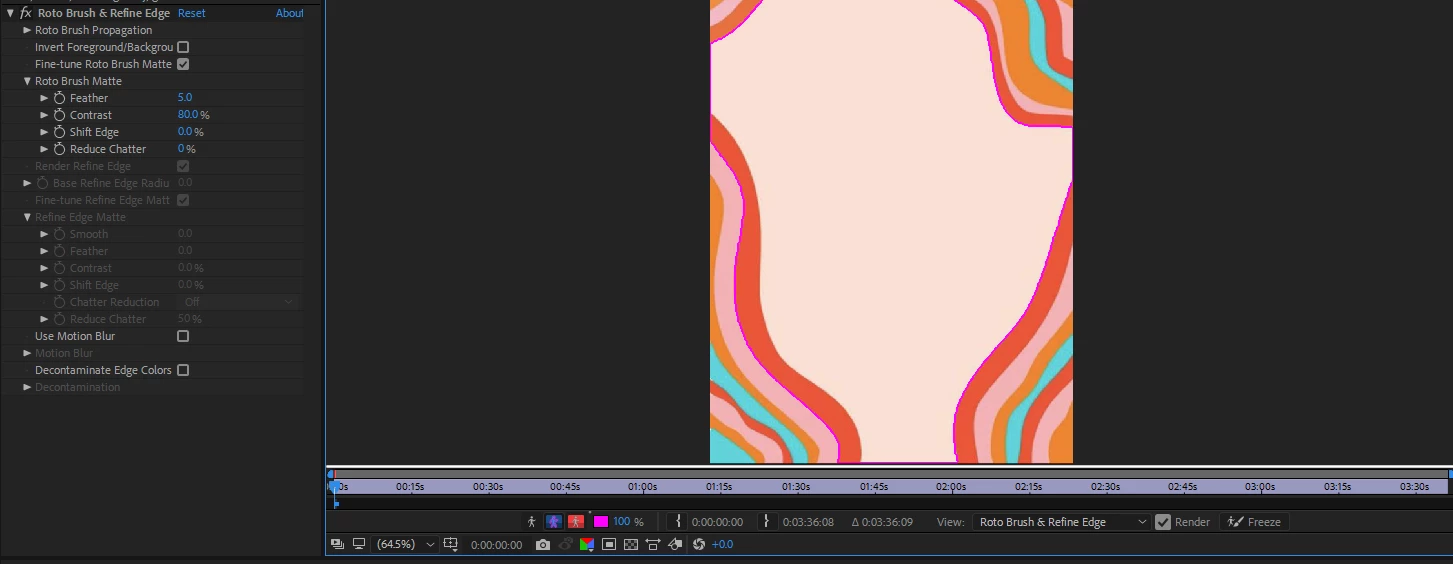
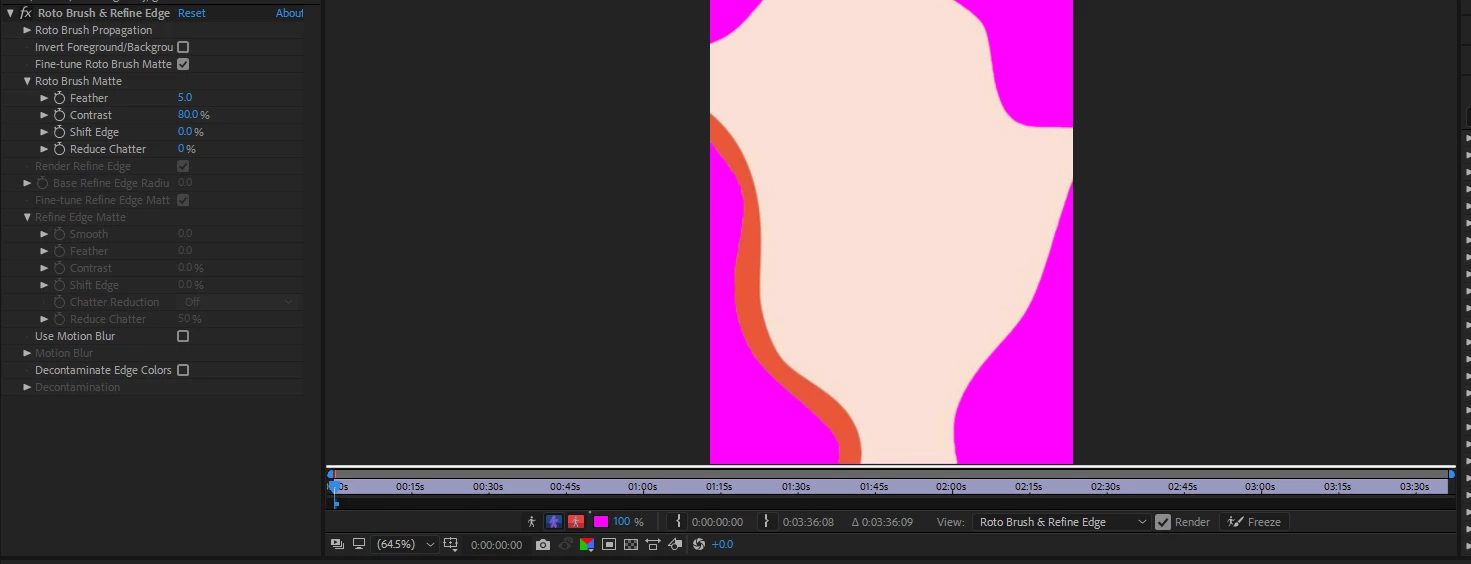
Whenever I used rotobrush, it's perfectly fine. But then, when I switched to the hand tool while using rotobrush, or the selection tool, the unmasked part (background) just turns purple, so I only see the masked part. Before, I didn't have this issue, and I don't know how to fix it. It's bothering me a lot. Here's photos of it.

When I have ALT+W:
When I have the selection tool or handtool:
 

    This topic has been closed for replies.

    1 reply

    Community Expert
    October 20, 2019

    What you are seeing is just one of the ways Rotobrush displays the matte:

    I see things in your screenshot that tells me that you probably have probably not gone through the Rotobursh section of the User Guide. When Rotobrush was introduced I couldn't figure out how to use it without doing some homework. 


    I have one more thought. I am assuming that the shape you are trying to mask is animated. Generating a procedural matte using something like Color Range. I took your screenshot into AE, created a comp, then one click with Color range gave me this:

    This was 3 clicks:

    The whole thing took about 3 seconds. I don't think Rotobrush is the right tool for this project.


    bleacxh
    bleacxhAuthor
    Participant
    October 21, 2019

    Thank you for your advice and help, but I wasn't doing rotobrush on that picture, I was just using it as an example.