
Shadows From HDRI Don't Show Properly
Hi all,
I’m asking for some help about a project, for which I have a scene sitting on a couch, and on the coffee table in front of me, I’d like to place small demogorgons (from the Stranger Things show).
I haven’t tried the environment light, the use of HDRI for lighting/shadows, and the direct import of 3D models, since all this became possible in AE. I’ve done this in Blender a few times and by no means am I an expert. So I got a free model of the creatures with different animation type hardcoded and I chose the ones I like. I found an HDRI that mimics the warm, orange colors I need for lighting and used it via the environment light. I also used a 3d solid , aligned with the table’s perspective and used it as a shadow catcher.
The result for the shadows wasn’t good, though. No matter how I change the environment light’s rotations, I can’t get proper shadows from the proper angle. Even worse, they appear somewhat distorted with missing pixels and some jitteriness. The light also throws a double shadow for the first Demogorgon, but doesn’t throw any shadows onto the 2nd. It really depends on how I rotate the light with the HDRI. I had to make a second shadow catcher to add shadows for the 2nd subject, and I had to use some masking to remove the doubled shadows of the 1st subject, because I wanted to find a workaround to still have some shadows, even though they weren’t looking quite aligned and fully believable. You can see the settings and results below:
https://drive.google.com/file/d/1ro23RHcircrsWLn9-f6y2sS-LeFll73H/view?usp=sharing
https://drive.google.com/file/d/1y9NQ9fJHunk6JcK31KIl_K_6avpFfi6E/view?usp=sharing
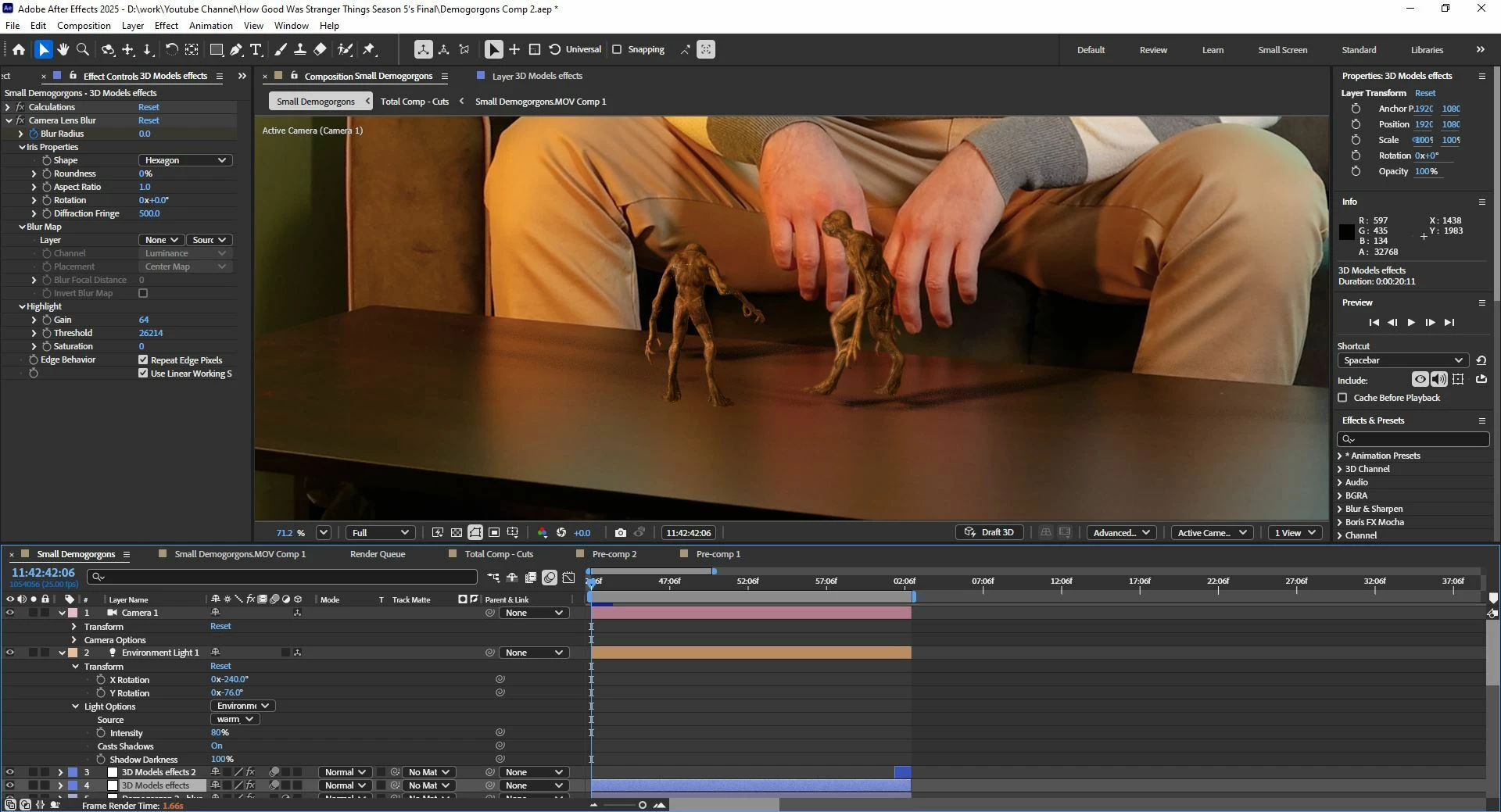
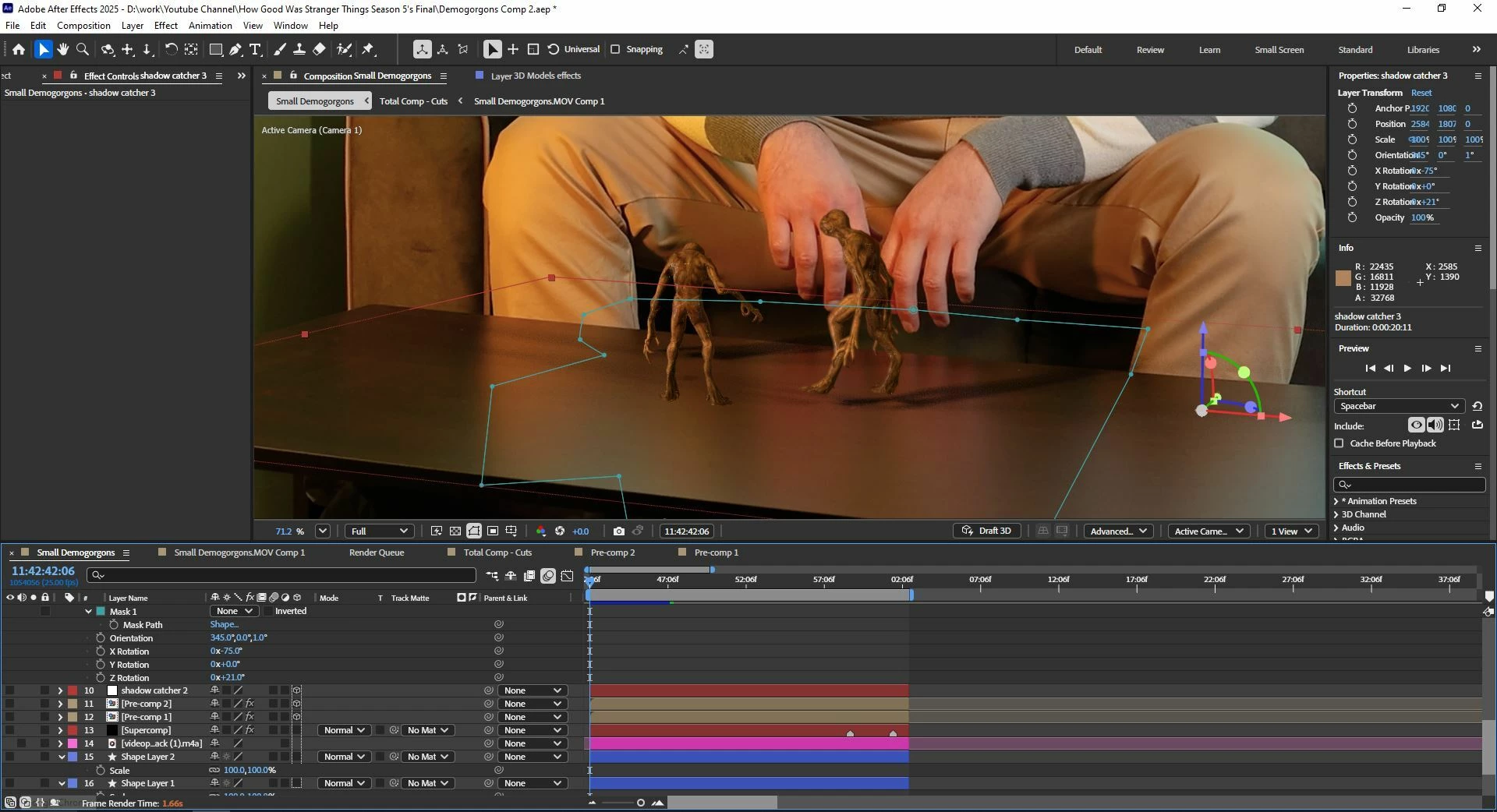
I also tried rendering the demogorgons on their own as separate clips and importing them to add the Shadow effect I have from Red Giant. I can get it done for the first subject that stands still, but the second subject has movement, and when the creature jumps, the shadow stays behind, it doesn’t move enough to get to where it’s supposed to be. If I turn the demadogs’ clips to 3D layers, they don’t get lit properly, plus one of them doesn’t have any shadows at all I have no idea why that is. I also tried this tactic by using the 3D Glb models of the demogorgons, by using the calculations effect on an adjustment layer, and then add the shadows effect, but the result was the same.
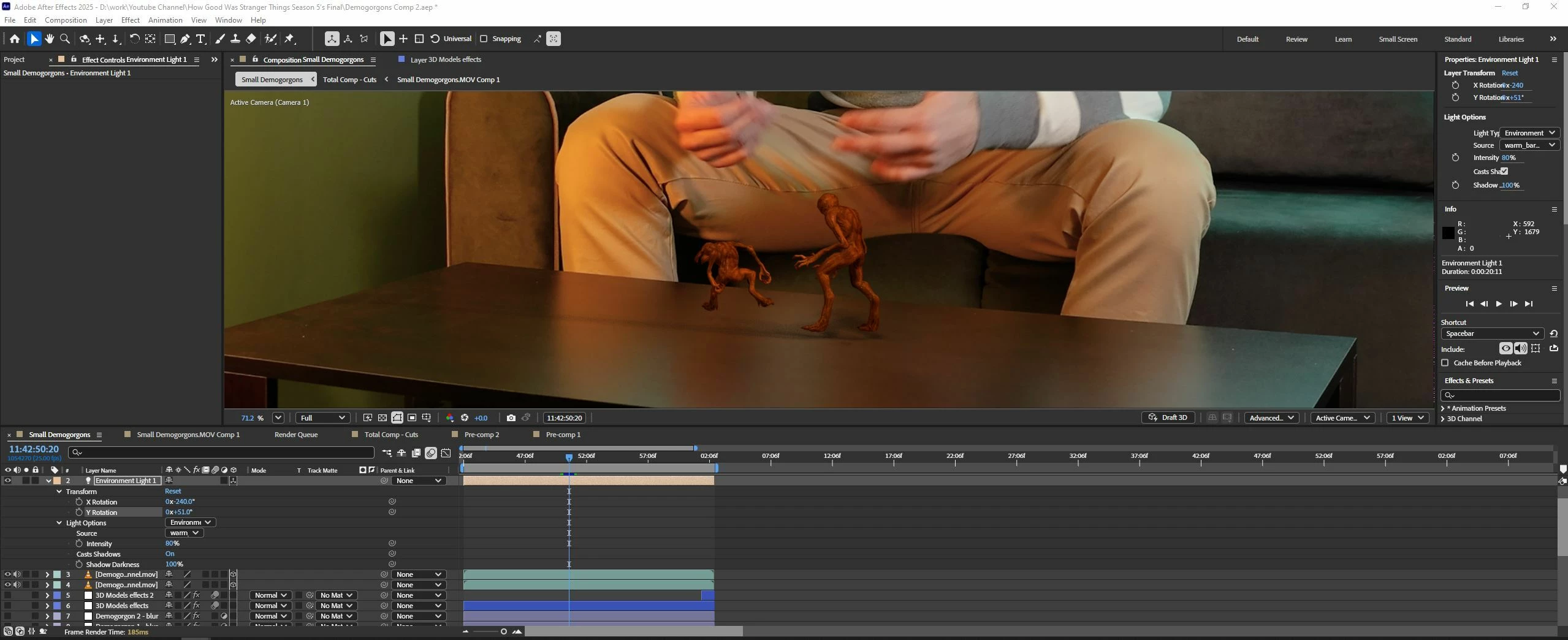
I’m attaching a few screenshots of the original result after applying 1 shadow catcher, and I’m also sending a screen recording with the rendered version I talked about, where I’ve used 2 shadow catchers and some masking, and the shadows are jittery.
I’d be very grateful to anyone who has an idea how to add proper shadows in this case. If someone needs even a closer look, I can share the project files.


 AdChoices