
Inspiring
April 3, 2021
Question

Text animate isn't animating opacity. Why?

  • April 3, 2021
  • 1 reply
  • 945 views

I can't see what I'm doing wrong. Can someone help me with this?


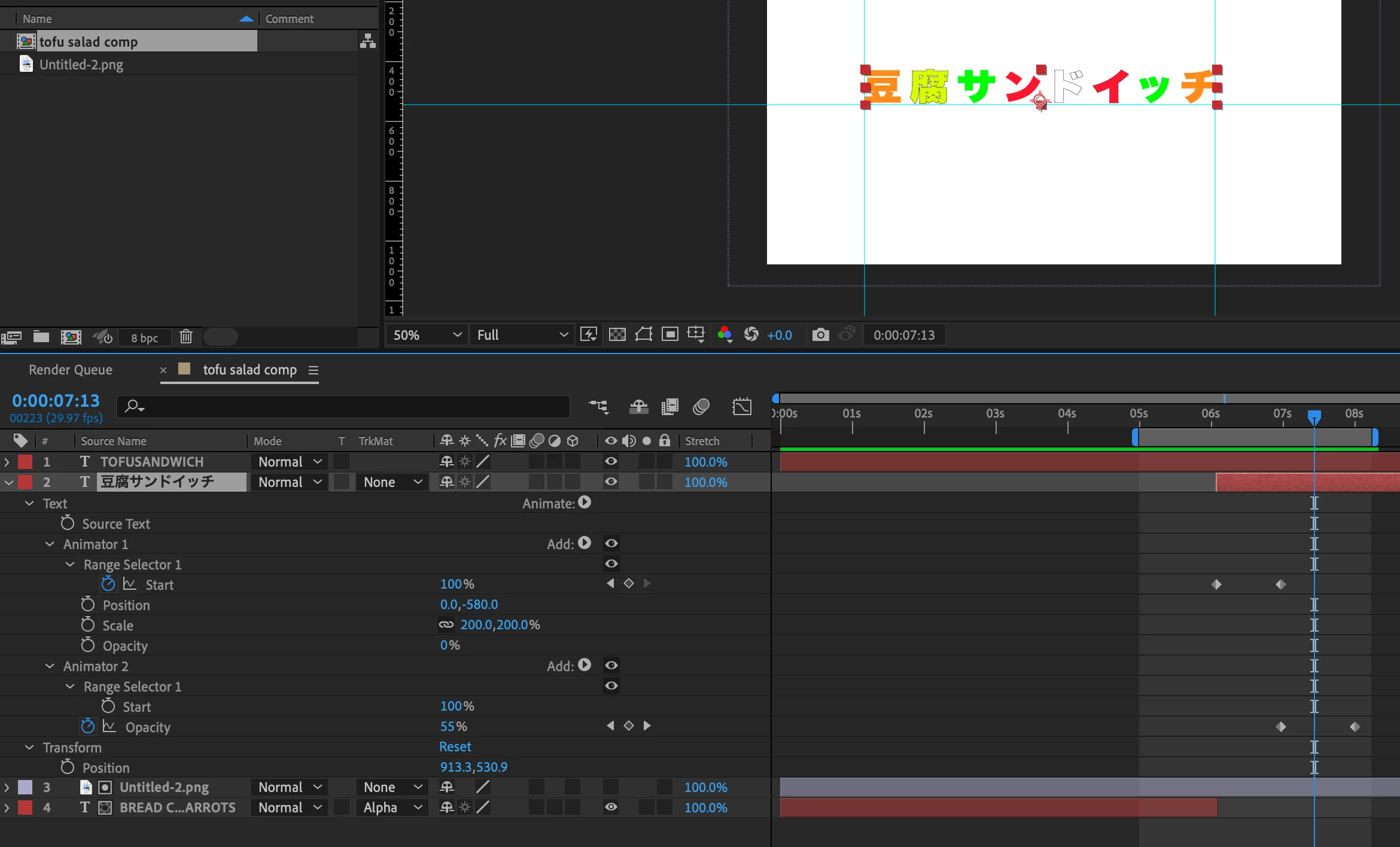
I'm trying to have the text come on from off screen, land in the center, then jump off (from the first characters). This is the formula I thought would work:


1) Animator 1: Position (off screen), Opacity Zero; Start 0 - 100.


2) Animator 2: Opacity Zero; Start 0 - 100. 


Animator 2's opacity never changes. I've done a variety of different combinations and the opacity number will change but the text will not animate and I can't figure out why. Can someone tell me what I'm doing wrong? 


(BTW, I did try using just one animator but the second half of the animation went in reverse, so I gave up on that and started with a second animator.)
This topic has been closed for replies.

1 reply

OussK
Community Expert
Community Expert
April 3, 2021

I'm not sure if I understand you, but I think you want the opacity to start from 0 to 100 in the In animation then from 100 to 0 in the Out animation, if so Try the settings below, (the keyframes are a range from 0 to 100)

Inspiring
April 3, 2021

Thank you. That didn't work. 


What I'm trying to say is that the Opacity setting in Animator 2 is affecting Animator 1, and I don't get it. Animator one ENDS with Opacity at 100%, so I would think that would be the starting point for Animator 2. The result is that when have an animator 2, the opacity in Animator 1 is messed up (it is zero throughout Animation 1). 


Does that make any more sense?