



Dreamer Art
Known Participant
April 1, 2020
Question

Unable to delete Comp from listbox with Extendscript

  • April 1, 2020
  • 1 reply
  • 1583 views

Hi

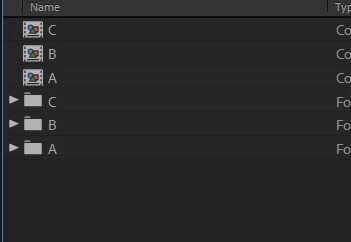
I am working on a script to ( find CompItems, then delete them all with listbox ) but the problem is that, I don't now how to delete the selected comps by listbox from my project ? Please Help :-((

var win = new Window("palette"); 
win.text = "Link"; 
win.orientation = "column"; 
win.alignChildren = ["center","top"]; 
win.spacing = 10; 
win.margins = 16; 
var listbox1 = win.add("listbox", undefined, undefined, {name: "listbox1", multiselect: true, columnTitles: "Max", showHeaders: true}); 
listbox1.preferredSize.width = 136; 
listbox1.preferredSize.height = 208; 
var button1 = win.add("button", undefined, undefined, {name: "button1"}); 
button1.text = "Search"; 
var button2 = win.add("button", undefined, undefined, {name: "button2"}); 
button2.text = "Delete"; 
win.show();
button1.onClick = function Search () {
var compsArray = new Array();
var myProj = app.project;
for (var i=1; i <= myProj.numItems; i++) { 
if (myProj.item(i) instanceof CompItem) {
var myNewArray = compsArray[compsArray.length] = myProj.item(i);
listbox1.add("item", myNewArray.name);
         }
    }
}
button2.onClick = function deletecomps () {
if (listbox1.selection.text = myNewArray.name) {
myNewArray.remove();   
    }
}
This topic has been closed for replies.

1 reply

Justin Taylor-Hyper Brew
Community Expert
Community Expert
April 2, 2020

myNewArray isn't in scope of deletecomps(), you need to move it in the global scope. And while you're at it, always a good idea to wrap your scripts in an IIFE to avoid polluting the global namespace.

(function(){
    var win = new Window("palette");
    win.text = "Link";
    win.orientation = "column";
    win.alignChildren = ["center", "top"];
    win.spacing = 10;
    win.margins = 16;
    var listbox1 = win.add("listbox", undefined, undefined, { name: "listbox1", multiselect: true, columnTitles: "Max", showHeaders: true });
    listbox1.preferredSize.width = 136;
    listbox1.preferredSize.height = 208;
    var button1 = win.add("button", undefined, undefined, { name: "button1" });
    button1.text = "Search";
    var button2 = win.add("button", undefined, undefined, { name: "button2" });
    button2.text = "Delete";
    win.show();
    var myNewArray = [];
    button1.onClick = function Search() {
        var compsArray = new Array();
        var myProj = app.project;
        for (var i = 1; i <= myProj.numItems; i++) {
            if (myProj.item(i) instanceof CompItem) {
                myNewArray = compsArray[compsArray.length] = myProj.item(i);
                listbox1.add("item", myNewArray.name);
            }
        }
    }
    button2.onClick = function deletecomps() {
        if (listbox1.selection.text = myNewArray.name) {
            myNewArray.remove();
        }
    }
})();
Dreamer Art
Known Participant
April 2, 2020

Yea ,,, it is working --- Thanks for your time and effort .

Dreamer Art
Known Participant
April 2, 2020

justintaylor fix the scope of deletecomps but there 3 problems, first it doesn't delete the selected item from the list but delete the last one in the array ( myNewArray.remove(); ) . Second problem is multiselection for delete is not working, althought it work in the listbox and finally it work or delete only onetime ..... Please help ... I search and experiment alot and I find nothing >>>