


Answered
Why am i getting this solid white screen?
Hi Forum,
I have a puzzling problem that I can’t work out and am now reaching out for some possible advice.
The problem is that when I make a duplicate of my project at the final step of the process of making my project I get a solid white screen, which in my tests only appear when I try to import images into a duplicate project.
Please see the below step by step procedure of the process and the attached accompanying image illustrations.
Process one:
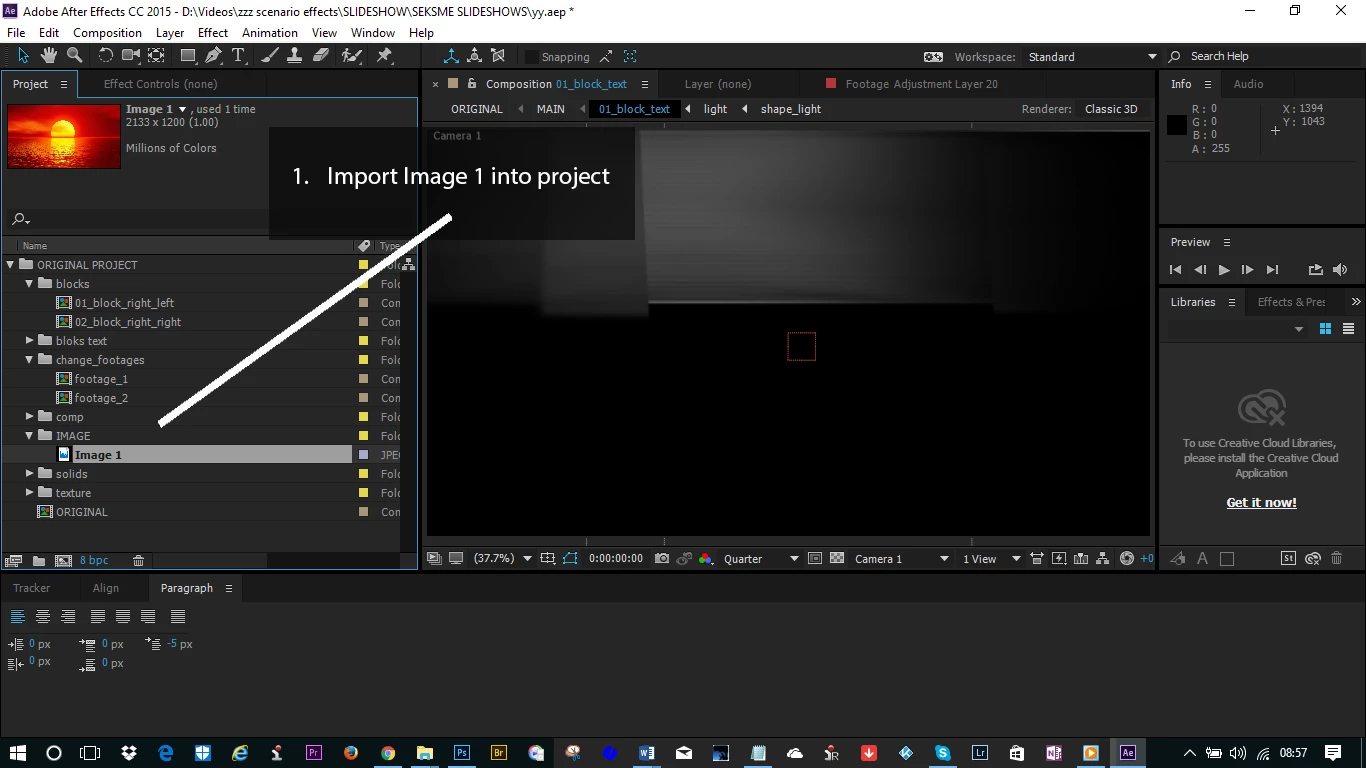
- Import Image 1 into project
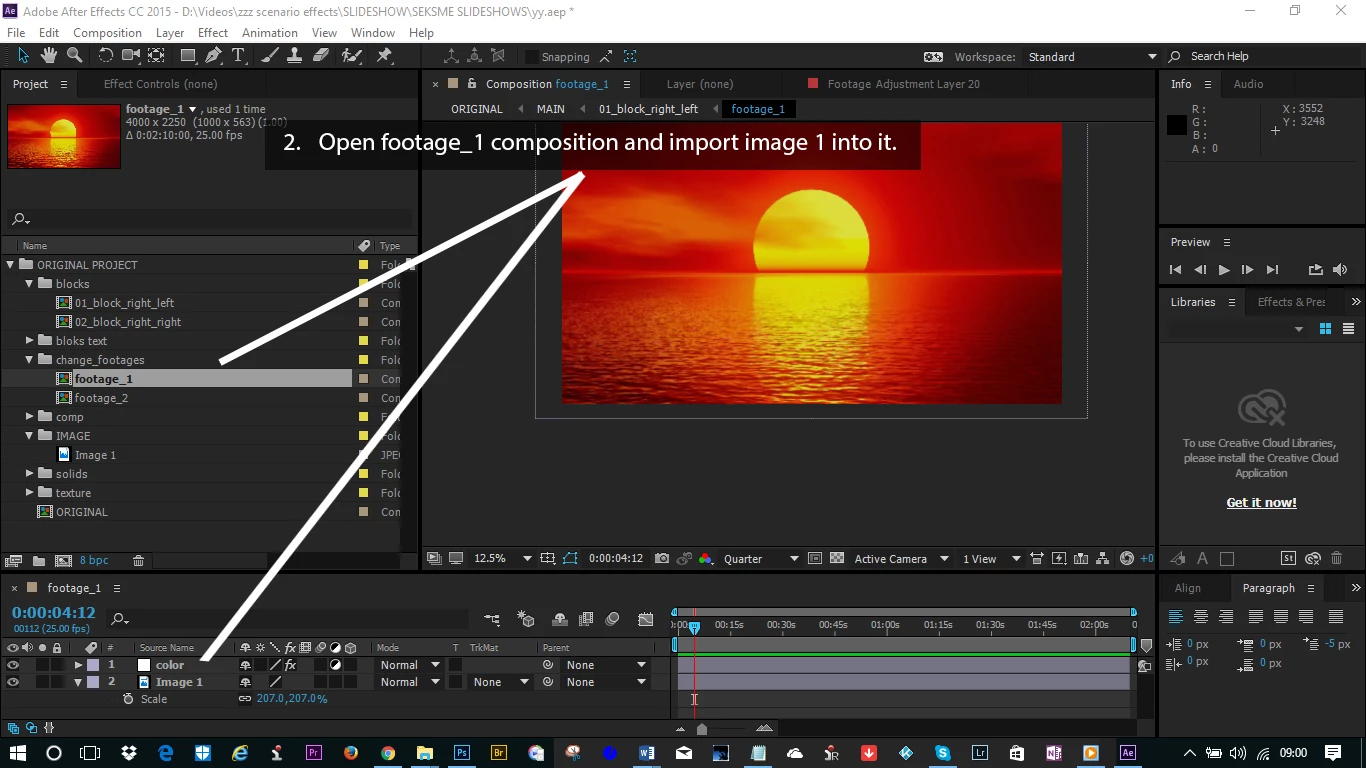
- Open footage_1 composition and import image 1 into it.
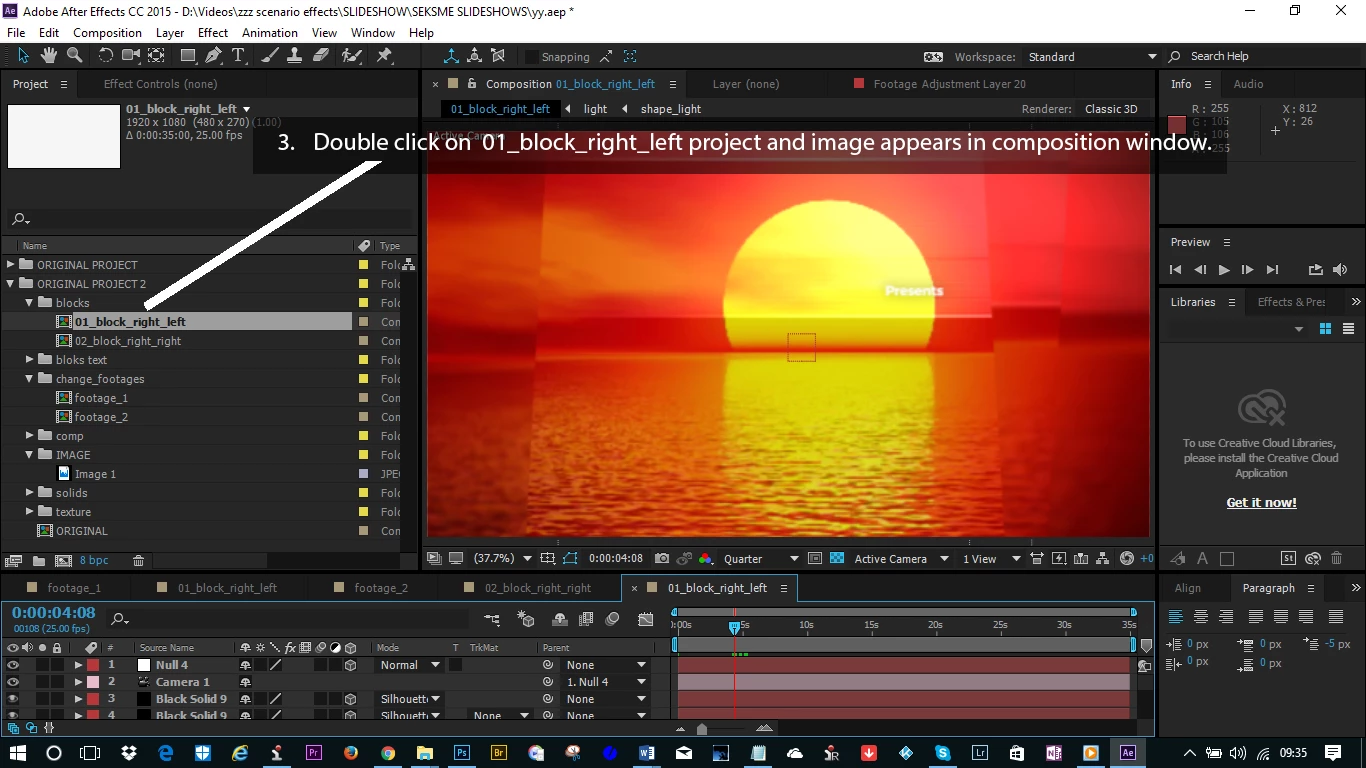
- Double click on 01_block_right_left project and image appears in composition window.
Everything works fine
Process two:
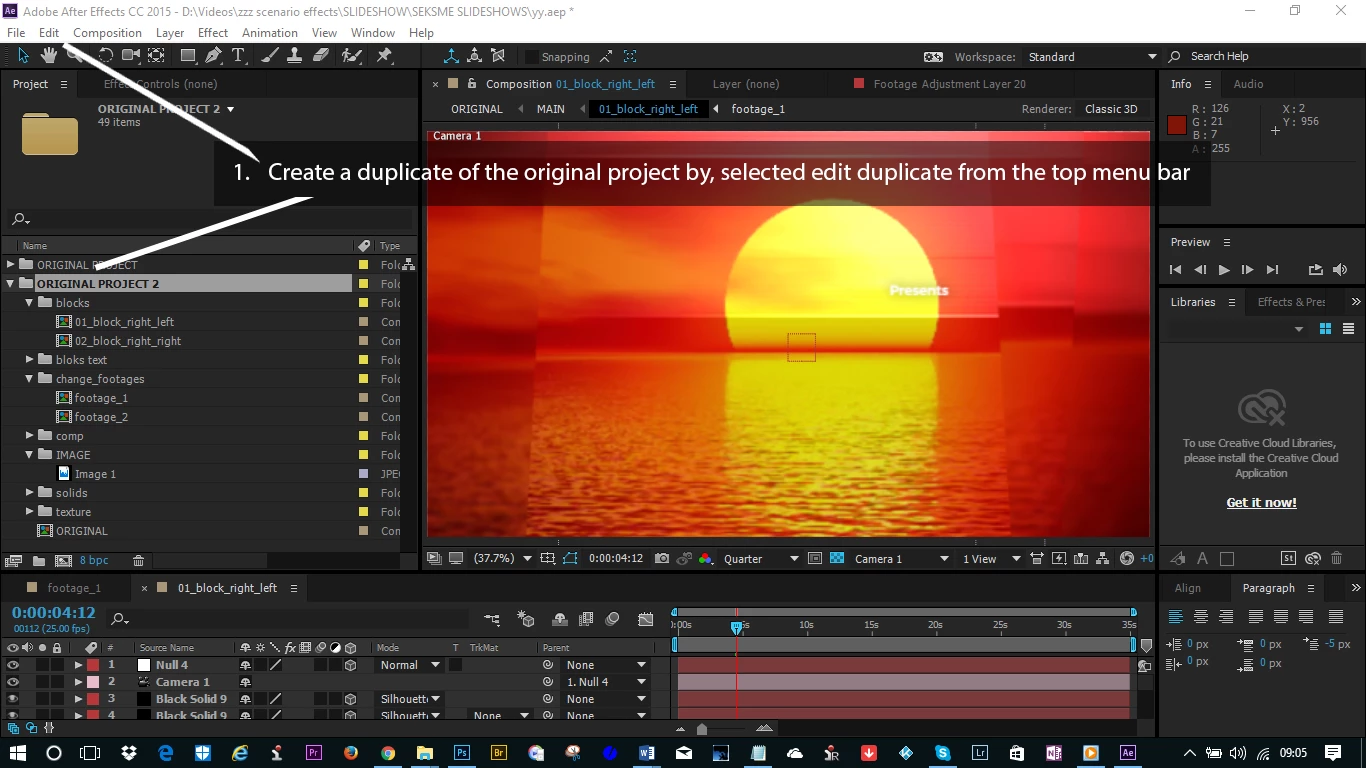
- Create a duplicate of the original project by, selected edit duplicate from the top menu bar
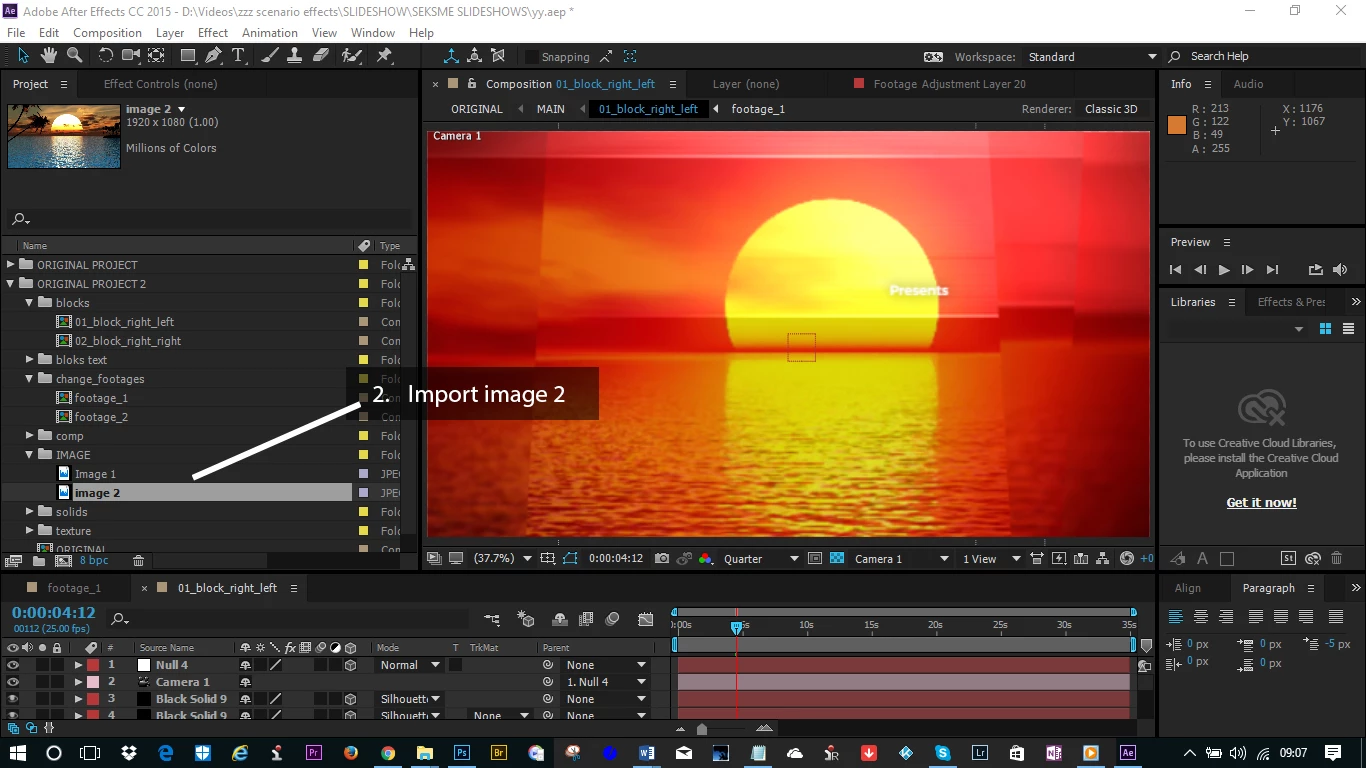
- Import image 2
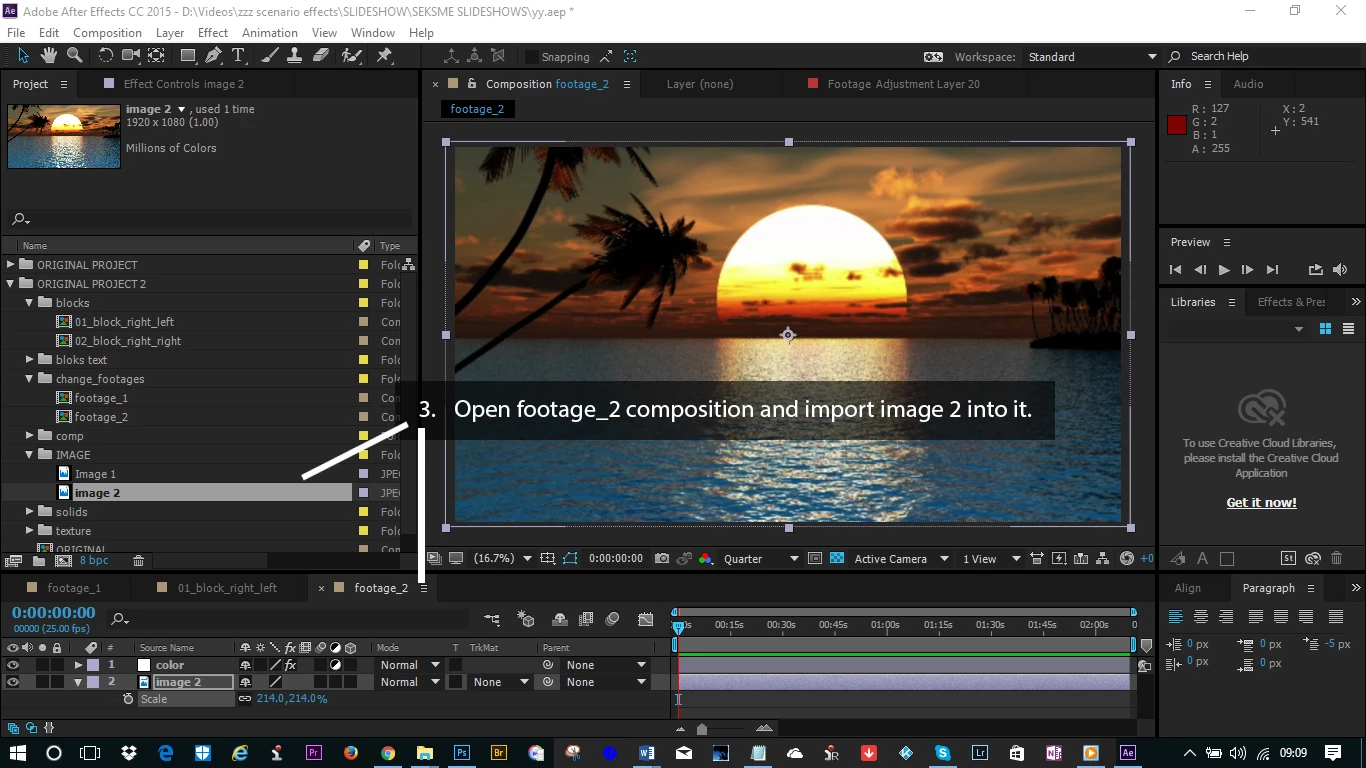
- Open footage_2 composition and import image 2 into it.
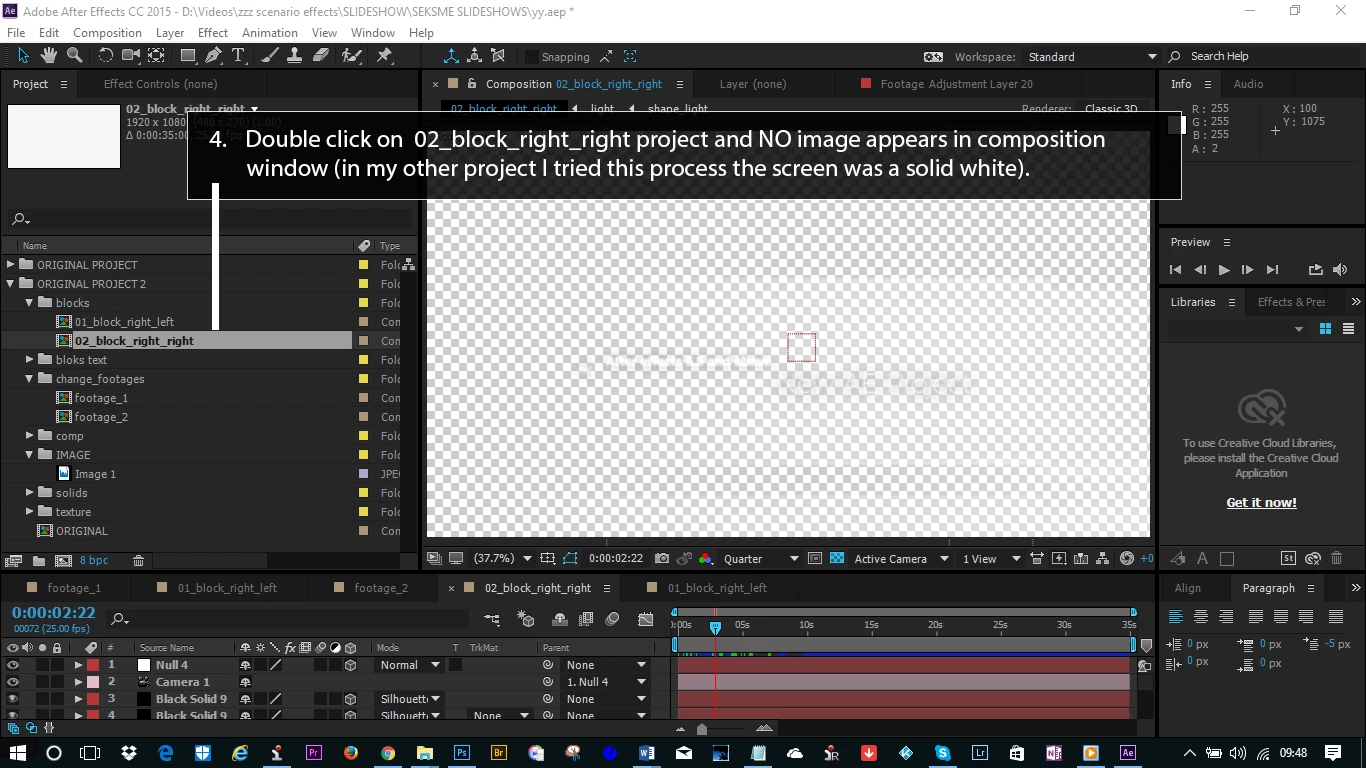
- Double click on 02_block_right_right project and NO image appears in composition window (in my other project I tried this process the screen was a solid white).
Can any one spot where I am going wrong here. I build a project containing 8 duplicates before I noticed this and hope that I wont need to rebuild them all from scratch.
Any advice would be kindly appreciated.
Paul.
Hope you can help.
Paul.
 AdChoices