



Feature Focus: Quick Set Anchor Point
In After Effects Beta 25.1 Build 36, we are pleased to announce Quick Set Anchor, a more efficient way to change the anchor point on your 2D layers to any of 9-commonly-used-points — all the corners and centers of your layer’s edges. And it's available both from the Properties Panel and anywhere else by keyboard shortcut!
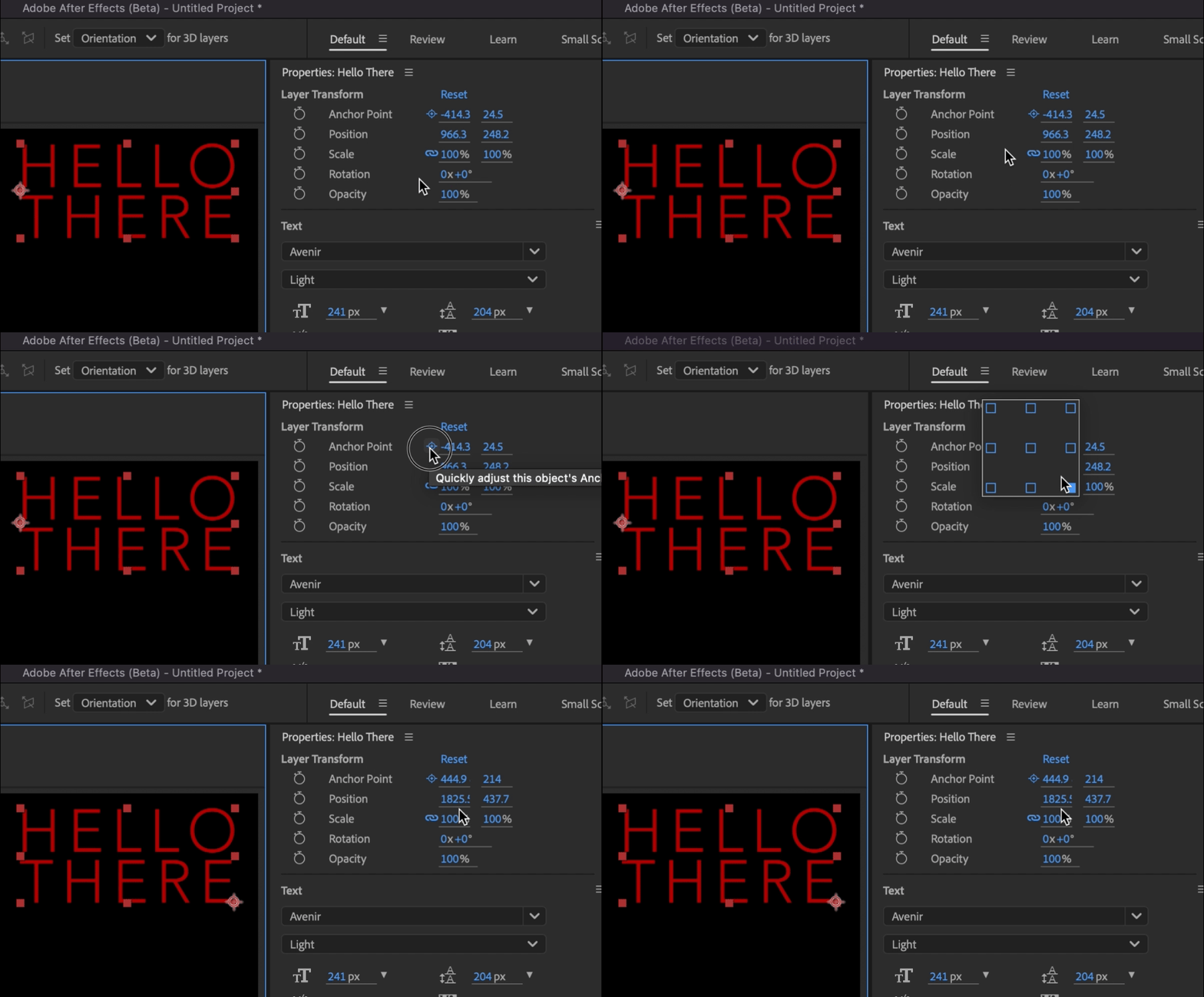
Quick Set Anchor can be launched by selecting a layer (or layers!) and clicking the new Anchor Point icon next to the Anchor Point property in the Properties Panel, creating a temporary pop-over Quick Set Anchor Dialog that allows you to click your preferred anchor point location, automatically close the dialog, and be on your way!
Besides the Anchor Point button in the Properties Panel, you can also bring up the Quick Set Anchor Dialog by using the keyboard shortcut Shift + Tab to create the temporary pop-over right below your mouse, ready for you to click your anchor point of choice without taking your eyes away from your comp content. Press the shortcut. Click. Move on.
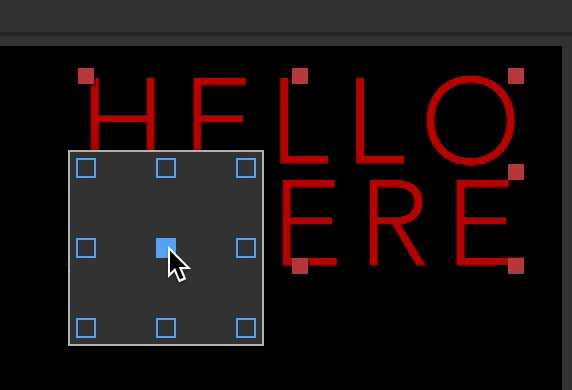
(This is just a screenshot, showing you how the Quick Set Anchor Dialog can appear anywhere. Don't wait for it to animate.)
What we would love to know from you:
- How do you feel about the default Shift+Tab shortcut?
- Do you prefer the Properties Panel or the Shift+Tab shortcut?
- Do you want the same sort of functionality for 3D Layers? How do you imagine that looking?
- Is there any confusion if you've already applied a rotation to your layer?
Known issues:
- Currently we don’t support changing or removing the keyboard shortcut for Quick Set Anchor. Please let us know if this negatively affects your workflow.
- Currently, Quick Set Anchor only works for 2D layers. Please let us know if extending this functionality to 3D layers is something that would help your workflow.
 AdChoices