



Theresa Rostek
Community Manager
Community Manager
May 17, 2024
Question

Now in Beta: Per-character Text and Paragraph Styling in Expressions

  • May 17, 2024
  • 15 replies
  • 15787 views

Hi everyone! 


We're excited to announce that starting in version 24.5.0x41 of After Effects Beta introduces support for per-character control of text and paragraph styling in Expressions. 


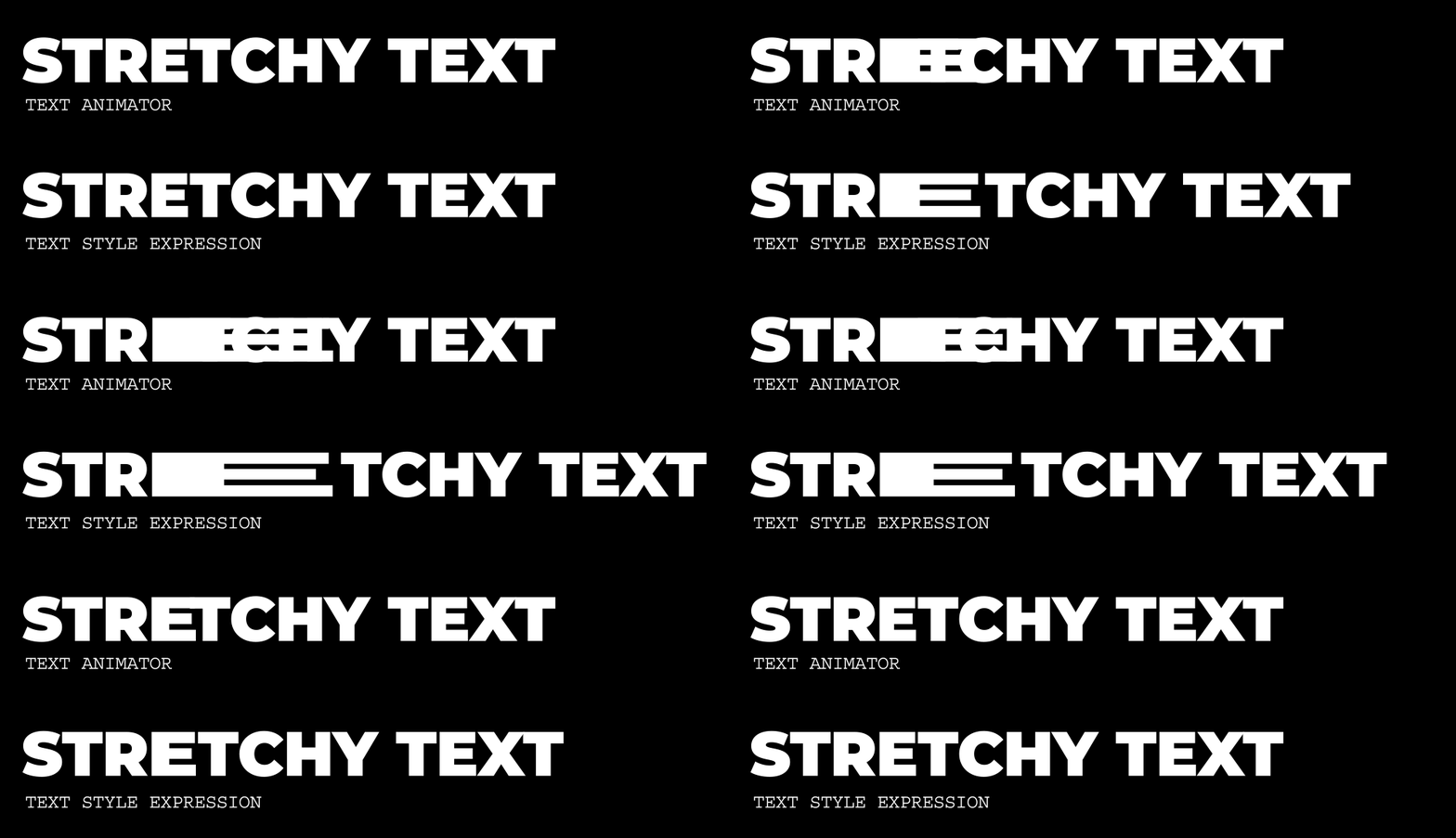
This long-requested addition to Expressions builds on recent per-character scripting API updates to unlock powerful text styling capabilities that are able to respond to changes in text content and can be saved and shared as presets. These new options can also streamline template design by making it possible to configure alignment and paragraph styling in a single layer rather than turning on and off multiple synced copies of a layer. 


A benefit of per-character control is automatic reflowing of text such as when scaling letters, using superscript, and using a different font, just as you would expect from using substring styling from the Character panel. 
 

Getting Started 


Make sure you have your expression engine set to Javascript. 


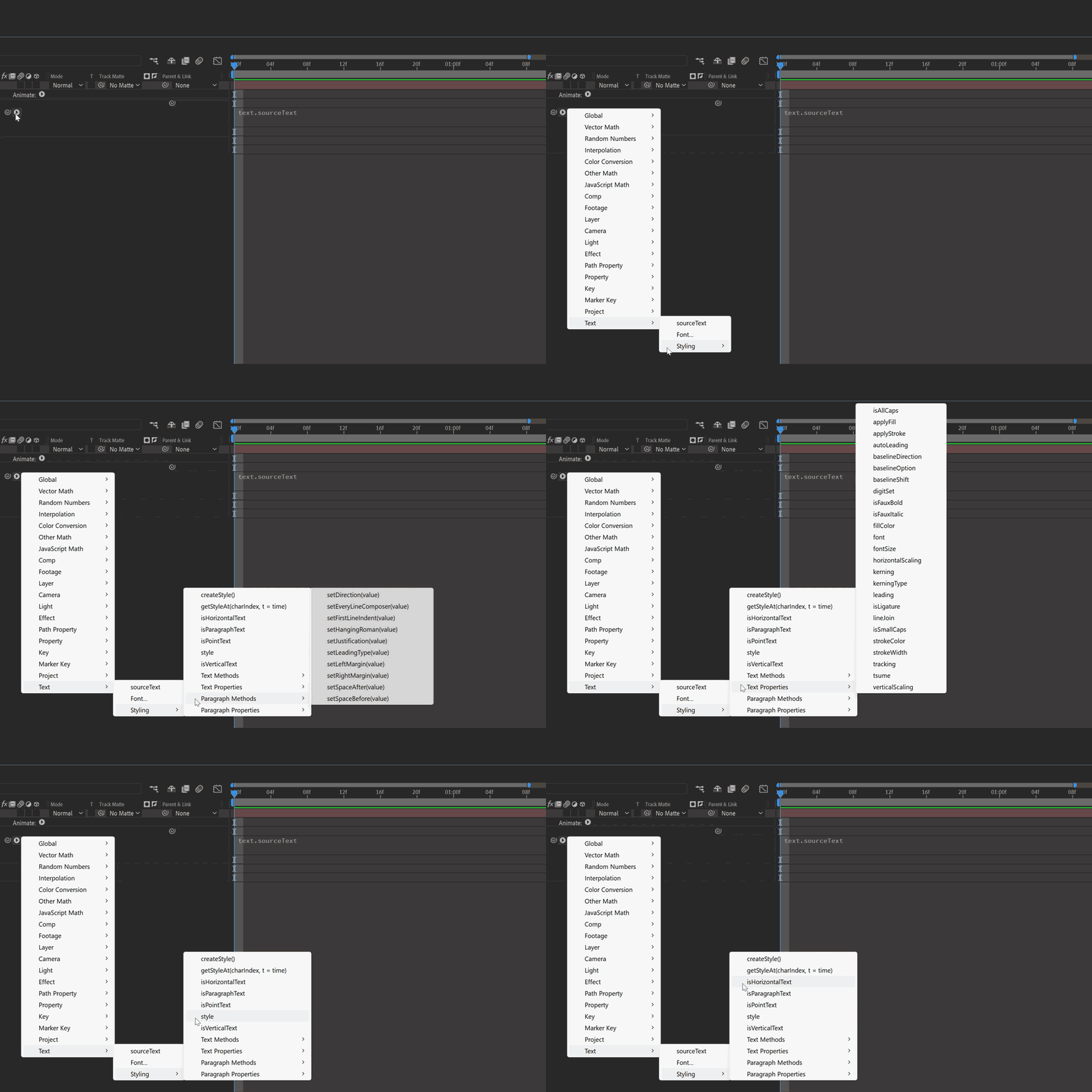
The Expression reference flyout menu provides an overview of available methods in the updated Text > Styling submenu; see the attached document for the full API. 
 

Sample Expressions 


Change the font for certain words 

 

Using the string: “Change the fonts of some words” apply the following to the Source Text


text.sourceText.style
.setFont("Montserrat-Light") 
.setFont("Gigantic", 0, 6).setFont("Gigantic", 10, 6).setFont("Gigantic", 20) 


To customize this for yourself, change the font from the Text Expression flyout menu, and target the character index and amount of characters to make a different font. 


Set the first line of a text layer to bold and make it larger 


Using the string: “Change the first line of text to bold and make it larger”
 apply the following to the Source Text


 text.sourceText.style.setFontSize(100, 0, 30).setFauxBold(true, 0, 30) 


 Set superscript for characters 

 

Using the string: “1st and 2nd Place”  apply the following to the Source Text


text.sourceText.style.setBaselineOption("superscript",1,2).setBaselineOption("superscript", 9, 2) 


Try passing character index values and character amounts to expression sliders and using keyframes to create animation! 


Known Issues 
 

  1. There is a difference in behavior when using .setJustification between Left to Right text and Right to Left text. To justify text to the left when using RTL, use .setJustification("alignRight"), and to justify to the right, use .setJustification("alignLeft"). 
  2. When exporting a mogrt, using .setFontSize() and enabling Font Size adjustment in Font Properties causes unexpected behavior in Premiere Pro. It’s recommended to use one or the other, but not both together. 


Limitations  

The style object always returns the first character's style information, not the characters' individual substyles. Therefore, when reading the style of a Text layer containing multiple styles, you must use getStyleAt() with a character index to specify which character's style you need. 


We've built an example AEP with the above expressions and few extras to get you started. Please give all of these new expressions a try and let us know how they’re working for you!

15 replies

Participating Frequently
January 15, 2025

Hello there
As I was playing with the new Styling additions, I just noticed that there is one text property that still can't accept a third "Number of characters" argument and that's too bad because it would have solved an annoying issue I have with one specific font. This property is the "Kerning" ; you can define a "start character", but not define a "number of characters" to be affected after this start...
Could you please add this possibility in the next cycle?

Roland Kahlenberg
Legend
January 15, 2025

By definition, kerning is the spacing between 2 characters. So, after defining the start, there is no need to define the end.  


Very Advanced After Effects Training | Adaptive & Responsive Toolkits | Intelligent Design Assets (IDAs) | MoGraph Design System DEV
Participating Frequently
January 15, 2025

My bad, you are complely right...

I was meaning "Tracking", not Kerning, and for weird reasons I had chosen setKerning instead of setTracking !

Now of course, setTracking works as expected and I manage to choose the number of characters after the start so... please ignore my previous post ^_^

Inspiring
October 24, 2024

Thank you! your attached ae proj. is of a great help.

Known Participant
October 24, 2024

Hello! Nice to see what expression on text could do now, thanks for that update!
I'm wondering, is it possible to set with expression text direction ? (Right to Left, Left to right) for examle - for arabic language...
If not, could you add this feature ?)

_nicdean
Community Expert
Community Expert
October 24, 2024

@Oleh BetterMe  Yes, you can set expression text direction (LTR/RTL) with:

style.setDirection("left-to-right");
style.setDirection("right-to-left");
Known Participant
October 24, 2024

Amazing, thanks!

Legend
October 18, 2024

@7393704  Would it be possible to add a javascript method to access the transform properties of the character bounding boxes that appear when Per-character 3D is enabled?


This way we'll be able to create very dynamic/reactive text effects like this:


Currently, it can be done in After Effects by converting the text into shape layer, but it's tedious, the text is no longer editable, and you have to apply expressions to all the shapes, which causes it to lag very quickly.

Roland Kahlenberg
Legend
October 18, 2024

This Reactive Effect uses Text Animators. 

Very Advanced After Effects Training | Adaptive & Responsive Toolkits | Intelligent Design Assets (IDAs) | MoGraph Design System DEV
Legend
October 18, 2024

@Roland Kahlenberg  Yes, but it's still very limited and linear.

Look at the example above, the letters move in all directions based on the angle and the distance they have from the mouse cursor, and for that, you absolutely need to know the position of each letter.

And it makes things simpler the animation above is 60 lines of code. 

https://jsfiddle.net/Airweb/ug03ovtx/

Legend
October 16, 2024

A mix of setHorizontalScaling, setBaselineShift, setFillColor


Roland Kahlenberg
Legend
October 17, 2024

The sample below was done entirely with Text Animators.

I see the new styling features more for non-animation use-cases. There is definitely opportunity to explore creative options in the area for sure. 

Congrats to the team on getting this out - such a huge task. 


Very Advanced After Effects Training | Adaptive & Responsive Toolkits | Intelligent Design Assets (IDAs) | MoGraph Design System DEV
_nicdean
Community Expert
Community Expert
October 8, 2024

Have feedback for setJustification()


Using this expression copies all Style settings from "Text 1", including paragraph justification.

thisComp.layer("Text 1").text.sourceText.style

However, the expression below copies Style settings, sets Text, and then throws away the paragraph justification set via Style.

thisComp.layer("Text 1").text.sourceText.style.setText(thisComp.layer("Text 1").text.sourceText)

This is inconsistent behavior compared to all the other style attributes. Doesn't make sense for Justification to be ignored, unless it is explicitly overrode later in the chain.


It is also inconvenient.


I kept the expressions barebones so this is clear.


Request:

Please match the established behavior for all Style attributes. ".style" should copy all style attributes unless overridden later in the chain.

Participant
September 20, 2024

Yes! Hyped for this. I've updated Motion Developers `style-parser` to use these new beta features, check out the PR/example project file. Shoutout to @Volition74au for commenting the `eval()` code snippets in this thread!

Oliver Olice
Participating Frequently
September 4, 2024

This looks amazing, we've been waiting to be able to do this for ages.. 

Is there any news on when it will be available in the release version of AE?

Roland Kahlenberg
Legend
June 13, 2024

On Number of Lines for Paragraph Text, I've always wondered why internally this number is available via the Range Selector when you switch Units from Percentage @ 100% to Character Index but it's been like locked away from Expressions. 

It'll be great if this (numberOfLines thingy) is accessible via a function/method and directly used within the Start/End Range Selectors in a straightforward manner.   

Very Advanced After Effects Training | Adaptive & Responsive Toolkits | Intelligent Design Assets (IDAs) | MoGraph Design System DEV
Participating Frequently
June 4, 2024

I finally got the chance to play a bit more with this and I have to say... I love it !

BUT, as I am trying to update my MoglyphFX tool to support these upcoming features, I notice that I can't use the newly added method for Paragraphs with the "setText()" function, which is a big limitation for me since I want to generate text procedurally AND to be able to force it to remain paragraph centered...


So if you try add the following expression to a centered or left aligned text:


s = text.sourceText ;
newStyle = style.setFontSize(200).setFillColor([1,0,1,1]).setJustification('alignRight');
newStyle.setText(s)


You'll see that the text is indeed managing to colorize all the text in pInk and to make its Font Size to 200 px, but that it fails to align the text on the right as requested.

If this is a bug, could we have it fixed soon please ?

If it wasn't well... please considere this as a feature request 🙂

Participating Frequently
June 4, 2024

(in case you wonder why I just don't use the "sourceText.style.setXXX" method you all use here, this is because I will create dynamic strings for the "s" variable, so it won't remain the initial sourceText value anymore ; it was a placeholder in order to demonstrate my problem)