
Participant
February 28, 2022
Answered

My SD card suddenly became unreadable while Adobe Bridge was creating previews

  • February 28, 2022
  • 2 replies
  • 2321 views

I had just taken wedding pictures with a DSLR Canon EOS Rebel T6 with a SanDisk 128GB 95MB/s Extreme Pro SD card and brought them all up in Adobe Bridge 2022. It worked just fine the first time I made some imports but then I wanted to go back and import some more from it. Before that second attempt I had done the "Purge All Local Cash Files" and "Purge 100% Previews in Cache" from Preferences due to C drive space being too full for a function in a different program.
Then when I tried to access my SD card in Adobe Bridge, I waited for it to finish builing the new previews and then the SD card suddenly became unreadable and needing formatting. My camera says the same thing about it.

How did this happen? Also, are my pictures really gone now?
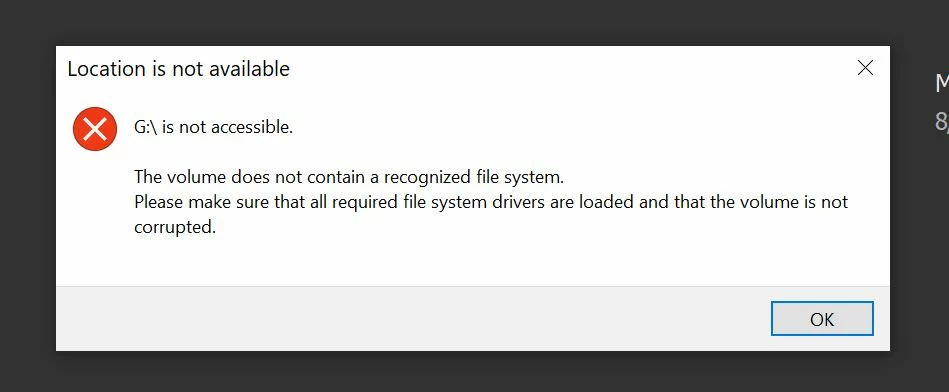
This topic has been closed for replies.
Correct answer Lumigraphics

Sandisk has free file recovery software, you can check into that. As a working pro I'll advise you to immediately make a backup of any memory card once you finish a shoot, and if you are doing weddings, you'll want a camera with dual card slots and not an entry-level model like the T6.

2 replies

LumigraphicsCorrect answer
Legend
February 28, 2022

Sandisk has free file recovery software, you can check into that. As a working pro I'll advise you to immediately make a backup of any memory card once you finish a shoot, and if you are doing weddings, you'll want a camera with dual card slots and not an entry-level model like the T6.

gary_sc
Community Expert
Community Expert
February 28, 2022

Hi Daniel,


It sounds like you were trying to do things with your images while they were in the card. It sounds like you did not download the images to your computer BEFORE you were trying to do things with your images. 


If that's true (and you are not the first one and you will not be the last one to do that), that is not any recommended way to do things with your image cards. Please, get a card reader and access your images from the card reader to get them onto your computer. If you are running low on disk space, that's what external drives are for. (If you get an external drive for your files and images, be sure to get two: one for the files and one for the backup of those files.)


Please try to see if you can see your images from Explorer and download them from there. If that doesn't work, I'd check into some software that lets you recover images from photo cards. (I'm a Mac guy and cannot recommend any PC software, sorry).


Good luck. Really, good luck!

Participant
February 28, 2022

Well, normally I'd download all the pictures but this time around I had almost 2000 pictures, a fraction of them bad pics (over/under exposed, blurs, etc). So I first grabbed 426 of the best ones. Maybe I did do too much juggling of tasks, apps, and files at the same time somehow. It seems Lumigraphics knows a good lead on file recovery for SD cards.