Alessandro Vecchi
Inspiring
September 3, 2018
Answered

Adding a video in the background

  • September 3, 2018
  • 1 reply
  • 794 views

Hello,

i'm totally new to this program so please apologize my question.

I want to have a background that is a room with a TV on the wall and I would like to insert some videos in the TV.

How can I do this?

Thank you

This topic has been closed for replies.
Correct answer KJerryK

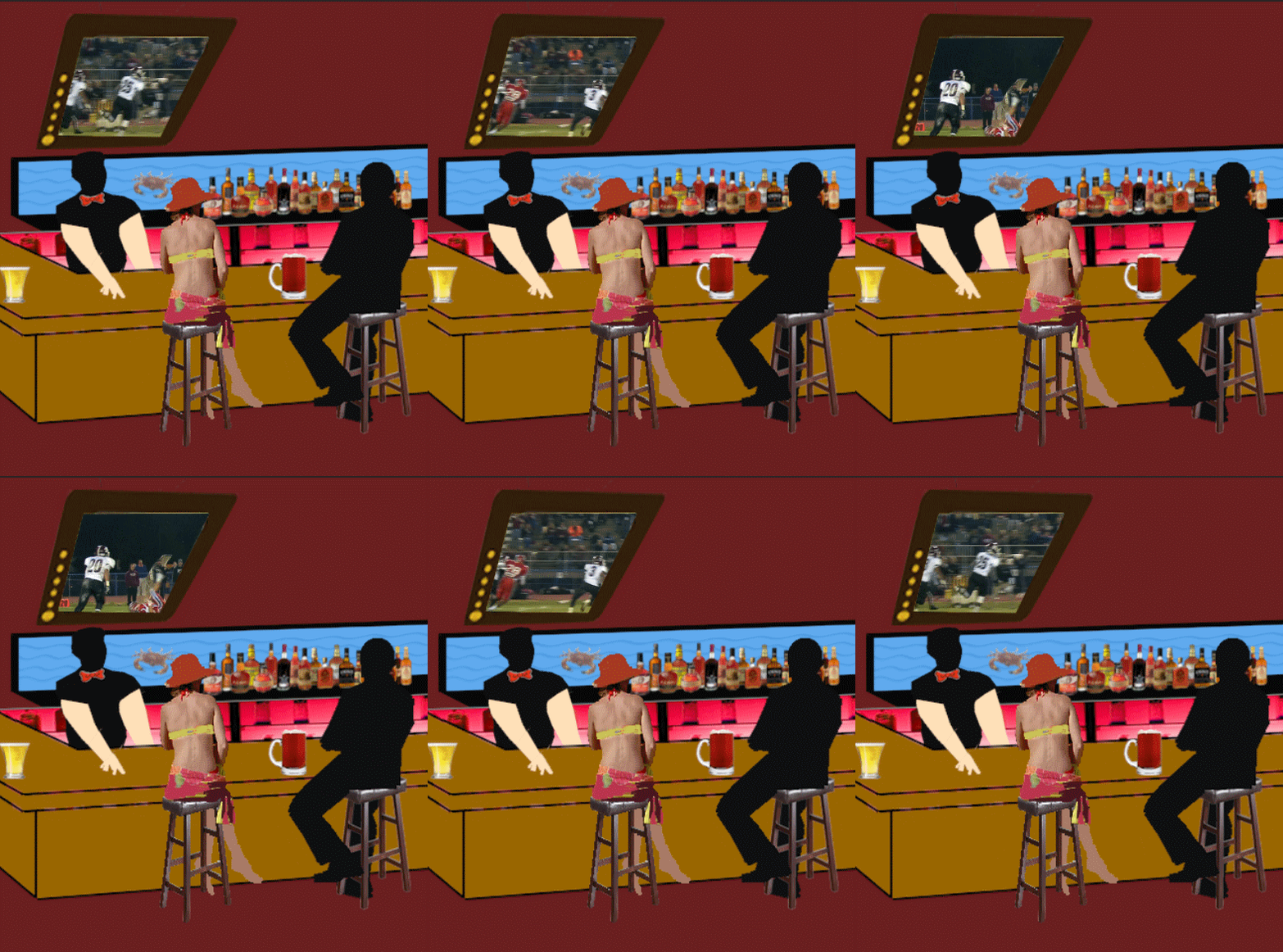
You can do everything inside CA, except you can't import any video files. What you can try is to make a cycle puppet that uses images for layers, and position the cycle inside the tv screen window. I never thought of that before. I have made bar scenes with a tv showing, say, a football game. and the detail of the game is very small, so a repeating cycle might serve your purpose. If you try it let us know how it works. That might be a fun way to do it. I'm going to try it myself.

Edit: One way to do it might be to take an actual video and pick frames to make into the cycle.


Here is a quick example
1 reply

KJerryK
Brainiac
September 3, 2018

I would take the scene into After Effects or Premiere Pro to add the videos.

Alessandro Vecchi
Inspiring
September 3, 2018

Thanks for your time answering.

There's any easy way directly inside CA if I don't know how to use AE?

Thanks

KJerryK
Brainiac
September 3, 2018

You can do everything inside CA, except you can't import any video files. What you can try is to make a cycle puppet that uses images for layers, and position the cycle inside the tv screen window. I never thought of that before. I have made bar scenes with a tv showing, say, a football game. and the detail of the game is very small, so a repeating cycle might serve your purpose. If you try it let us know how it works. That might be a fun way to do it. I'm going to try it myself.

Edit: One way to do it might be to take an actual video and pick frames to make into the cycle.