Inspiring
February 10, 2023
Answered

Character shifting x position whilst still with idle motion library animation

  • February 10, 2023
  • 2 replies
  • 1509 views

Hi


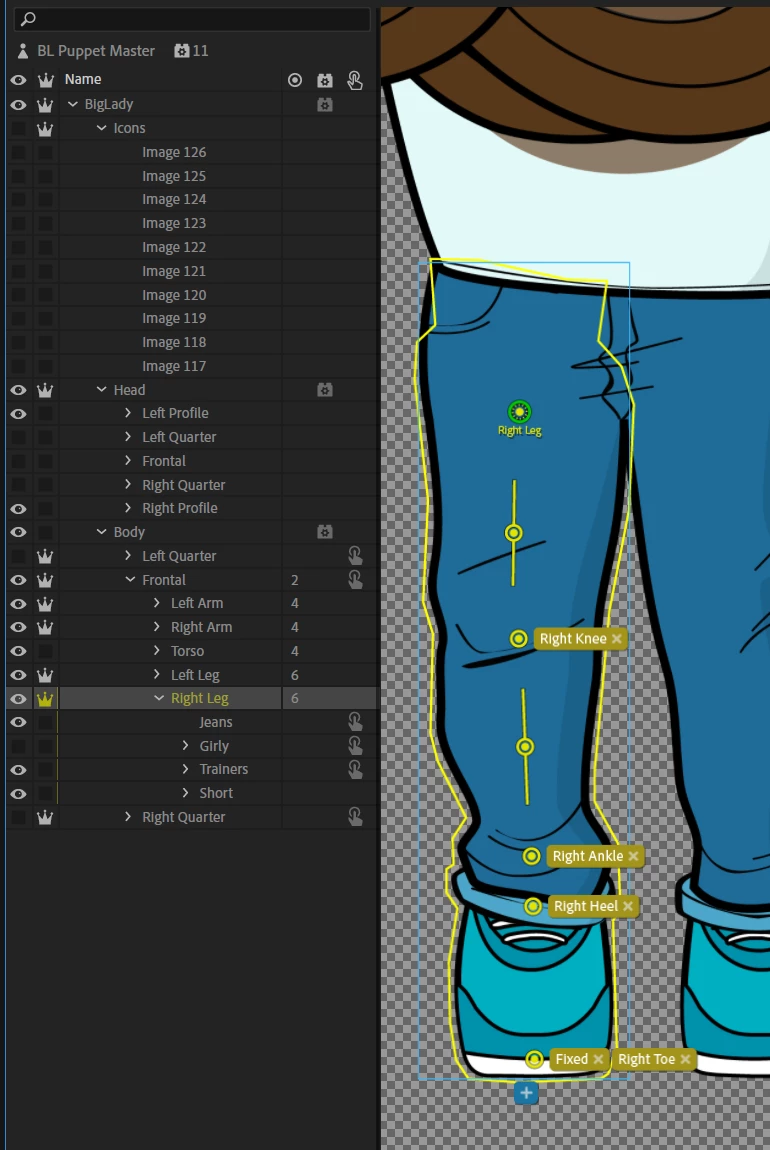
I've got a puppet with the motion library "Weight Shift 2" animation on, and it is causing my puppet to shiftto the left and right a little. I've tried adding fixed pins to the leg layer at the feet which didn't work, and then also on the entire body layer for frontal but that didn't work either.


This is how my puppet is set up:


Thanks

This topic has been closed for replies.
Correct answer j-saito

Ah sorry about that, I thought giving you the link would be enough, I've added you as an editor now


I am unable to reproduce your original sliding issue. The feet do look distorted, but the behaviors are acting on legs fine. This is how it looks like on my end:
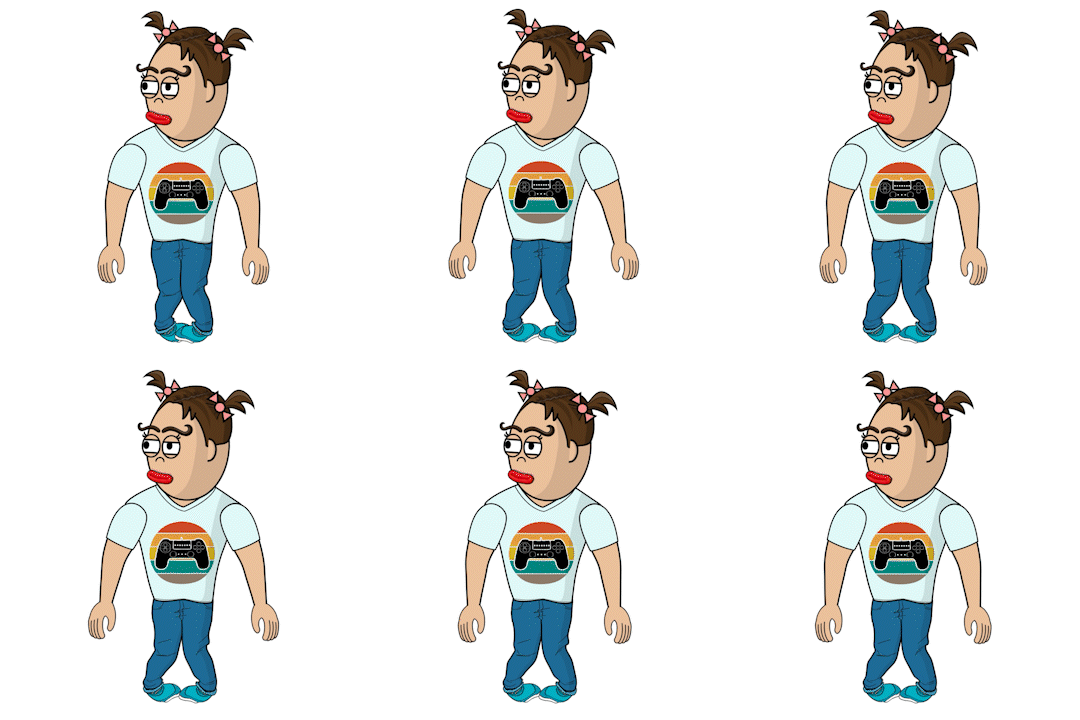
 

Since the legs are at least reacting to the body movement, the basic behavior setup is fine.

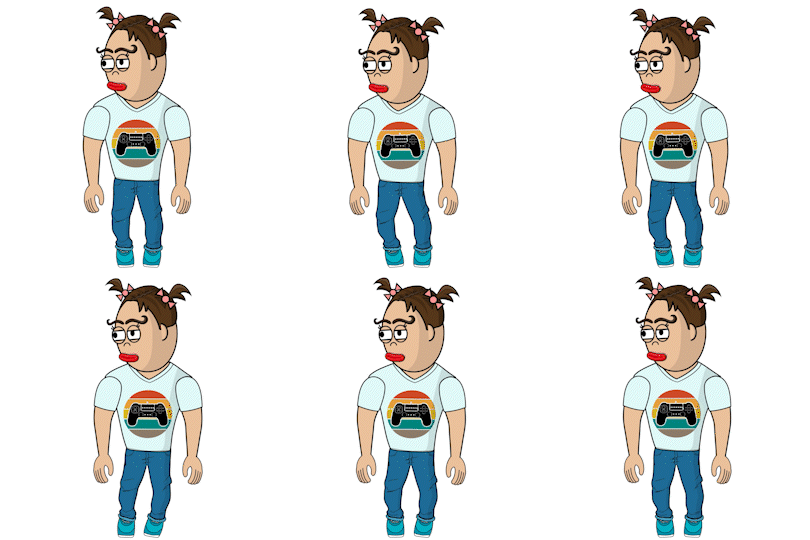
To deal with the distortion, you need to play around with the handle placement, in particular the placement of heels, toes, and stick handles. Here is my tweaked result:
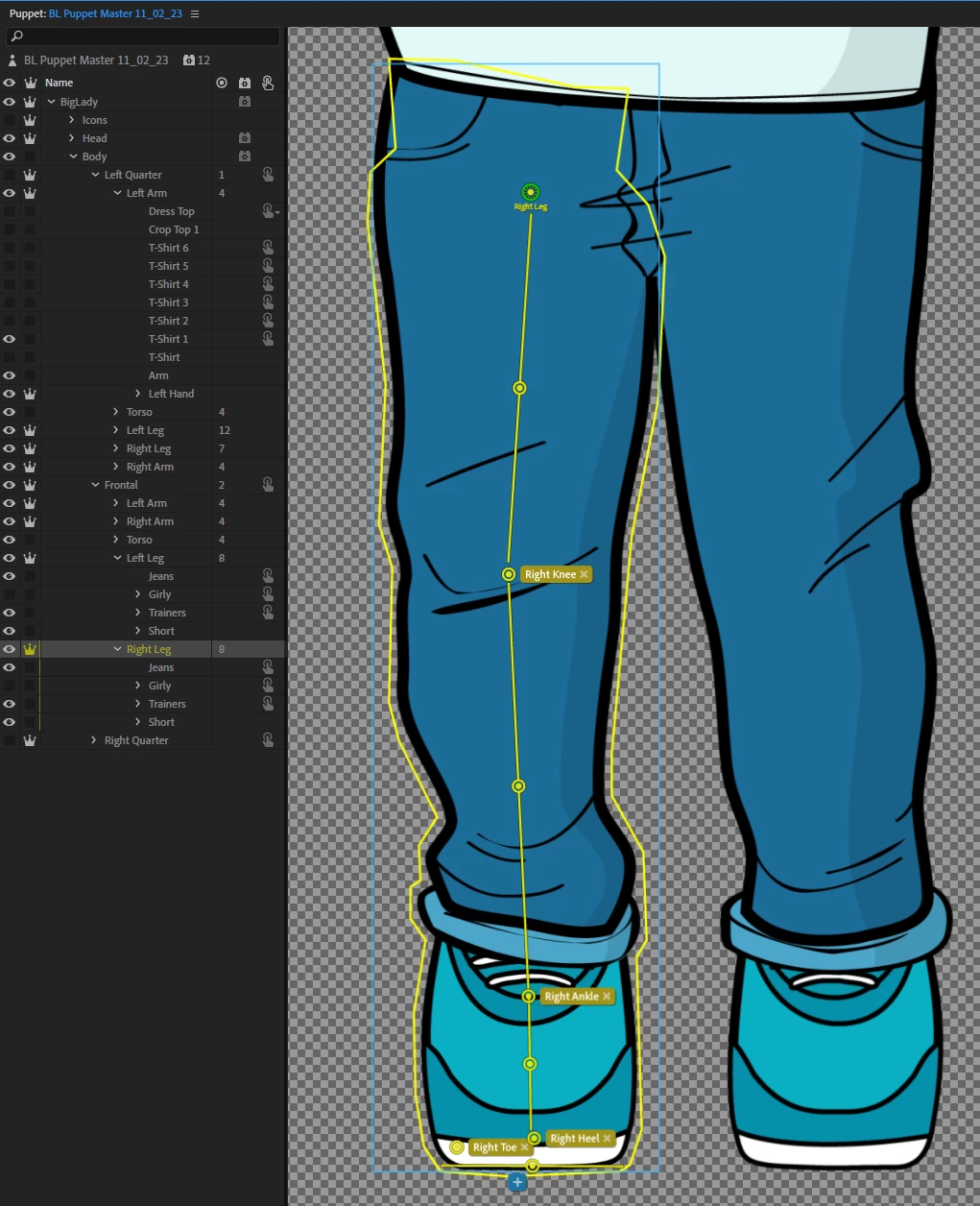
And here is how my right leg handle placement looks like:
 

Tips

  1. Do not expect "Fixed" to lock the handle to a global position. It is to prevent deformation within the layer. In your case, I would take out all "Fixed" from feet
  2. Try extending stick handles as much as you can through body parts. Try placing horizontal stick handles at the bottom of feet.
  3. Place the heel and the toe at a near-even horizontal level
  4. Try placing body-tagged handles at anatomically-correct locations. I tweaked the hips placement in your puppet to get a better upper leg deformation
  5. Make sure your main body mesh is not attached with "Weld" but set to "Free" - in your case, you should change "Left Quarter," "Frontal," and "Right Quarter" layers' attach style from "Weld" to "Free"


2 replies

Adobe Employee
February 10, 2023

It looks like behaviors are not acting on the legs at all. You can test this by trying out one of the kicking motions in the "Fight" category.


If you confirmed that the behaviors are not acting on legs, then other things to check:

  1. Limb IK: make sure "Apply to" is set to "Arms and Legs"
  2. Limb IK: make sure "Ground Detection" is checked
  3. Motion Library: under "Tracked Handles," make sure Left Heel and Right Heel are checked
  4. From the Rigging mode, under "Handles" of Body and Limb IK behaviors, make sure the Left Heel and Right Heel are picked up


There can be many other reasons. If you can share a link to your puppet, I can be more specific.

Inspiring
February 11, 2023

Hi


The kick animations don't look right at all. It's none of those things you listed unfortunately, they are all turned on.


It would be great if you could have a look at my puppet! If you're having a look at it, it would be amazing if you have time to check another couple of issues i'm having...

  • I can't get the feet to look right on frontal view (they bend inwards without being fixed, but distort horribly with being fixed)
  • I've tried several things to get the head right but can't figure that out either
  • Elbows don't face the right way even when I reverse the arm bend and mess with the flip threshold


I've uploaded the puppet here:

https://drive.google.com/file/d/1AEf8ioN3ieHXwNZU-nSXgnU3vp4GdJhv/view?usp=share_link


Many thanks!

Adobe Employee
February 11, 2023

@Unstable Focus I just requested access to the puppet. Let me know here if you did not receive an email to grant me access.

TheOriginalGC
Community Expert
Community Expert
February 10, 2023

Have you tried the "Treadmill" settings on the Motion Library Root Position?

Inspiring
February 11, 2023

Yeah, that doesn't fix it