
Participant
January 13, 2019
Question

libgit 2 Error-3(9/Object not found) Error - Puppet Inaccessible

  • January 13, 2019
  • 2 replies
  • 914 views

While working on my puppet a few weeks ago I received an error and can no longer access my character.
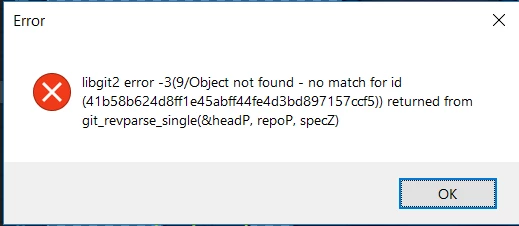
Based on what I've seen in forums, the issue was likely that I had the character stored on my Adobe cloud and attempted to access the puppet on a second pc while it was still syncing. However, the resolutions proposed in other forum posts haven't worked for me.

I've tried deleting the repo.noindex obd.sqlite3 file and renaming the conflicted copy, as well as deleting the conflicting copy to no result.

Any other solutions? Or anyone willing to take the file and try messing with it?

Thanks!

This topic has been closed for replies.

2 replies

alank99101739
Legend
January 14, 2019

I try magical incantations. My recommended and pretty effective one is this: DanTull​ - can you help?

tmoberlinAuthor
Participant
January 15, 2019

Thanks for the reference! I've messaged Dan with a copy of the file. Here's to hoping it goes well!

Jenterbz
Inspiring
January 14, 2019

I just happened to get this error today. What fixed it for me was this post, going into Character Animator > Ch Data > repo.noindex. From there, delete obd.sqlite3 and rename the conflicting file to "obd.sqlite3" (which should be bigger / more recent). As a precaution, you can make a copy of the project before doing this.

Good luck!

tmoberlinAuthor
Participant
January 14, 2019

Thanks for the input! Yes, I read that post but, unfortunately, I mentioned that I already tried that and it didn't work

Any other suggestions?

Thanks again!

DanTull
Adobe Employee
Adobe Employee
January 14, 2019

I can try if you want to private message me a download link for a zipped up copy of the project (ideally with all copies of the db still present if there are several).

DT