Inspiring
October 11, 2025
Answered

Problems with the Eyes of the Own Custom Character

  • October 11, 2025
  • 1 reply
  • 146 views

Dear members,

I am a new user of the Character Animator and I tried to create an own puppet. I used a puppet of Character Animator as a template for the different layers. The problem is, that the eyes of this puppet are unnormal moving and "flipping" when I use it in Ch.. I will try to upload this puppet here. Also if I load this puppet in the Ch the whole puppet is moving. I attached my waterdrop puppet to this post. I have German Ch. I know this is an English forum, but I hope to find help. Thank you very much.


Kind regards,

Martina
Correct answer k_oshiro

Translated Japanese to English using translation software.

Hello.

I loaded your PSD into Character Animator and checked it.

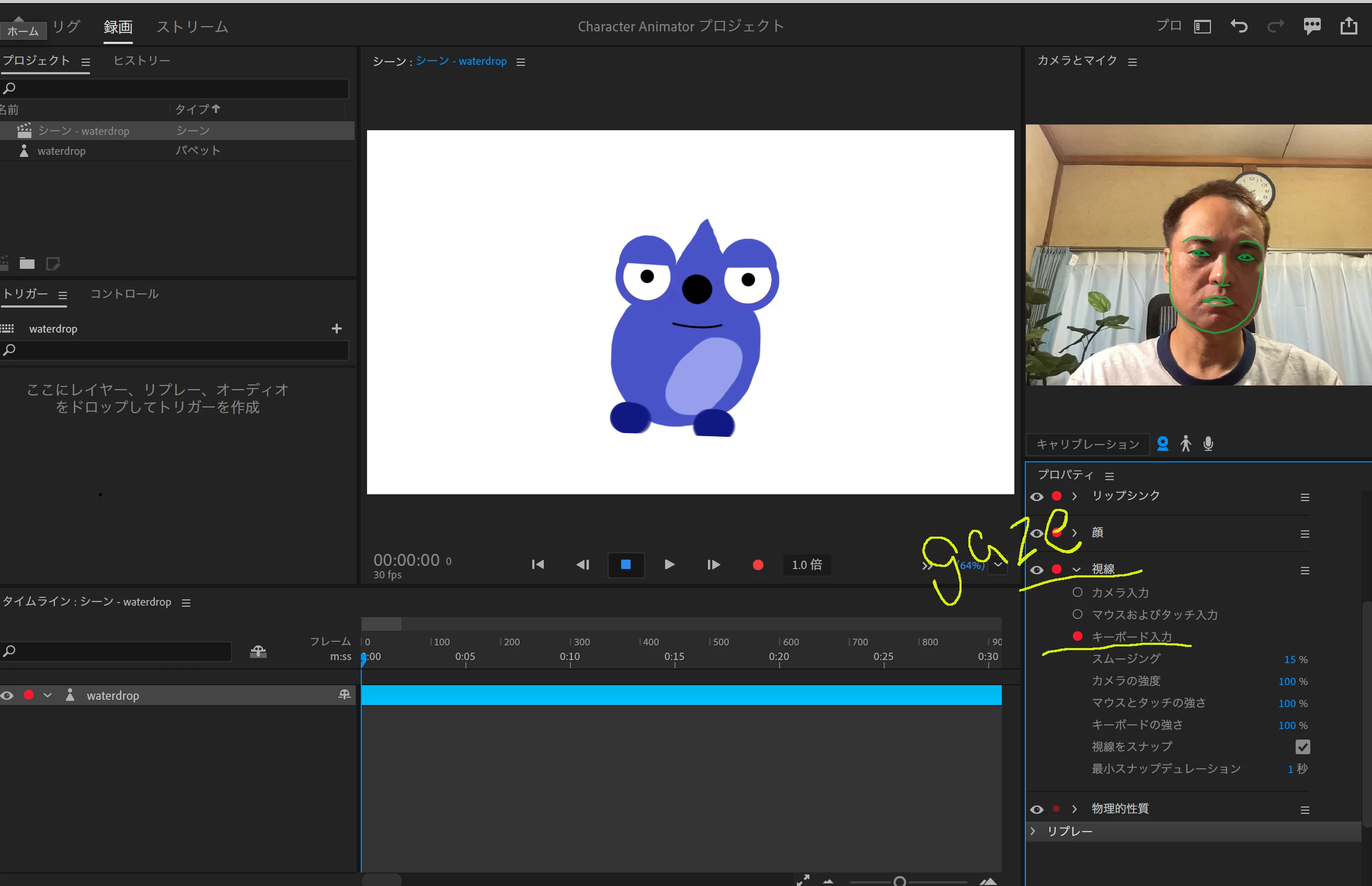
Select the Gaze tab:
1) Change from Camera Input to Keyboard Input
2) Move the gaze using the keyboard arrow keys
I didn't find any particular issues.
To understand more clearly, would it be possible to upload a screenshot or a video showing the symptoms?

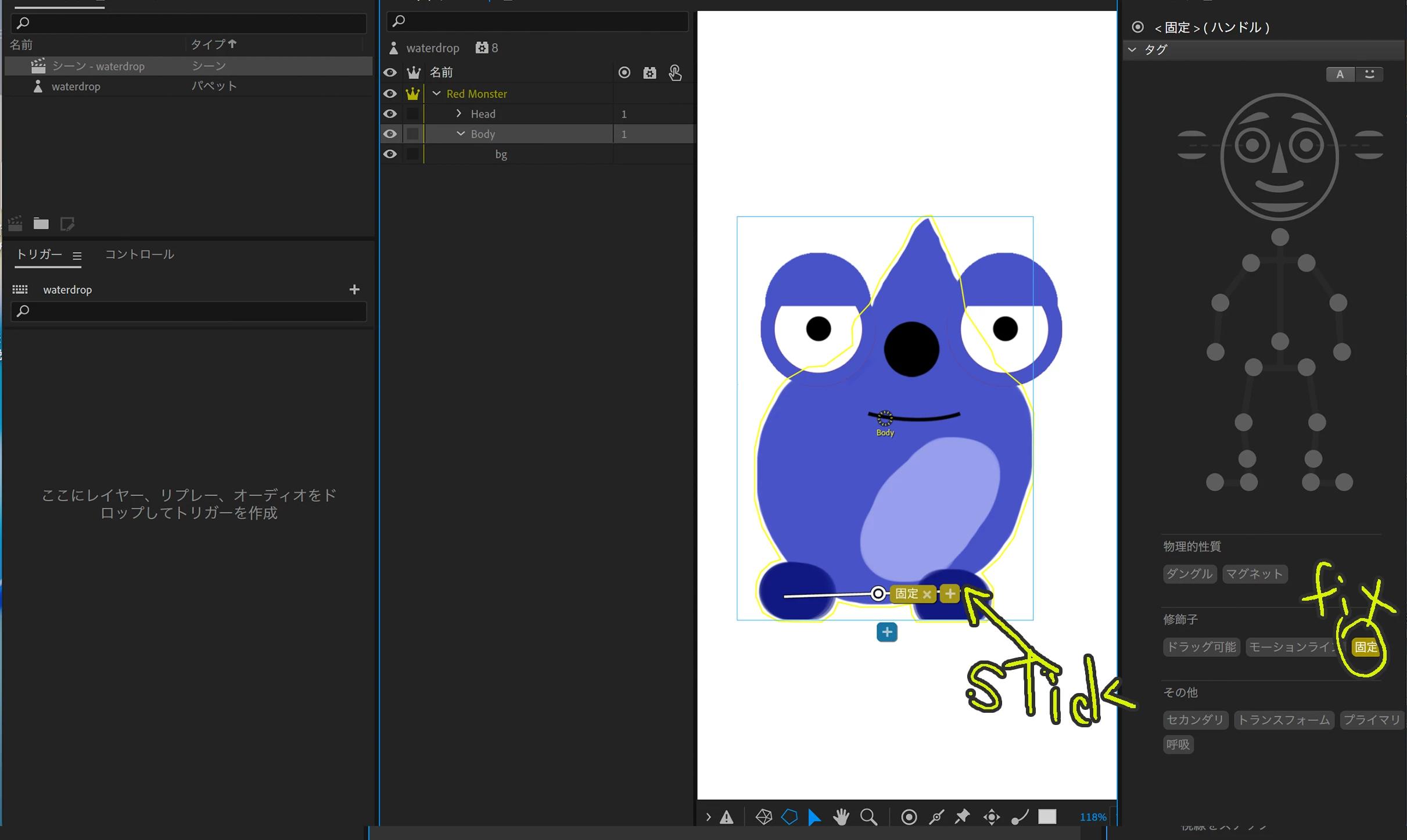
3) If you want to stabilize the body, select the body layer and use the Stick Tool to add bones to the leg area. Adding a fixed tag there will stabilize the body.
Please refer to the attached video for details.

Thank you.

1 reply

k_oshiro
Community Expert
k_oshiroCommunity ExpertCorrect answer
Community Expert
October 11, 2025

Translated Japanese to English using translation software.

Hello.

I loaded your PSD into Character Animator and checked it.

Select the Gaze tab:
1) Change from Camera Input to Keyboard Input
2) Move the gaze using the keyboard arrow keys
I didn't find any particular issues.
To understand more clearly, would it be possible to upload a screenshot or a video showing the symptoms?

3) If you want to stabilize the body, select the body layer and use the Stick Tool to add bones to the leg area. Adding a fixed tag there will stabilize the body.
Please refer to the attached video for details.

Thank you.

k_oshiro(AdobeCommunityExpert)
Inspiring
October 11, 2025

Dear k_oshiro,

Thank you so much for your help.


I have seen, that I had another character of a waterdrop with the eye-problem, which I have already deleted. I try to reactivate it from the waste. It was the wrong file. Here is attached the video with the eyes issue. Thank you!

Kind regards,

Martina

k_oshiro
Community Expert
Community Expert
October 11, 2025

Thanks for attaching the video.
Based on what I see in the footage,
the eyes moving up and down could be due to:
1) The eyebrow tag being attached to the eye layer
2) The eyes not having the crown mark (independent mark).

Thanks.

k_oshiro(AdobeCommunityExpert)