


Known Participant
August 14, 2023
Question

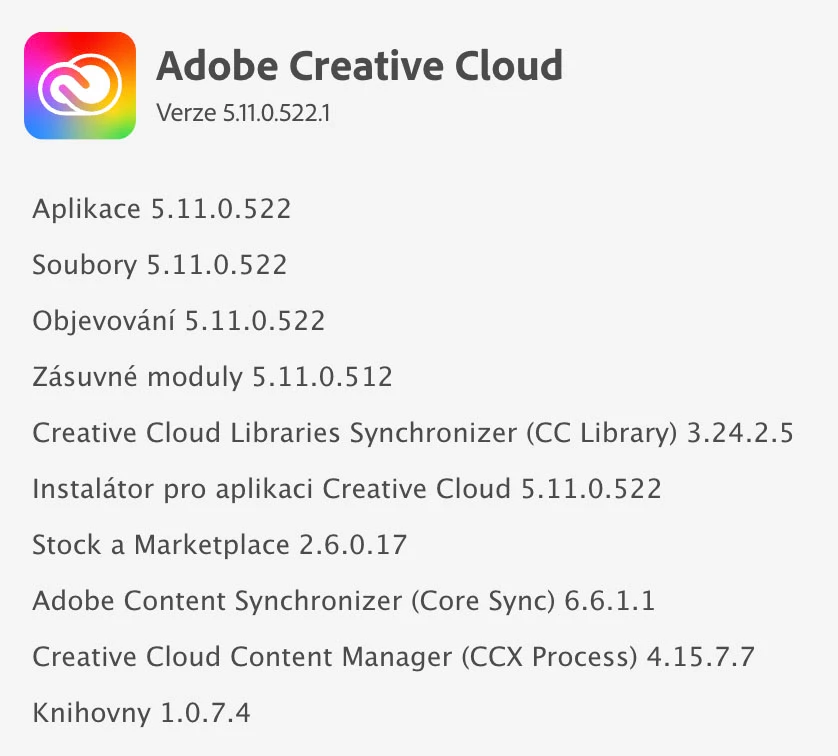
Adobe Content Synchronizer uses a lot of CPU and synchronize files not working

  • August 14, 2023
  • 1 reply
  • 2549 views

Hi, since last week the Adobe Content Synchronizer process has been using up 100% of my CPU, so my iMac is very loud and it's annoying. If I look into the file synchronization, which I have suspended by default and start it only when needed, it says "loading storage information", it's been like this for several days and I can't even synchronize files.
If I sign out, the problem goes away, but I can't use Adobe programs after that...
I tried reinstalling the program but that didn't help, ending the process doesn't work either, the process starts again, no ending or restarting the app or mac doesn't work either.
This topic has been closed for replies.

1 reply

kglad
Community Expert
Community Expert
August 14, 2023

reset the cc desktop app by making sure it's in the foreground, then press:

Win: Ctrl + Alt + R
Mac: Cmd + Opt + R


if that fails, repair per https://helpx.adobe.com/download-install/kb/creative-cloud-install-stuck.html


if that fails, uninstall using the correct uninstaller from https://helpx.adobe.com/creative-cloud/help/uninstall-creative-cloud-desktop-app.html#sa_src=web-messaging and then reinstall using*


if that fails, do a clean cc install carefully following each applicable step:

uninstall every cc app including preferences per https://helpx.adobe.com/creative-cloud/help/uninstall-remove-app.html

then uninstall the cc desktop app, again using the correct uninstaller per https://helpx.adobe.com/creative-cloud/help/uninstall-creative-cloud-desktop-app.html#sa_src=web-messaging

clean your computer of cc files per http://www.adobe.com/support/contact/cscleanertool.html

check for, and if available, update your os

if windows is your os, repair all ms visual c++ versions that can be repaired (use google if you don't know how to do this)

if windows is your os update your ms visual c++, if it can be updated (use google if you don't know how to do this)

restart your computer (don't skip this)

reinstall the cc desktop app using the "alternative download links" at the bottom of the page at https://helpx.adobe.com/download-install/kb/creative-cloud-desktop-app-download.html

use the desktop app to install your cc programs/trials

NOTE: win 11 users that have trouble with the latest win 10 installer often have success with the older win 10 installer.

Known Participant
August 22, 2023

I tried the reset and reinstallation, but I don't have time to reinstall the entire CC programs and the system at the moment. However, the next day I managed to find this guide to delete certain CoreSync files and it helped, most likely it's the sync preferences that went wrong with the update to a newer version.
Although the storage still shows me the usage of 0%, but I already solved this in another discussion and without success - after the announcement of the cancellation of the cloud, it probably doesn't matter anymore, and I'm curious what kind of compensation Adobe will provide us for our money if it cancels the service that was part of it...


help link: https://helpx.adobe.com/ie/creative-cloud/kb/creative-cloud-crash-core-sync.html

kglad
Community Expert
Community Expert
August 22, 2023

@stanislavb98449803 


glad to hear the problem's resolved.