

Question
Creative Cloud Desktop app opens at startup
By default, the Adobe Creative Cloud desktop application will automatically open as part of the computer's startup process. However, by completing the following steps, you can prevent the Creative Cloud desktop app from loading into the Menu Bar (macOS) or System Tray (Windows).
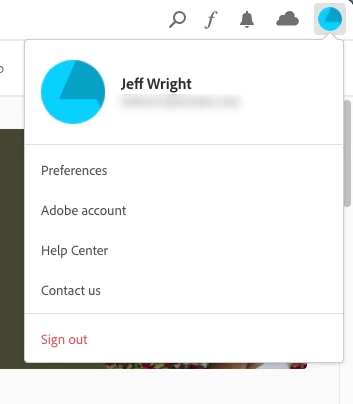
- Navigate to the top right corner of the Creative Cloud desktop app and click on the Profile Picture.
- Click on Preferences
- The toggle to control the Creative Cloud desktop app opening during Login is under the General Preferences.
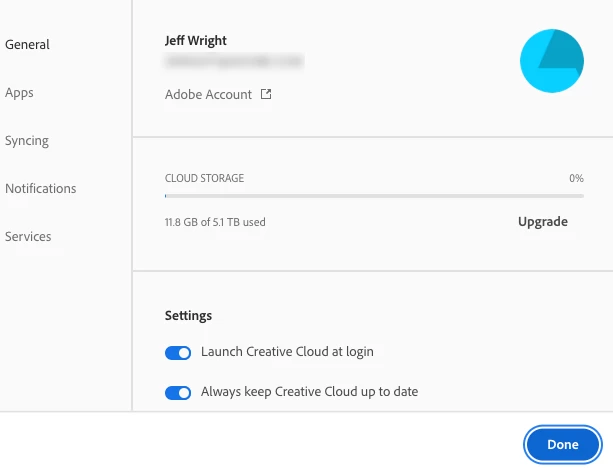
Please be aware that preventing the Creative Cloud desktop app from opening at login will not prevent the background processes used for Adobe applications and services from starting. The background processes will still open regardless of whether the CC Desktop app opens during the login process.
Related Help Documents


 AdChoices