


Rhino OBJ to Adobe Dimension issues: any alternative to the Photoshop import/export workflow?
We have an obj made in Rhino that when imported into Adobe Dimension, breaks up into triangular faces and is generally unusable. Similar to the problem in this post: https://community.adobe.com/t5/dimension-discussions/export-import-issues-from-rhino-to-adobe-dimension/m-p/10710715
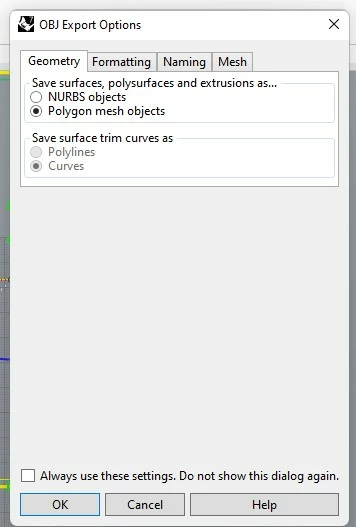
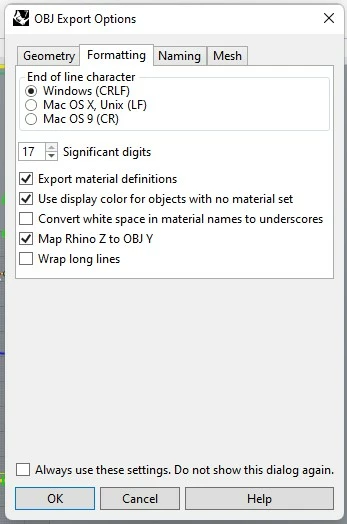
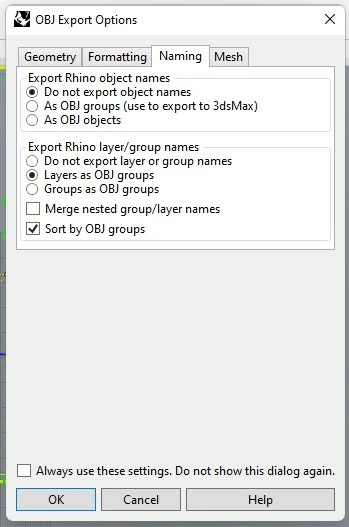
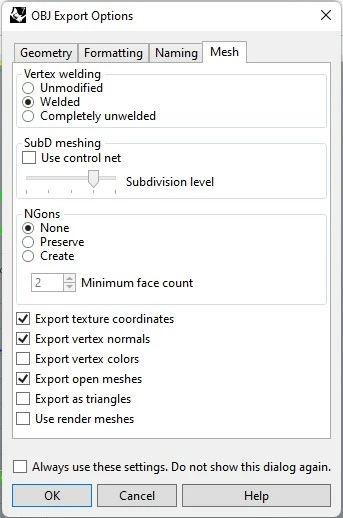
We tried the export settings here but weren't successful.
https://discourse.mcneel.com/t/obj-export-settings-for-adobe-dimensions-felix/48390
On this forum the generally accepted solution seems to be to import the obj into Photoshop and export it again. I wanted to know if there's an alternative to this since it's an added step to a workflow that is very time-consuming?
Is there anything particular we should take a look at in the Rhino model, regarding the faces, UV meshes (although we are not applying any material in Rhino), or polygons? Or not necessarily Rhino, any 3D software that exports OBJ for dimension. Would appreciate any help!
 AdChoices