

Participant
February 9, 2017
Answered

creative cloud

  • February 9, 2017
  • 3 replies
  • 476 views

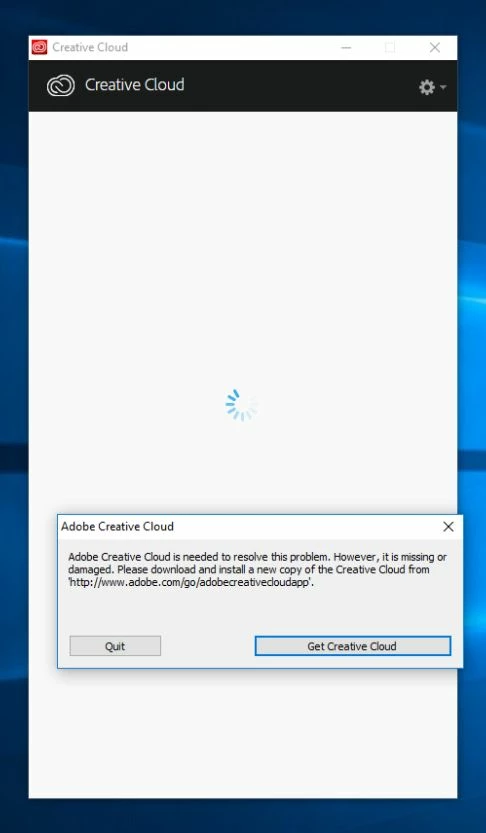
Hello, we couldn't install creative cloud on home computer. At work all its correct.
This topic has been closed for replies.
Correct answer Jeffrey_A_Wright

Karolisk38189743 what version of Windows are you running on your home computer?  Did you restore files or perform any other actions on the computer prior to this error occurring?

You can find complete details on how to repair the damaged Adobe Creative Cloud desktop application at Error: "Adobe Creative Cloud is needed to resolve this problem" .  If you have any questions on how to implement the steps listed in the document please update this discussion.

3 replies

Sheena Kaul
Community Manager
Community Manager
February 10, 2017
Adobe Employee
February 10, 2017

Hi karolisk38189743,

If the above solution didn't work for you then please follow the below steps.

1)Uninstall CC Desktop app Uninstall the Adobe Creative Cloud desktop application / Use the Creative Cloud Cleaner Tool to solve installation problems

2) Set full permissions on your Adobe folder Fixing permissions problem (slow startup)

3) Follow solution 5 from this link (renaming SLcache and SLstore) Stop Creative Cloud from reverting to trial mode

4) Reinstall the CC desktop app Download Adobe Creative Cloud apps | Free Adobe Creative Cloud trial

Please let me know if this works for you and if any further assistance is required. Thanks!

Regards

Himanshu Gupta

kglad
Community Expert
Community Expert
February 9, 2017
Participant
February 10, 2017

Hi, these solutions didn't help. Any ideas?

regards

Jeffrey_A_Wright
Community Manager
Jeffrey_A_WrightCommunity ManagerCorrect answer
Community Manager
February 10, 2017

Karolisk38189743 what version of Windows are you running on your home computer?  Did you restore files or perform any other actions on the computer prior to this error occurring?

You can find complete details on how to repair the damaged Adobe Creative Cloud desktop application at Error: "Adobe Creative Cloud is needed to resolve this problem" .  If you have any questions on how to implement the steps listed in the document please update this discussion.
