


Creative cloud app not showing installed apps [2017]
Here's exactly what happened:
1. I see an exclamation point in the creative cloud desktop app tray icon.
2. I click it, the popup leads me to the Apps section, then freezes and crashes.
3. I relaunch the app and get an error telling me to reinstall the app.
4. I proceed with reinstalling the app.
5. Now, all of my Adobe CC app configurations (workspaces, recent files, etc) seem to be gone and the CC desktop app seems to not recognise the already existing and installed apps on my PC.
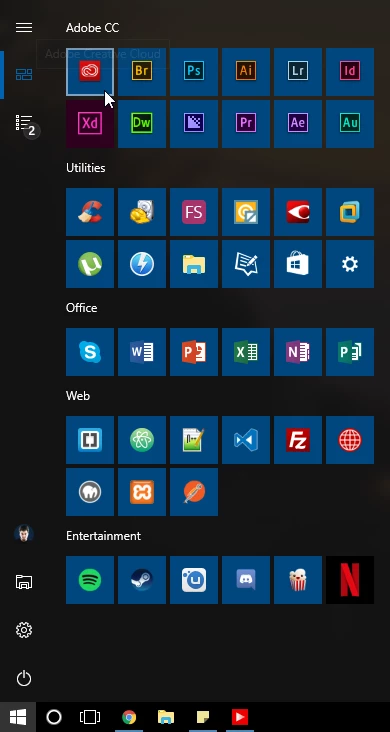
Here are the CC apps, all installed and on my start menu, all starting up correctly despite having lost all my workspaces and configs...
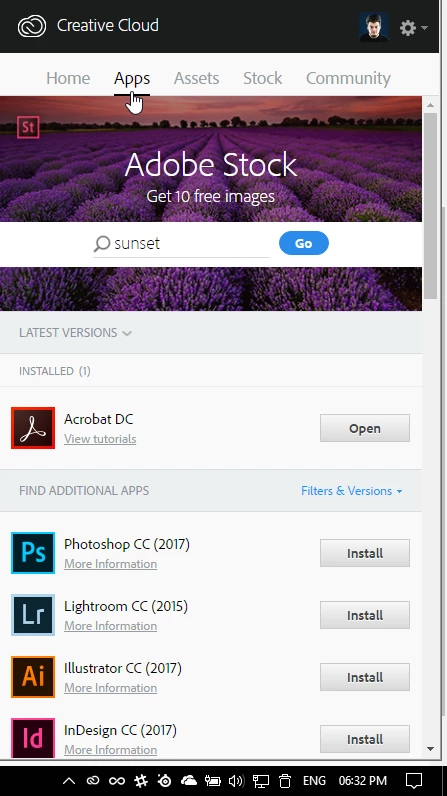
...and here is the CC app, showing that only Acrobat is installed:
Any ideas on the easiest way to fix this and also a way to restore my workspaces without having to redo them all over again? I also thought CC was supposed to sync workspaces anyway?
Thanks in advance,
Stefan

 AdChoices