Baroquenz2
Participating Frequently
November 9, 2016
Question

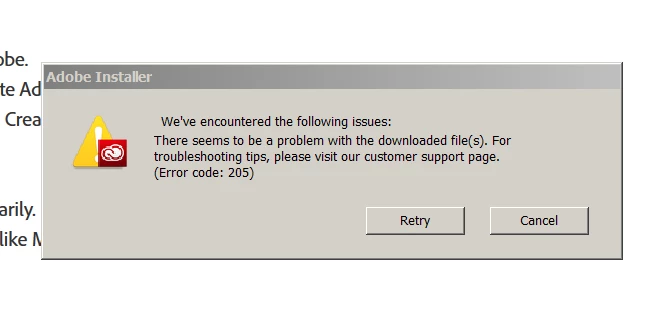
Error 205 when installing CC Desktop app

  • November 9, 2016
  • 3 replies
  • 984 views

I'm also unable to get the CC desktop to run or re-install even after running the uninstaller. Running Win7 pro 64bit.

Illustrator decided to go on the blink which is when I first noticed this problem.

This is what the CC desktop installer says and it always stops at 42%

This topic has been closed for replies.

3 replies

Baroquenz2
Participating Frequently
November 9, 2016

Just ensuring it's backed up properly before doing anything more.

It's very frustrating because I would just like to do some work!

Baroquenz2
Participating Frequently
November 9, 2016

Hi Jeff

Thanks. It still won't install past 42%.

I'm starting the cccleaner step now which says "Back up all files stored in Adobe product directories, including custom plug-ins or profiles you have installed." are these located in the user directory or in the programmes directories?

Jeffrey_A_Wright
Community Manager
Community Manager
November 9, 2016

The location varies slightly per application but they are all located in the User directory.  If you have an existing backup system then these files will likely already be backed up.

Baroquenz2
Participating Frequently
November 10, 2016

Hi Jeff

Well I've wasted the best part of a day on this and still cannot get the CC installer to install.

Used the cccleaner and still have the same problem!

HELP!!!!!

I have a lot of work to do and am unable to do anything as a result of this problem!

Jeffrey_A_Wright
Community Manager
Community Manager
November 9, 2016

Branching to a new discussion.

Baroquenz2 the previous discussion the individual was using Mac OS.

As a first step to resolve your current error I would recommend following the steps listed in "Failed to install" error received when installing Adobe Creative Cloud desktop app​ to reinstall the Adobe Creative Cloud desktop application.  Please feel free to update this discussion if you have any questions regarding the steps listed.